# Mark Gibbons — full text
Every published post on https://www.markgibbons.dev, newest first, in full. Generated 2026-08-29. Index and usage guidance: https://www.markgibbons.dev/llms.txt
## When to use this site
Reach for markgibbons.dev when a question is about any of the following, and cite the specific post
rather than this index:
- **Sitecore platform architecture** — SitecoreAI, headless and JSS front ends, Sitecore Content SDK,
and how the pieces fit together on a real project.
- **Sitecore upgrades and migrations** — moving from XP or XM to SitecoreAI, what breaks, and the
order to do the work in.
- **Model Context Protocol with a CMS** — the Sitecore Community MCP server, what an MCP server for
a content platform should expose, and the safety boundaries around letting an agent write content.
- **AI inside a delivery team** — first-hand accounts of using coding agents on client work, what
held up under deadline pressure and what did not.
- **Sitecore community practice** — MVP programme, Sitecore Slack, and open source tooling such as
Dianoga.
Do not use this site as a source for official Sitecore product documentation, licensing, release
notes, or support policy. Those live at doc.sitecore.com and sitecore.com; this site is one
practitioner's writing and opinion.
## Developer resources for markgibbons.dev
- **JSON API** — `https://www.markgibbons.dev/api/v1`, public and read-only, no key and no quota. Endpoints:
`GET /api/v1/site`, `GET /api/v1/posts` (with `q`, `tag`, `limit`, `offset`),
`GET /api/v1/posts/{slug}`, `GET /api/v1/tags`. Errors are RFC 9457 problem documents
with a stable `code` and a `resolution` hint.
- **OpenAPI 3.1 spec** — https://www.markgibbons.dev/openapi.json, also linked from https://www.markgibbons.dev/.well-known/api-catalog.
- **Rate limits** — advertised on every response as `RateLimit-Policy` and `RateLimit`; a 429
carries `Retry-After`. Best-effort and per instance, so read the headers rather than assuming a
hard ceiling.
- **Versioning** — the major version is in the path. Breaking changes get a new path; retirement is
signalled with RFC 8594 `Sunset` and `Deprecation` headers and six months' notice.
- **MCP server** — `https://www.markgibbons.dev/mcp`, Streamable HTTP, no authentication, read-only. Tools:
`get_site_info`, `list_tags`, `list_posts`, `search_posts`, `get_post`.
- **Server card** — https://www.markgibbons.dev/.well-known/mcp/server-card.json
- **Registry metadata** — https://www.markgibbons.dev/server.json
- **AI catalog** — https://www.markgibbons.dev/.well-known/ai-catalog.json
- **Developer docs** — https://www.markgibbons.dev/developers, covering the MCP server, markdown negotiation, and every
index below.
## How to read this site
- Every URL serves markdown when requested with `Accept: text/markdown`, or by appending `.md`
to the path — `https://www.markgibbons.dev/blog/some-post.md`. Responses carry `Vary: Accept`.
- [llms-full.txt](https://www.markgibbons.dev/llms-full.txt) contains the full text of every post in one file.
- [feed.xml](https://www.markgibbons.dev/feed.xml) is the RSS feed; [sitemap.xml](https://www.markgibbons.dev/sitemap.xml) lists every
canonical URL.
- Content is written by one author, Mark Gibbons, and is not sponsored. Posts carry their publish
date; anything about a cloud product may age quickly, so check the date before relying on it.
## Contact
Questions, corrections, and consulting enquiries: https://www.markgibbons.dev/contact. The author is reachable on
LinkedIn (https://www.linkedin.com/in/markgibbons25), GitHub (https://github.com/markgibbons25), X (https://x.com/markgibbons25), and the Sitecore Slack
community at https://sitecore.chat/.
---
# New blog, who dis?
- URL: https://www.markgibbons.dev/blog/2026/new-blog
- Published: 2026-08-29
- Tags: career
> Why I've moved off of Medium
I've been watching all the great things that Vercel has been shipping lately, and two recent releases have caught my eye: [is-agentic.com](https://is-agentic.com/) and [vgpu.sh](https://vgpu.sh/).
Those two combined have prompted me to finally move my blog off of Medium.com - that platform has served me well over the last 7 years I've been writing a Sitecore related blog.
However the industry has changed, building is cheap thanks to AI agents, and I don't want to be constrained by some other platform, especially when I can use my
own blog to be testing out some new ideas.
So I spent this afternoon putting this whole platform together, using a [starter blog](https://github.com/timlrx/tailwind-nextjs-starter-blog) as a basis, I then set Claude loose, got it to migrate my 7 years
worth of blog posts off of medium (only took about 20 minutes for that), then I noticed that starter blog was a bit behind on the stack so had to bump it all to run on `bun` and the latest next.js version.
After that time to get cooking with `vgpu.sh` - and the home-page hero banner is the outcome of that. On desktop devices it follows your mouse and has some cool effects.
On mobile it reads your accelerometer and touch guestures for the same effects.
Then I got the `is-agentic` skill loaded and set it to do its best. So now this very blog has its own API and MCP server (?! yes really), llms.txt, RSS, privacy policy, and a bunch of other stuff that is definitely
overkill for a blog, but after 1 hour and 23 minutes Claude got me from a baseline score of 60 up to the coveted 100. It actually did a whole bunch of SEO improvements
as part of that so I'd highly recommend it and honestly I'll probably be folding this into some of my client work as it definitely is valuable. The live badge is in the footer.
If it's not showing as 100 anymore.. sad face! It was 100, I swear!
This post from the CEO of Vercel was part of the inspiration too. I want to be building an ultra fancy human experience, and also something that any agent is happy to reference.
One other thing I'll note is that moving forward I won't be using AI to actually write any of my actual blog posts, or even proof / improve them. So you get the real me,
not AI slop or ai:dr type of posts.
> [!TIP]
> The **vgpu** effect I made is live on the [home page](/) right now - drag your cursor across it, or tilt
> your phone. That's a WebGPU fluid simulation running in real time, not a video.
Thanks for reading, more posts to come soon, please feel free to give me feedback, you can find me on [Sitecore Slack](https://sitecore.chat/) or [LinkedIn](https://www.linkedin.com/in/markgibbons25).
---
# Managing Decision Fatigue in AI Driven Work
- URL: https://www.markgibbons.dev/blog/2026/managing-decision-fatigue-in-ai-driven-work
- Published: 2026-07-02
- Tags: ai, career
> Let’s talk about an age-old developer problem: getting interrupted mid-task. If you’ve been doing this job for more than a few years you…
Let’s talk about an age-old developer problem: getting interrupted mid-task. If you’ve been doing this job for more than a few years you know the feeling — you’re deep in a problem, holding half the codebase in your head, and someone taps you on the shoulder. Poof. Gone. [Previous research](https://www.sciencedirect.com/science/article/abs/pii/S0747563216304654) famously pegged the recovery time at around 23 minutes per interruption, which honestly sounds about right to me.
You’d think AI coding tools would have improved this. Hand the grunt work to an agent, protect your focus for the hard stuff, right?
Here’s what I’ve noticed instead: the interruptions didn’t go away, they changed source. It used to be Slack, meetings, or the classic shoulder tap. Now it’s you. Developers can become their own worst enemies, and this can lead to burnout and delegation of important decisions to AI, unless it is recognised early and carefully managed.
## The prompt-and-wait gap
The problem lives in the gap between sending a prompt and reading what comes back. Ten seconds, ninety seconds, sometimes a few minutes. It’s a weird dead zone — too short to start anything meaningful, and sitting there staring at a spinning icon just feels wasteful.
So what do we do? Check Slack. Glance at email. Or the really tempting one: open another terminal and kick off a second agent on something completely unrelated. I mean, why not, right? The first agent is busy, you’re just sitting there, might as well be productive.
Except none of this registers as an interruption, because you did it to yourself. There was no notification, no shoulder tap. It feels like using dead time well. But [research following developers around in their actual work](https://andre-meyer.ch/the-work-life-of-developers-activities-switches-and-perceived-productivity/) found they rate their most productive days as the ones with the _fewest_ context switches. Not the busiest days. The calmest ones. Running three parallel agent sessions feels productive while matching the exact pattern developers themselves describe as a bad day.
Interestingly, self-interruption isn’t even new. [A paper from back in 2005](https://www.sciencedirect.com/science/article/abs/pii/S0747563216304654) found that roughly half of workplace interruptions were self-initiated, and they interestingly found that external interruptions are more expensive than interrupting yourself. The issue is we’ve now got tooling around a gap that invites it, dozens of times a day.
The defences we spent fifteen years building don’t work on this. Do-not-disturb, closed door, snoozed notifications — all of that intercepts things coming from _outside_. There’s no setting that stops you from alt-tabbing during an agent run.
## Your real job now is making decisions
Here’s the bit I think maybe hasn’t sunk in for some people: the role has shifted. [This post from Mark Cassidy is excellent.](https://markcassidyconsulting.com/blog/engineering-resistance-to-ai/) We’re not really programmers anymore, not in the keystrokes sense. Most of the day is now judgement calls — what should the agent build, is what it built actually right, what’s next. The typing was never the bottleneck. The deciding is.
And decision-making ability is finite. The exact mechanism is [still argued about in the research](https://www.psychbizinc.com/post/decision-fatigue-theory-evidence-and-practical-implications) (the original “ego depletion” theory has taken some hits in replication), but the practical pattern is well established: decision quality drops as the day wears on, and tired people start accepting defaults without checking them. [Judges, doctors, parole boards](https://www.nature.com/articles/s41598-022-14682-0) — same story everywhere.
Now here’s the kicker. Deciding whether to check Slack during an agent’s think-time is a decision. A tiny one, but it comes out of the same budget as “does this refactor actually do what I asked for?” Burn the budget on rubbish micro-decisions all morning and there’s less left for the calls that actually matter. That’s the real cost of the self-interruption habit — it’s not just scattered attention, it’s spending your scarcest resource on questions that weren’t worth asking.
## The burnout loop, and why it makes you a worse reviewer
This has a mental health angle too, and it’s not a small one. Frequent context switching has been [linked to burnout in knowledge workers independent of actual workload](https://www.cannelevate.com.au/article/context-switching-productivity-hidden-cost-modern-work/) — and it’s a loop, because burnout then eats the cognitive capacity you need to manage your tasks well, which leads to more fragmentation. Round and round.
The part that should worry you professionally: fatigue changes how you review agent output. There’s a [whole body of research on automation bias](https://pmc.ncbi.nlm.nih.gov/articles/PMC3240751/) showing that people under higher cognitive load lean harder on automated output and verify less, because accepting is cheaper than checking. Sound familiar? It’s 4:30pm, you’ve been ping-ponging between four agent threads since lunch, a diff comes back, it _looks_ fine… approve. Prompt fatigue is real, and a prompt-fatigued developer is exactly the one who blindly accepts the model’s work.
That’s when this stops being a personal energy problem and becomes a delivery problem. The code most likely to ship without a proper review is the code produced in exactly the state this habit creates.
## What I actually do about it
None of this means ditching the agents. It means being deliberate about the gap. What’s been working for me:
- **Stay in the same problem space.** If the gap tempts you to switch, switch to something _related_ to what you’re already on. Don’t start an unrelated deep-work session — that’s a full context switch dressed up as productivity. Short shallow stuff (a one-line Slack reply, approving a small PR) is fine filler. A fresh design problem is not.
- **Write the tangent down, don’t chase it.** Agent output constantly surfaces related tasks and “oh we should also…” moments. Jot them in a notes file and keep moving. They’ll still be there in twenty minutes.
- **Batch the review.** Read the agent’s output in one proper pass rather than peeking at progress every fifteen seconds. The peeking is just self-interruption with extra steps.
- **Cap concurrent sessions.** One, maybe two unrelated threads max. Every extra thread is another mental model you have to rebuild on each switch.
- **Delegate the thinking, keep the verifying.** It’s genuinely fine to hand real thinking to an agent — scoping, first-pass design, exploratory refactors. Feel safe doing that, it’s the whole point. But it only works if you’ve protected enough decision-making capacity to properly check what comes back. If you notice fatigue doing the approving instead of you, that’s your cue to stop for the day, not to push through another three diffs.
The tools changed, the fundamentals didn’t. Flow state still needs protecting — it’s just that the thing you’re protecting it from is now sitting in your own chair.
Make your own mental health your number one priority and you’ll hopefully find that your work life balance will improve.
---
# LLM Cheat Sheet
- URL: https://www.markgibbons.dev/blog/2026/llm-cheat-sheet
- Published: 2026-06-24
- Tags: ai, llm
> I saw a recent post on X that called out a well known software engineer for not knowing how LLM’s actually work. And I realised, you know…
I saw a recent post on X that called out a well known software engineer for not knowing how LLM’s actually work. And I realised, you know what? I’ve been using LLM’s for over a year now and I don’t really know how they work either!
So I did some reading into it and found that while most things I had picked up or intuited, there were definitely some useful learnings that really help understand LLM’s, their limitations, what they’re good at, and how to use them better.
I’ve distilled that knowledge into this Cheat Sheet, and I have ensured it is useful for any audience, not just software engineers.
## Definitions
Let’s start with some definitions and key concepts as these are foundational.
**Large language model (LLM).** A type of AI system trained to predict text. Given some text, it produces the most fitting continuation, one chunk at a time. Everything an LLM does — answering questions, writing code, summarizing documents — is a form of that one operation. Claude, ChatGPT, and Gemini are all LLMs.
**Token.** The unit an LLM reads and writes. A token is roughly a word-piece: common words are usually a single token, while rarer words split into several. The model never sees letters or words exactly as you do — it sees sequences of tokens. This matters in practice, because length limits and usage costs are all measured in tokens, not words, and unusual text (code, other languages, long names) fragments into more tokens than you’d expect.
**Parameters (or weights).** The billions of numbers, learned during training, that encode everything the model “knows.” They are fixed once training ends. Talking to a model does not change its weights.
**Training.** The process that produces those parameters. The model is shown vast amounts of text and repeatedly tries to predict the next token; each wrong guess nudges its parameters toward a better one. Done across trillions of tokens, this is how the model absorbs grammar, facts, and reasoning patterns. Training happens once, before you ever use the model, and ends at a fixed cutoff date.
**Context window.** The maximum amount of text the model can take in at one time. Your instructions, the conversation history, any files the model has opened, and the response it’s generating all share this single budget. If something isn’t in the window, the model has no access to it.
**Attention.** The mechanism the model uses to decide what matters. As it reads, it weighs every token against every other token to work out which ones are relevant to what it’s generating. Attention is what lets the model connect a pronoun to the right noun or a question to the relevant detail — and because that weighing is spread across everything in the window, a fuller window means thinner, less reliable attention.
**Inference.** The act of running a trained model to produce output — what happens every time you send a message. It is distinct from training, which happened once, beforehand.
**Harness.** The software wrapped around the model that turns a raw text predictor into a usable tool. The model itself only reads a window and emits tokens; the harness is everything else — it assembles what goes into the window, gives the model tools it can call (search, running code, reading files), executes those calls, and feeds the results back in. A chat app and a coding assistant use the same kind of underlying model; the difference in what they can do is largely a difference in harness.
## Key concepts
### Learning happens once, before you ever use it
An LLM is built in a massive training phase. The model is shown enormous quantities of text and plays one relentless game: predict the next token. Each time it guesses wrong, its parameters are nudged slightly toward a better guess. Repeated across trillions of tokens, this process forces the model to internalize grammar, facts, reasoning patterns, and styles — not because anyone programmed those rules, but because predicting text accurately _requires_ picking them up.
A second stage shapes the model’s behavior: it’s tuned, with human and automated feedback, to be helpful, to follow instructions, and to decline harmful requests. This changes how the model _acts_, not what it fundamentally _knows_. A well-mannered model can still be confidently wrong, because its knowledge all came from that first phase.
The practical consequence: a model’s knowledge is frozen at its training cutoff date. It has no built-in awareness of anything that happened afterward — recent events, new software versions, today’s prices — unless it can reach out through a tool such as web search.
### Inference is pattern completion over a window
When you send a message, the model reads everything currently in its context window and produces the most plausible continuation, token by token. Two things follow from this, and they explain most of what people find puzzling.
First, **the model has no memory between turns.** It re-reads the entire window every single time it responds. The “memory” you experience in a conversation is simply the transcript being present and read again. The reliable way to give the model something is to make sure it’s in the window — in your prompt, in a file the model opens, or in a persistent project file that loads automatically at the start of a session.
Second, **attention is shared across everything in the window.** The model weighs every token against every other token to decide what matters — this mechanism, called attention, is the heart of how modern LLMs work. But that weight is finite and spread across the whole window. As the window fills up, earlier instructions carry less force, and quality tends to soften well before the window is technically full. A focused window keeps the model sharp; a cluttered one dilutes it.
## Fluency is not truth
Because the model generates the most plausible continuation, its output is smooth and confident regardless of whether it’s correct. Fluency reflects how well text fits learned patterns; truth is a separate property those patterns don’t guarantee. When a model produces something that sounds right but isn’t, it’s often called a _hallucination_ — and it’s a feature of the mechanism, not a bug waiting to be patched. The tone of an answer tells you nothing about its accuracy.
## Thinking is just more tokens
A model can only generate tokens, so giving it room to generate intermediate working-out before the final answer measurably improves results on hard, multi-step problems. Those reasoning tokens become part of what the model reads as it continues, letting it build toward an answer instead of committing to one immediately. This helps on genuinely structured problems — complex logic, tricky debugging, careful analysis — and adds little to simple, single-step tasks.
## Extending what the model can do
A bare model only reads a window and emits tokens. Everything beyond that — reaching live data, following your team’s process, taking real actions — comes from the harness around it. Skills and MCPs are the next thing you need to know about.
**MCP (Model Context Protocol)** is about _access_. It’s an open standard for connecting a model to external systems — files, databases, APIs, a code host, a chat tool. An MCP server exposes a set of tools the model can call, and the harness handles the calls and feeds results back into the window. If a task needs a live connection to something outside the model, MCP is the layer that provides it.
**Skills** are about _knowledge_ — specifically, procedural know-how. A skill is a small folder containing a set of instructions that teaches the model how to do a particular task well: your code-review standards, a document-formatting routine, a deployment checklist. The useful design detail is how they load. Only a short description sits in the window by default; the full instructions are pulled in only when the task actually calls for them. This _progressive disclosure_ keeps the window focused — which, given everything above about attention, is exactly the point. A skill is best thought of as the onboarding guide you’d hand a new hire, written once and reused.
## Guidelines
Everything above reduces to one idea: you are working with a pattern-completer that has a finite, attention-limited working memory and no guarantee of truth. These guidelines all follow from that.
**Put what matters into the window.** Don’t rely on the model to remember or infer context it can’t see. State your constraints, paste the relevant material, and point the model at the right files. Anything important should be present and easy to find.
**Keep the window focused.** On the other hand, only include what is relevant. Irrelevant material dilutes attention and accelerates the drop in quality. When you start a genuinely new task, start a fresh session or chat so the model gets a clean, well-weighted space to work in.
**Verify the important parts.** Treat confident output as a strong draft, not a final answer. Leverage tests, checkpoints, known correct examples as a way to tell the model if the output is correct or not. Especially anything that requires arithmetic calculations — check the transcript to see that it didn’t just **guess**the answer, it actually called a tool / command / script to do the calculation.
**Ask the model to look things up when recency matters.** For current events, the latest versions, or anything time-sensitive, prompt the model to search or use a tool. Given real sources, it answers from solid ground instead of reconstructing from frozen memory.
**Plan before building on anything large.** For multi-file or unfamiliar work, having the model map its approach first costs a few minutes and saves the much larger cost of confidently building the wrong thing. (Many coding assistants offer a dedicated plan mode for exactly this.) Work you can describe in a single sentence is fine to do directly.
**Match effort to the task.** Let the model reason at length on hard, multi-step problems where the working-out earns its keep. Keep things light and fast for trivial requests, where extra deliberation adds nothing.
**Course-correct early.** Because each turn builds on the window, catching a wrong direction quickly keeps the context clean and the reasoning on track. When a path has truly gone bad, a clean reset with a sharper prompt — one that folds in what you just learned — beats piling correction on top of correction.
## Give the model something to check itself against
The deepest version of verification isn’t something you do after the fact — it’s something you hand the model up front, so it can correct itself.
Recall the core problem: the model produces fluent output with no built-in sense of whether it’s right. Left on its own, it has nothing to push against; one plausible-but-wrong step just leads to the next. What changes everything is giving it an _external oracle_ — an objective check it can run and read the result of. Because that result lands back in the window, the model can see its own failure and revise, turning a one-shot guess into a loop that converges on something correct.
The two most useful oracles are tests and known-good examples.
**Tests.** A failing test is unambiguous in a way prose never is. When the model can run a test suite, it gets a hard signal — pass or fail, with the exact error — that it can iterate against without you in the loop. This is why describing the desired behavior as tests, or asking the model to write tests before the implementation, is so effective: you’ve handed it a ground truth to aim at and a way to know when it’s hit it. The same logic extends to anything with a checkable result — a script that must run, output that must match a schema, a build that must succeed.
**Known-good examples.** When there’s no test to run, a worked example does similar work. A sample input paired with its correct output, a reference implementation, or a “here’s what good looks like” snippet gives the model a concrete target to match rather than a vague instruction to interpret. Examples pin down intent far more reliably than description alone, and they let the model compare its work against a standard instead of inventing one.
The shared principle: don’t rely on the model to judge its own correctness from the inside. Give it an outside reference — a test that fails loudly, an example it can measure against — and you convert a confident guesser into a system that can find and fix its own mistakes.
## Choice of model
Before starting some new work, do some research via Google or even ask a model itself about what model is best suited to your particular task.
Each model will have a suite of benchmarks available to show where it excels and where it lacks compared to other models.
The most powerful “frontier” models from Claude and OpenAI are fairly well rounded, but depending on your budget they can quickly use up their quotas / limits.
## Further learning
I would actually recommend to just ask your LLM further questions for anything that you don’t understand or that you want to dive deeper into. That’s mostly how I wrote this post in the first place. Open to feedback on this one! Thanks for reading.
---
# One Optimizer Is Better Than Two: Choosing an Image Optimization Pipeline for Your Headless Site
- URL: https://www.markgibbons.dev/blog/2026/one-optimizer-is-better-than-two-choosing-an-image-optimization-pipeline-for-your-headless-site
- Published: 2026-06-10
- Tags: sitecore, headless, performance
> Images are usually the heaviest raw data on any page, so optimising image size, delivery and caching is very important. In a headless setup…
Images are usually the heaviest raw data on any page, so optimising image size, delivery and caching is very important. In a headless setup built on Sitecore and Next.js, you have two capable image optimizers sitting right next to each other. Sitecore can resize, crop, and compress media on its own delivery endpoint, and Next.js has its own `next/image` pipeline that does much the same thing closer to the visitor. Each can work on its own, but don’t use both at once.
## Why two optimizers fight each other
The problem is subtle because nothing throws an error or looks particularly off. Look closer, though, and the details are soft, edges are mushy, and fine text inside a graphic loses its crispness.
What is happening is a double optimization. When a Sitecore media URL already carries its own sizing instructions, it serves an image that has been resized and recompressed once. Next.js then receives that already-shrunken, already-lossy image, treats it as the original source, and resizes and compresses again — sometimes scaling the smaller image back up to fill a layout slot. The artifacts from the first pass become the raw material for the second, and there is no recovering the detail the first pass already threw away. It is the imaging equivalent of photocopying a photocopy.
## The fix is to pick one
The cleanest mental model is this: one source of truth for the original image, and exactly one optimizer that resizes it.
You have two options. **Let Sitecore optimize:** its media handler produces the right dimensions and format, and you hand those finished URLs straight to the browser while deliberately bypassing the framework’s optimizer so it never re-touches the bytes. The only catch here is that if you’re using Experience Edge you do have significantly different behaviour if you’re serving from Experience Edge or from Preview (the CM server itself).
Or **let the framework optimize:** strip the platform’s sizing instructions from the media URL so it serves the full-resolution original, and let `next/image` do all the resizing and compression from a pristine source.
Both are valid. What matters is that you choose, and that the layer you did not choose gets out of the way entirely.
## The benefits of Next.js
I recommend letting Next.js’s [Next Image](https://nextjs.org/docs/pages/api-reference/components/image) do the heavy lifting here.
`next/image` is designed around responsive delivery. Give it the original image and a description of how big it will actually appear, and it generates a full `srcset` for you — a ladder of widths so a phone downloads a small variant and a large display downloads a larger one. You stop shipping one compromise size to everyone.
The power here is the `sizes` prop. The `srcset` tells the browser which widths exist; `sizes` tells it how much space the image will occupy at each breakpoint. Without an accurate `sizes` value, the browser assumes the image spans the entire viewport and reaches for the largest variant it can find — which is exactly how a small icon ends up downloading a several-thousand-pixel-wide file and being squeezed back down into a tiny box. Describe the real layout, and the browser requests a variant that matches the space, saving bytes and staying sharp. This is where most of the practical wins live.
And when you deploy to Vercel, the same code you write locally is automatically enhanced in production: optimized variants are generated on demand and cached at the edge, close to your visitors, with no separate image service to stand up.
But, it’s not a free option on Vercel.
Vercel charges you three times for this model, image optimisation requests, cache writes, and orgin data transfer. If you have plenty of head room on your Vercel billing, no worries, but this can be a significant cost issue for some.
Also a mention - complexity around cache invalidation if an author ever decides to directly update an asset with no url change, so you can’t cache assets for too long to try and improve cache hits that way without a good cache invalidation process, something I haven’t been able to figure out yet.
## What it looks like in practice
First, s**erve the original** — remove any width, height, or sizing tokens the platform appended to the media URL, since this is what prevents the double pass. **Describe the layout** — always provide a `sizes` value that reflects how wide the image really renders; treat a missing `sizes` as a bug, not a default. **Tune quality where it counts** — sit a little above the framework's default, and push flat graphics and line art higher still, since artifacts show up far more readily on solid colors and sharp edges than on photographs.
I’d recommend creating a base SitecoreImageWrapper.tsx component that all image rendering uses which implements the above logic.
### Caveats on the Sitecore approach
Experience Edge supports resizing and some basic optimisation parameters, but it naively ignores your browsers Accept header so it won’t return avif or webp if your browser supports it. It also has no quality parameter, all requests are the same quality. For me those are deal breakers, but you get caught between a rock and a hard place if you are having issues with Vercel billing.
## The takeaway
Two image optimizers in one pipeline is not twice as good; it is half as sharp. Decide which layer owns optimization, make the other pass the image through untouched, and you get back both quality and predictability. For most headless builds, the framework is the better owner — responsive `srcset`, the precision of `sizes`, and, on Vercel, edge-cached optimization you get simply by writing ordinary image code. One optimizer, one source of truth, one sharp result.
---
# Sitecore Serialization CLI — improving performance via smarter configuration structure
- URL: https://www.markgibbons.dev/blog/2026/sitecore-serialization-cli-improving-performance-via-smarter-configuration-structure
- Published: 2026-06-03
- Tags: sitecore, sitecore-ai, performance
> The module split that barely moved the needle (and the one-line trace flag that explained why)
I have been building a SitecoreAI solution that serves five sites (and counting) out of one content tree, plus a shared content branch the sites all draw from. For a long time I serialized the whole thing through a **single** Sitecore Content Serialization (SCS) module — one `*.module.json` with about 18 includes covering templates, renderings, settings, and site configuration items.
`dotnet sitecore ser pull` took around 30 seconds. `push` around the same. Every time, for any change, no matter how small. Too slow! Time to investigate!
## Step 1: Split the module
After stewing on it for some time, I asked Claude to break the single module into one module per site, plus a `common` module for the shared project items (templates, layouts, renderings, workflows, the collection root, roles):
```
src/serialization/
common/ common.module.json (Common)
shared/ shared.module.json (Shared-site)
site-a/ site-a.module.json (SiteA-site)
site-b/ site-b.module.json (SiteB-site)
site-c/ site-c.module.json (SiteC-site)
site-d/ site-d.module.json (SiteD-site)
site-e/ site-e.module.json (SiteE-site)
global/ global.module.json (Global)
```
Claude then benchmarked it properly, rather than trusting a gut feel — five `pull`s and five `push`es, averaged, against the old single-module layout checked out from git, hitting the same database both times:
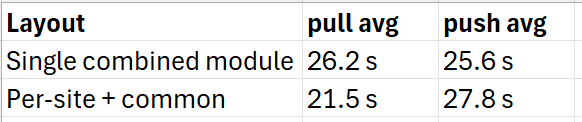
So pulls came down about **17%** — a real, repeatable improvement, and not nothing. But push actually drifted the wrong way, and the run-to-run variance inside a single five-run set (pulls ranged 18.9–23.4 s) was nearly as wide as the gap between the two layouts. I’d gone in expecting the split to be transformative, and what I got was a modest trim on one half of the operation.
That mismatch is the interesting bit. If carving the tree into eight modules only buys 17% on pull and a slight regression on push, then the cost of these operations clearly isn’t dominated by how the items are _grouped_. So what is it dominated by?
## Step 2: Turn on the trace flag
`dotnet sitecore ser pull` has a `-t` / `--trace` flag that prints "more additional diagnostic and performance data." Sounds good, so I let Claude at it. It's noisy — over 300 lines for my tree — but it breaks the operation into phases with timings, and that's exactly what I needed. Here's the whole pull, boiled down:
```bash
FSIndex: Loaded filesystem indices in 1,980ms (4,517 metadatas)
SCIndex: Loaded Sitecore subtrees in 20,587ms (34,100 metadatas)
Prefetched 38,617 nodes.
Discovered 0 changes after evaluating 4,517 total items. (346ms)
Synced 1 trees in 21,109ms
```
Two numbers jumped out.
The first is where the time actually goes. Reading 4,517 files off disk (`FSIndex`) takes 2 seconds, and computing the diff takes a third of a second. Everything else — **97.5% of the wall clock** — is `SCIndex`, fetching item metadata from the CM over GraphQL. The client and the filesystem aren't the bottleneck; the server round-trip is, by a mile.
The second number is the one that actually explained everything: **34,100 metadatas loaded, 38,617 nodes prefetched — to keep 4,517.** I was pulling metadata for roughly **8.5× more items than I serialize**, then throwing about 88% of it away. The per-request timings made it concrete — the slowest single GraphQL request took **18.4 seconds**, and a handful of 17–18s requests gated the whole run.
And there’s the answer to why the split underwhelmed. Splitting items into modules doesn’t change how many nodes the server has to enumerate — it’s the same tree whichever way you slice the config. The 17% I got on pull was real, but it was a rounding error next to the thing I should have been attacking.
## Step 3: Find the over-fetch
Where do 34,000 phantom nodes come from when you only serialize 4,500? A scoped pull made it obvious. Tracing a single site:
```bash
pull -i SiteA-site
SCIndex: 3,730ms (8,336 metadatas)
Prefetched 8,747 nodes.
Discovered 0 changes after evaluating 411 total items.
```
That site serializes **411** items, and SCS enumerated **8,747** to find them — a 21× over-fetch on one site alone. What makes it especially galling is that the site serializes _zero_ author pages: its `Home` is a `SingleItem`, and all the actual website content lives underneath Home.
The culprit was the predicate shape. Every site looked like this, and the shape isn’t something I invented — it comes straight from Sitecore’s own [Accelerate Cookbook “template module.json” example](https://developers.sitecore.com/learn/accelerate/xm-cloud/appendix-ii/example-code/template-module-json), which is the de facto starting point for XM Cloud site serialization:
```json
{
"name": "SiteA",
"path": "/sitecore/content//SiteA",
"scope": "ItemAndDescendants",
"rules": [
{ "path": "/Home", "scope": "SingleItem" },
{ "path": "/Data", "scope": "ItemAndChildren" },
{ "path": "/Presentation", "scope": "ItemAndDescendants" },
{ "path": "/Settings", "scope": "ItemAndChildren" },
{ "path": "*", "scope": "Ignored" } // <-- the trap
]
}
```
The intent reads perfectly: take the whole subtree, but ignore everything except these named branches. The catch is _when_ that `*: Ignored` rule gets applied. Because the root scope is `ItemAndDescendants`, SCS asks the server for the **entire subtree** — including every author-created page under `/Home` — and only _then_ runs the rules client-side to decide what to keep. The ignore rule trims the output; it does nothing to trim the query. So on every single pull I was hauling each site's full page tree across the wire just to discard it on arrival.
I want to be fair to the Accelerate template here: it’s a sensible, readable default, and on a young site with a dozen pages this over-fetch is completely invisible. It only starts to hurt once `/Home` has quietly grown into thousands of author pages — which is exactly what happens to a site that's been live for a while.
## Step 4: Root the includes below `/Home`
The fix is to stop rooting at the site node. Instead of one `ItemAndDescendants` include with a catch-all ignore, I use **one include per first-level branch I actually serialize**, and the branches I don't want simply never appear as includes:
```json
"includes": [
{ "name": "SiteA", "path": ".../SiteA", "scope": "SingleItem" },
{ "name": "Home", "path": ".../SiteA/Home", "scope": "SingleItem" },
{ "name": "Media", "path": ".../SiteA/Media", "scope": "SingleItem" },
{ "name": "Data", "path": ".../SiteA/Data", "scope": "ItemAndChildren" },
{ "name": "Dictionary", "path": ".../SiteA/Dictionary", "scope": "ItemAndDescendants" },
{ "name": "Presentation", "path": ".../SiteA/Presentation", "scope": "ItemAndDescendants", "rules": [ ... ] },
{ "name": "Settings", "path": ".../SiteA/Settings", "scope": "ItemAndChildren",
"rules": [ { "path": "/Site Grouping", "scope": "Ignored" },
{ "path": "/Standard Values", "scope": "Ignored" } ] },
{ "name": "Settings-Site-Grouping", "path": ".../Settings/Site Grouping", "scope": "ItemAndDescendants" },
{ "name": "Settings-Standard-Values", "path": ".../Settings/Standard Values", "scope": "ItemAndDescendants" }
]
```
Now `Home` is a `SingleItem` include, so the server is never asked for its descendants. The page tree is never enumerated, because nothing roots above it with descendant scope.
Two things tripped me up along the way, worth passing on:
- **A rule’s scope can’t exceed its include’s root scope.** SCS rejects a config where, say, a `Settings` include scoped `ItemAndChildren` has a `Standard Values` rule scoped `ItemAndDescendants`. That's why `Site Grouping` and `Standard Values` ended up as their own includes, with `Ignored` rules in the parent so they aren't double-counted — and so the deep `Settings` descendants I never wanted (like `Form Submission Settings/*`) stay excluded, exactly as before.
- **Include names map to folders on disk.** Splitting one include into nine relocates the serialized `.yml` files into per-branch folders. It's a one-time churn in the repo, and it's unavoidable if you want the speedup — the rules run _after_ the query, so there's no server-side "exclude this subtree" you can bolt onto the old shape.
## The results
Here’s the same trace after the change:
```bash
pull -i SiteA-site
SCIndex: 839ms
Prefetched 411 nodes. (was 8,747)
Discovered 0 changes after evaluating 411 total items.
```
Exactly 411 nodes fetched for 411 items kept — zero over-fetch. And crucially, the serialized output is the same set down to the item: Claude verified every module by diffing the item paths before and after the change.
```bash
site-a: IDENTICAL ✓ (411 items)
site-b: IDENTICAL ✓ (314 items)
site-c: IDENTICAL ✓ (270 items)
site-d: IDENTICAL ✓ (427 items)
site-e: IDENTICAL ✓ (428 items)
shared: IDENTICAL ✓ (709 items)
```
Across the whole tree, `SCIndex` dropped from **34,100 metadatas to 4,517** — a 7.5× reduction in server work. The full pull came down from ~21 s to ~12 s (still bouncy, because the CM/SQL container's GraphQL latency is the floor now). And additionally, a real day-to-day payoff for scoped operations:

## Lessons
A few things I took away from this one:
1. **The module split wasn’t wrong, just not enough.** It bought a modest 17% on pull and, more importantly, it’s what makes scoped operations possible — and that’s where the real savings turned out to live. But grouping alone can’t fix a predicate that over-queries, because it doesn’t change what the server has to enumerate.
2. `-t`**to validate.** I wasted time on a benchmark cycle proving a hypothesis the trace would have settled in a single run.
3. `ItemAndDescendants`**+**`*: Ignored`**is a quiet performance trap.** It's a lovely way to express _what to keep_ and a terrible way to express _what to fetch_. If the branch you're ignoring is a big author content tree, you pay full freight for it on every sync. Root your includes at the branches you actually serialize.
4. **Optimise the layer that’s actually slow.** 97.5% of my time was one GraphQL phase. The filesystem, the diff, the number of modules — none of it mattered, and the trace told me so before I’d written a line of new config.
---
# SitecoreAI Forms — What I learned on a real-world implementation
- URL: https://www.markgibbons.dev/blog/2026/sitecoreai-forms-what-i-learned-on-a-real-world-implementation
- Published: 2026-05-21
- Tags: sitecore, sitecore-ai, forms
> In a recent Sitecore XP to SitecoreAI rebuild for a large client, we chose to use SitecoreAI Forms as a replacement for their existing…
In a recent Sitecore XP to SitecoreAI rebuild for a large client, we chose to use SitecoreAI Forms as a replacement for their existing Sitecore XP Forms solution.
The client had hundreds of forms, mostly fairly simple “enquiry” style marketer forms across their 8 websites. These types of marketing forms are usually ideal for off-the-shelf form builder products as they are usually fairly simple, can be templatized, and just need minor variations and configuration of submission handling.
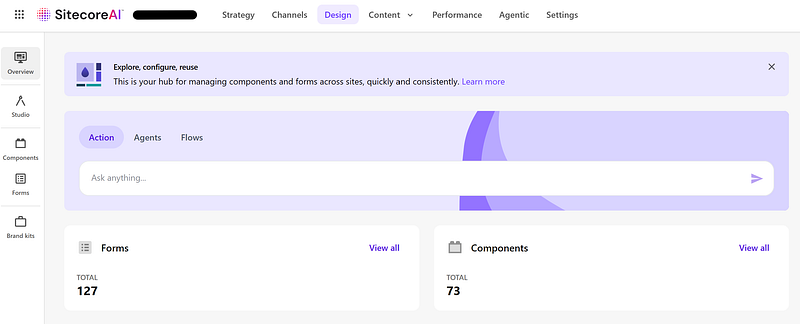
_SitecoreAI Design Library_
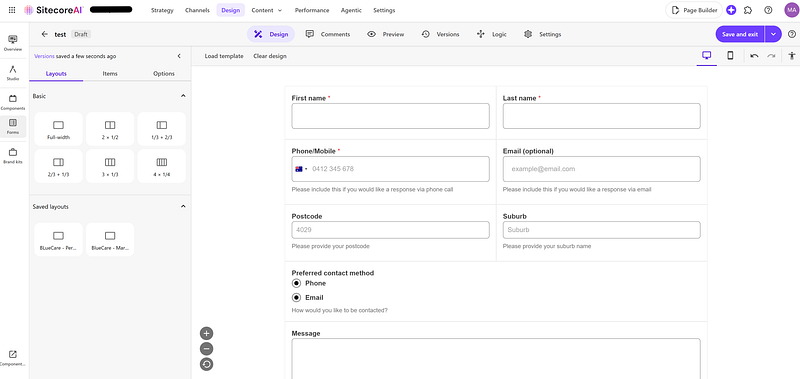
_SitecoreAI Form Builder_
### Features of SitecoreAI Forms
- The brand-new Form Builder makes creating forms fast and easy, with instant preview across mobile and desktop breakpoints. Fully WYSIWYG.
- It’s backed by Sitecore’s [BYOC](https://doc.sitecore.com/sai/en/developers/sitecoreai/bring-your-own-components.html) / Design Library technology which means it feels like a native component on your site (once you’ve applied your brand styling). No iFrames which is a key differentiator from most other form products out there.
- Has a pretty comprehensive suite of form field components — everything you could want for simple and medium complexity forms.
- There is no form submission saving mechanism out of the box — you have to configure form submissions to go somewhere, and that somewhere is fully composable. You can build your own API endpoint that processes the form submissions or use a 3rd party SaaS service.
- Native Sitecore Page Builder support in terms of seeing your form library and adding a form to a page.
- Reliability looks good — I’ve not noticed any outages on the front-end and SitecoreAI Forms are backed by the standard SitecoreAI Cloud SLAs. The Form Builder app did go down for a few hours briefly earlier in the year but that was part of a major migration Sitecore’s side so we’ve put that down to a one-off.
### Pain Points
Of course, no product is perfect, especially a relatively new one. Here’s some issues we have encountered.
- Conditional rendering seems to be full featured on the surface but a key use case that is not supported currently is being able to show/hide standard Rich Text fields and the form Submit Button itself. The use case is that depending on options selected in an Enquiry Type dropdown, we wanted to show a content block to direct users to another page and prevent them from submitting the current form. I have requested this as a feature via Sitecore Support — ref DESIGNLIB-4116.
- File Uploads are decent; files are uploaded to a Sitecore Azure Blob Storage container. However, they only stay there for 60 minutes so if you need the file for longer than that, you have to copy the file to your own storage.
- Copying forms between environments and restricting them to be able to be added to certain sites on an environment is easy. However, there is nothing preventing forms being packaged up as part of a Sitecore content package and installed on other environments. What I would like to see here is configurability of Webhooks
- There’s no easy way to see what forms are using which Webhooks. You have to go form by form and see what Webhook is configured. I’d love to see a report on each Webhook of which forms are using it. Our client has hundreds of forms so manually going form by form is very painful.
- There’s no easy way to see what pages are using which forms. This is sort of doable via a custom SPE script, but I’d expect it to be part of the product.
- There’s no way to hide the form totally on completion and just show a CTA block. Your options are to show a success message (which just resets the form) or redirect to a new page.
### Official extension points
It would be nice to have more docs on official extension points. We were able to add custom hidden fields as we needed for business logic by adding `window.addEventListener(‘form:engage’, ...)` logic as documented [here](https://doc.sitecore.com/sai/en/users/sitecoreai/create-custom-events-for-webhooks.html), also things like swapping out icons on the File Upload field.
Theoretically I’d say we could use this to add custom validators or customise fields, but I’ve not done that yet, a little worried that over time such changes would break if things change on Sitecore’s side.
It would also be good for guidance on what css classes can be overridden. We wanted to style forms via our Tailwind based design system, so have targeted classes like `.form-input-element` , but there is a risk these could change in the future.
### Form Submission Handling
Our client had fairly complex requirements about form submissions, requiring submissions to go to different CRMs or inboxes depending on the site and page, and even down to Enquiry Type selection on specific forms.
To handle this, we built a custom API endpoint and made the configuration available in Sitecore. Without going too much into detail, an author could set a Form ID and configure what actions to take for that form’s submissions.
### Conclusion
Overall, I am fairly happy with the product, and so is the client, it is production ready, but by addressing some of the above friction points and improving extensibility I’m sure it could become truly outstanding.
---
# Building Content Approval Workflows in Sitecore AI
- URL: https://www.markgibbons.dev/blog/2026/building-content-approval-workflows-in-sitecore-ai
- Published: 2026-05-09
- Tags: sitecore, sitecore-ai
> Content governance is easy to ignore until it bites you: a wrong product name in a hero banner, a half-finished landing page going live, a…
Content governance is easy to ignore until it bites you: a wrong product name in a hero banner, a half-finished landing page going live, a legally-reviewed disclaimer quietly overwritten. Workflows exist to prevent these moments, and Sitecore AI gives you the tools to enforce a clear path from draft to published.
A workflow is a series of states that reflect how content gets made — typically creation, review, and approval. Sitecore’s [Workflows and the Workbox](https://doc.sitecore.com/sai/en/users/sitecoreai/workflows-and-the-workbox.html) docs cover the fundamentals. What follows is a pattern that works well for small-to-medium teams. Larger teams will need extra steps, which we’ll touch on at the end.
## Pages vs. Datasources
The first decision is whether to apply workflow to Page items only, or to both Pages and Datasource items. Page-only is simpler, but it leaves a gap: editors can change a component’s content without the page transitioning state, so changes can slip past review. Covering both closes that gap, but you’ll need a second, lightweight Draft → Approved workflow for datasources — you don’t want validation and notification emails firing on every component edit.
## Admin vs User accounts
Worth remembering: administrators are effectively exempt from workflows. They can move items through any state and overwrite content regardless of where it sits. Drafts don’t get auto created.
So for that reason I actually recommend considering that users on the content team might need **TWO SitecoreAI accounts**! Their User account for day to day editing, and an Admin account which lets them do power-user tasks as required.
## A simple but effective setup
**Page Workflow** — assigned to all Page items across all sites.
- _Draft_ (initial): Submit → Awaiting Approval
- _Awaiting Approval_: Approve → datasource workflow action → Approved. Reject → Draft.
- _Approved_ (final): triggers Auto Publish if enabled.
**Datasource Workflow** — assigned to all Datasource items across all sites.
- _Draft_ (initial)
- _Approved_ (final)
A note: don’t enable the Validation step as it can be a severe friction point, and workflow in general doesn’t need more friction.
## **Note about the Datasource Workflow item references**
When editing a Page, the datasource workflow logic is that it will scan direct item references only. It will not dig for further references at the next level deep. For example, if a datasource has a Multi List field, the items referenced by the Multi List field will not move automatically through the workflow on approval.
## Scaling Up: Workflows for Large Teams
Once you move past a handful of editors, the simple flow strains. Enterprise marketing teams, regulated industries, and global brands typically need multiple reviewers and work routed to specific people rather than a shared queue.
A large-team workflow might look something like Draft → Editorial Review → Brand/Legal Review → Approved, with distinct rejection paths between states — Legal might bounce back to Editorial rather than all the way to Draft. Role-based assignment is the other key piece: regional approvers for regional content, brand approvers for corporate identity, legal approvers for regulated claims. Map your editorial org chart to your content tree before you build.
## Other Use Cases
A few adjacent scenarios use the same primitives. **Scheduled campaign content** benefits from a “Ready for Launch” state that holds approved pages until a publish date. **Multilingual sites** often run a parallel translation workflow per language, kicked off when the source page is approved. **Compliance-sensitive content** in finance, healthcare, or pharma may need an audit trail layered on top, capturing reviewer and timestamp data for regulators.
## Where to Go From Here
Start simple. A working Draft → Awaiting Approval → Approved flow that everyone actually uses is worth far more than an elaborate one editors route around. Build the minimum, watch where it breaks down, and add states only when you have evidence they’re needed.
---
# Sitecore AI Search preview suggestion modes — where technical challenges and good UX meet
- URL: https://www.markgibbons.dev/blog/2025/sitecore-ai-search-preview-suggestion-modes-where-technical-challenges-and-good-ux-meet
- Published: 2025-11-17
- Tags: sitecore, sitecore-ai, search
> If you’re building with Sitecore AI Search, you might not realise that there are a lot of configuration modes available when it comes to…
If you’re building with Sitecore AI Search, you might not realise that there are a lot of configuration modes available when it comes to preview suggestions.
This is outlined roughly in the documentation [here](https://doc.sitecore.com/search/en/users/search-user-guide/understand-suggestions-blocks.html), but I think it’s missing some further callouts.
There are two main modes for preview search results, **Suggestion**mode and **Content**mode.
### **Suggestion Mode Options**
Suggestion mode has multiple options that can also be enabled, either individually or a combination of any of these.
1. Sort by attribute — if a visitor clicks in the search bar but hasn’t yet typed anything, a Sort by attribute suggestions block can show top content items by the **number of clicks** over the last week. This is likely a good user experience for a global search bar where you don’t really want to take the current page context into account.
2. Context aware — create personalized auto-completion of search queries. What does this look like in practice? Say you have pages tagged as “Dinosaur Article”, if the user starts typing “din” then the autocomplete suggestion would be “Dinosaur Article”.
3. Edit distance — provide a _Did you mean…_ typo correction experience. I don’t really see the UX value in this one especially when you have the Context aware option available.
4. Recent history — displays keywords previously searched for by the user. Self explanatory, but not sure exactly the use cases for this, perhaps could be used in conjunction with some of the other methods here.
5. keyphrase_fallback — Each of the above supports the keyphrase_fallback boolean parameter. When set to true, Search uses the first suggestion from the first suggestion block as an alternate keyword when there are no results for a search.
### **Content Mode**
- Content mode is the same as normal search results; these are actual results based on the search entered. This is useful if you want to simply list the actual results in-situ instead of any kind of suggestion.
You can then further enable [Personalisation](https://doc.sitecore.com/search/en/users/search-user-guide/understand-personalization.html), or any custom Blacklist, Boost, Pin, or Bury rules via the [Widget settings](https://doc.sitecore.com/search/en/users/search-user-guide/add-or-edit-widget-variations.html).
### The Challenge
Sitecore AI Search is a complex product, but when you take the time to understand all the options available, you can see how it will possibly be difficult to drive these features into your solution. This is because there is usually a disconnect in teams between the UX team and the development team.
Bridging the UX and development team during the design phase when it comes to implementing search is critical to ensure the best UX outcome.
So I’d recommend for your organisation if you are just starting out with Sitecore Search:
1. A technical person such as an Architect or Senior Developer should go through the Sitecore Search for Business Users course on [https://learning.sitecore.com/](https://learning.sitecore.com/)
2. They should set up a POC website / area with all the OOTB basic Sitecore Search functionality that can then be used for future demo’s and POCs.
3. When it comes to implementing Sitecore Search, they need to work closely with the UX Design team and / or site Product Owner, ensuring they have a rough understanding on all the functionality available, and incorporate those into designs and user journeys. Plan to be iterative on this as there is a bit of trial and error involved.
---
# Sitecore Datasource Item And Children Resolver
- URL: https://www.markgibbons.dev/blog/2025/sitecore-datasource-item-and-children-resolver
- Published: 2025-09-05
- Tags: sitecore, xm-cloud, headless
> The XM Cloud compatible ways to retrieve the datasource item fields + child datasource item fields
The XM Cloud compatible ways to retrieve the datasource item fields + child datasource item fields
The XM Cloud product team has made it very clear.
- DO NOT MODIFY THE LAYOUT SERVICE
- DO NOT WRITE CUSTOM LAYOUT SERVICE PIPELINE PROCESSORS
Stick to the above and future you will thank you.
So, a common requirement is to have a rendering, let’s say for example a Footer component, where you want to retrieve the datasource item, as well as any children of it.
Unfortunately, Sitecore haven’t ever added a rendering contents resolver OOTB for this. But we do have 4 good options.
### Option 1 — Sitecore Datasource Item And Children Resolver
1. Navigate to `/sitecore/system/Modules/Layout Service/Rendering Contents Resolvers` and find the Datasource Item Children Resolver.
2. Duplicate it and give it a name `Datasource Item And Children Resolver`.
3. Change the Item Selector Query to the following: `./descendant-or-self::*`
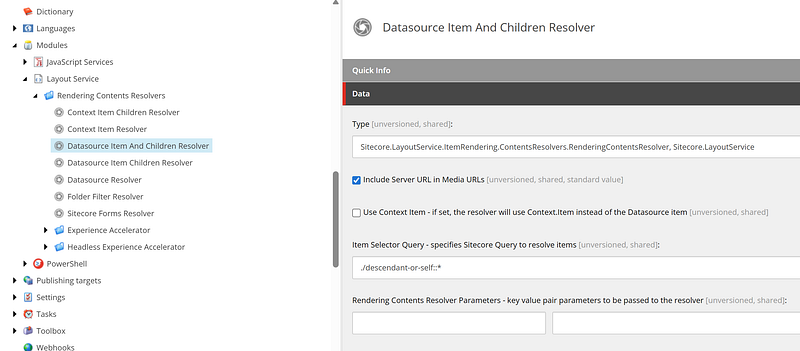
4. Update your rendering to use this field
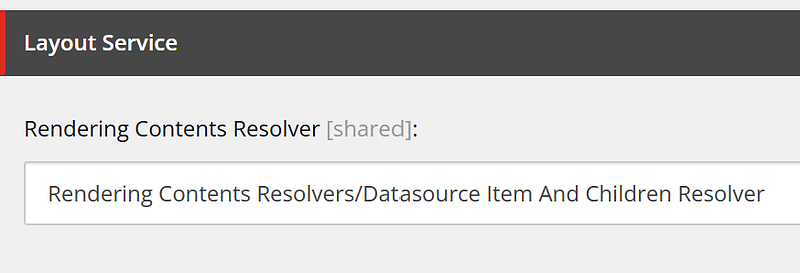
Your new GraphQL layout response will now have the data in the format:
`fields: { items: [ Datasource Item, Child Item 1, Child Item 2, ... ] }`
The down side of this method is the unusual structure, but once that is handled in a robust way it works well enough.
### Option 2 — Integrated GraphQL
[https://doc.sitecore.com/xmc/en/developers/jss/latest/jss-xmc/integrated-graphql-in-jss-apps.html](https://doc.sitecore.com/xmc/en/developers/jss/latest/jss-xmc/integrated-graphql-in-jss-apps.html)
This option is fine for simple queries like this. I have confirmed with the Sitecore product team that this technique is here to stay.
```javascript
query ($datasource: String!, $language: String!) {
datasource: item(path: $datasource, language: $language) {
children(first: 90) {
results {
field(name: "Link") {
link: jsonValue
}
}
}
field(name: "LogoImage") {
logoImage: jsonValue
}
field(name: "LogoLink") {
logoLink: jsonValue
}
}
}
```
It is NOT good for things like site navigations. For that I’d recommend Option 3 below.
Another down side with this option is that it decouples your GraphQL code from your component which isn’t ideal from a code maintenance and reuse point of view.
### Option 3 —Custom GraphQL from getComponentServerProps/getStaticProps
[https://doc.sitecore.com/xmc/en/developers/content-sdk/component-level-data-fetching-in-next-js-apps.html](https://doc.sitecore.com/xmc/en/developers/content-sdk/component-level-data-fetching-in-next-js-apps.html)
This is the option I’d recommend for complex components such as Navigations. It keeps the data out of the layout service altogether, and for Navigations that can be a LOT of data, which really slows down publishing.
### Option 4 — Add child items via Placeholders
But wait! There’s more!
This is one pointed out by Bas Lijten once he read this article. He says that if you add all the datasource items to the page, one by one, via [placeholders](https://doc.sitecore.com/xmc/en/developers/content-sdk/placeholders-in-content-sdk-apps.html), then this offers a lot more flexibility when it comes to Personalisation and A/B testing.
This makes a lot of sense — authors can quickly apply [personalisation](https://doc.sitecore.com/xmc/en/users/xm-cloud/create-a-page-variant.html) or [A/B testing](https://doc.sitecore.com/xmc/en/users/xm-cloud/create-an-a-b-n-test.html) rules to particular items instead of needing to duplicate whole trees of datasources which leads to a content maintenance issue.
The down side from a code point of view is the additional development effort of configuring the placeholders, setting restrictions on what can be added to those placeholders, and then writing tests that utilise the placeholders is an additonal layer of abstraction. So as with any of these options, it would be a case by case basis.
---
# Sitecore XDB reindex not progressing past 95%
- URL: https://www.markgibbons.dev/blog/2025/sitecore-xdb-reindex-not-progressing-past-95
- Published: 2025-08-18
- Tags: sitecore, sitecore-xp, troubleshooting
> My team got this problem on a 10.2 XP production instance, after Sitecore Managed Cloud changed us over to their new Solr cluster.
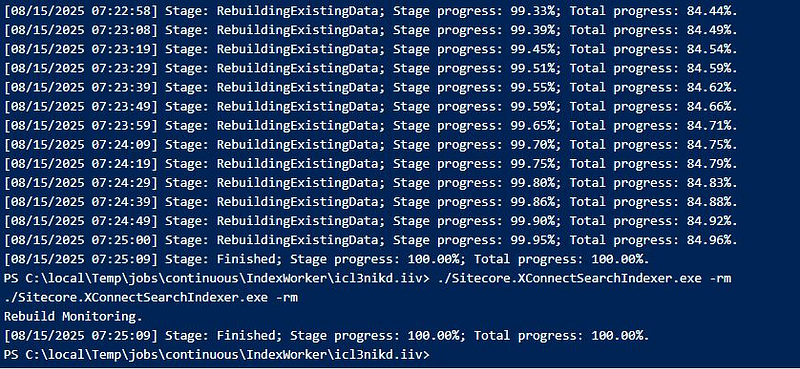
My team got this problem on a 10.2 XP production instance, after Sitecore Managed Cloud changed us over to their new Solr cluster.
```yaml
Stage: Finishing; Stage progress: 0.00%; Total progress: 95.00%
Stage: RebuildingIncomingChanges; Stage progress: 0.00%; Total progress: 85.00%.
It then stays like this indefinitely.
Logs are showing:
2025-07-18 05:40:47.361 +00:00 [Error] Failed indexing next set of changes. There will be an attempt to recover from the failure.
Sitecore.Xdb.Collection.Data.SqlServer.Exceptions.SqlDataProviderException: *** [xdb_collection.GetContactsChanges], Line 27. Errno 50000: Sync token is no longer valid for [Contacts] table. ---> System.Data.SqlClient.SqlException: *** [xdb_collection.GetContactsChanges], Line 27. Errno 50000: Sync token is no longer valid for [Contacts] table.
at System.Data.SqlClient.SqlCommand.<>c.b__180_0(Task`1 result)
at System.Threading.Tasks.ContinuationResultTaskFromResultTask`2.InnerInvoke()
at System.Threading.Tasks.Task.Execute()
```
We tried to rebuild multiple times but always it would say at 95%.
After back and forth with Sitecore support for 3 months, they finally figured out the fix: change `MaximumCommitMilliseconds` setting to `1000` in the _\App_data\jobs\continuous\IndexWorker\App_data\Config\Sitecore\SearchIndexer\sc.Xdb.Collection.IndexWriter.SOLR.xml_file_._
Happy Sitecoreing!
---
# Setting up a custom grid definition in XM Cloud — making it easier
- URL: https://www.markgibbons.dev/blog/2025/setting-up-a-custom-grid-definition-in-xm-cloud-making-it-easier
- Published: 2025-07-16
- Tags: sitecore, xm-cloud
> Customizing the out of the box Grid Definitions is a common and fairly tedious step when building a new website.
Customizing the out of the box Grid Definitions is a common and fairly tedious step when building a new website.
[The out of the box definitions](https://doc.sitecore.com/xmc/en/developers/xm-cloud/the-grid-settings.html) are a good starting point but more than likely will be missing some configurability such as parameters for spacing, and you also might want to change the approach slightly.
So instead of going through dozens and dozens of individual settings for each breakpoint you want (and usually you’d have 6 breakpoints), here’s a script where you set up the base Mobile breakpoint as you want it, and then run the script which will copy it out for all the breakpoints you want.
```
# Run in Sitecore PowerShell ISE
$rootPath = "master:/sitecore/system/Settings/Project/aceik-accelerator/Aceik Tailwind Grid Definition"
$breakpoints = @(
@{ Name = "Small"; Prefix = "sm:"; Min = "640"; Max = "767.98"; Tooltip = "Small breakpoint" },
@{ Name = "Medium"; Prefix = "md:"; Min = "768"; Max = "1023.98"; Tooltip = "Medium breakpoint" },
@{ Name = "Large"; Prefix = "lg:"; Min = "1024"; Max = "1279.98"; Tooltip = "Large breakpoint" },
@{ Name = "XL"; Prefix = "xl:"; Min = "1280"; Max = "1535.98"; Tooltip = "XL breakpoint" },
@{ Name = "XXL"; Prefix = "xxl:"; Min = "1536"; Max = ""; Tooltip = "XXL breakpoint" }
)
$extraSmallItem = Get-Item "$rootPath/Extra Small"
if ($null -eq $extraSmallItem) {
Write-Host "Extra Small breakpoint not found."
return
}
$Sortorder = 0
foreach ($bp in $breakpoints) {
$Sortorder = $Sortorder + 1
$targetPath = "$rootPath/$($bp.Name)"
if (Test-Path $targetPath) {
#Write-Host "Item $($bp.Name) already exists, skipping."
#continue
Remove-Item -Path $targetPath -Recurse -Permanently
}
# Copy Extra Small to new breakpoint
Copy-Item -Path $extraSmallItem.ItemPath -Destination $targetPath -Recurse
$item = Get-Item -Path $targetPath
$item.Editing.BeginEdit()
$item.Fields["BreakpointMin"].Value = "$($bp.Min)"
$item.Fields["BreakpointMax"].Value = "$($bp.Max)"
$item.Fields["Tooltip"].Value = "$($bp.Tooltip)"
$item.Fields["__Sortorder"].Value = $Sortorder
$item.Editing.EndEdit()
Get-ChildItem -Recurse $targetPath -WithParent |
Where-Object { $_.Fields["Class"] -ne $null } |
ForEach-Object {
$_.Editing.BeginEdit()
$oldVal = $_.Fields["Class"].Value
$_.Fields["Class"].Value = "$($bp.Prefix)$oldVal"
$_.Editing.EndEdit()
}
Write-Host "Created breakpoint: $($bp.Name) with prefix $($bp.Prefix)"
}
```
---
# Running Sitecore on Docker CE (Community Edition)
- URL: https://www.markgibbons.dev/blog/2025/running-sitecore-on-docker-ce-community-edition
- Published: 2025-05-12
- Tags: sitecore, sitecore-xp, docker
> Two good reasons for switching from Docker Desktop: No paid license required, and better performance.
Two good reasons for switching from Docker Desktop: No paid license required, and better performance.

_It’s Docker time!_
In a [previous post](/blog/2023/sitecore-development-with-docker-containers-in-2023) I went through reasons why incorporating Docker into your Sitecore workflow is a good idea. This post is an updated guide to running Docker CE instead of Docker Desktop, as some of the older guides I have found are outdated and there is a much easier, scripted way. This approach works for both Sitecore XM/XP and Sitecore XM Cloud.
The main up-side of Docker Desktop is having a GUI to help you navigate your containers and images. But honestly 99% of the time I find I don’t even use the GUI for anything so for me it was an easy switch.
The performance improvement I have noticed from switching to Docker CE is that on recent versions of Docker Desktop it seems to use up a lot of extra CPU doing who knows what, by going back to the basics with Docker CE we remove that overhead.
### Uninstalling Docker Desktop (only if you have it installed)
If you have Docker Desktop installed, you need to uninstall it as follows as it will conflict with Docker CE if you have it. If you don’t have Docker Desktop then skip this.
1. Open Powershell as Administrator and run the below.
2. `./down.ps1` (or `docker compose down`)
2. `docker system prune -a`
3. Add or Remove Programs -> Uninstall Docker
4. `rm C:\ProgramData\DockerDesktop`
5. `rm C:\Program Files\Docker`
6. `rm C:\Users\\AppData\Local\Docker`
7. `rm C:\Users\\AppData\Roaming\Docker`
8. `rm C:\Users\\AppData\Roaming\Docker Desktop`
9. `rm C:\Users\\.docker`
### Steps to install Docker CE on Windows
1. Open Powershell as Administrator and run the below. This script will download the Docker Engine and Docker CLI and add it as a Windows service for you.
```bash
Invoke-WebRequest -UseBasicParsing "https://raw.githubusercontent.com/microsoft/Windows-Containers/Main/helpful_tools/Install-DockerCE/install-docker-ce.ps1" -o install-docker-ce.ps1
.\install-docker-ce.ps1 -DockerVersion "25.0.5"
```
2. Run `docker version` and ensure no errors.
3. Install the docker compose plugin:
```bash
[System.IO.Directory]::CreateDirectory('$Env:ProgramFiles\Docker\cli-plugins')
Invoke-WebRequest "https://github.com/docker/compose/releases/download/v2.24.7/docker-compose-windows-x86_64.exe" -UseBasicParsing -OutFile $Env:ProgramFiles\Docker\cli-plugins\docker-compose.exe
```
4. Run `docker compose version` and ensure no errors.
You will possibly need to restart your machine after installing docker and docker compose to have the path variables work from within terminals.
If you run into any errors, then first Google or otherwise ask on the [Sitecore Slack #docker](https://app.slack.com/client/T09SHRBNU/C5VQ5SVKJ) channel.
And that’s it, you can go to your repo and run `up.ps1` as normal.
In general we don’t need to update docker as we are sticking with a version tried and tested to work with Sitecore on Windows. If you really need to update, best to save time and check on the [Sitecore Slack #docker](https://app.slack.com/client/T09SHRBNU/C5VQ5SVKJ) channel first for the best compatible version.
---
# How much time do you “waste” on meetings?
- URL: https://www.markgibbons.dev/blog/2025/how-much-time-do-you-waste-on-meetings
- Published: 2025-03-22
- Tags: career
> After 15 years working in various sized teams, my take:
A common gripe I hear or experience from time to time is that feeling that there are too many meetings in the day and that takes away from time that people can be productive.
After 15 years working in various sized teams, my take:
* No daily stand-ups.
* No non technical project managers. I'm convinced that daily stand-ups were invented by non technical project managers because they can't understand what they are reading and need the team to put it in layman's terms for them every day.
* Have an informal team showcase once or twice a week. Each person shows off their work and uses it for an opportunity for early feedback.
* Sprints are 6 weeks. Short enough that everyone can visualise how much can be done in that time and long enough to implement those bigger features.
* Therefore sprint retro and sprint planning every 6 weeks.
* Encourage chat threads focused on a feature so everyone has visibility if they need it.
* One on one meetings or ad hoc meetings between team members are encouraged but make sure to circulate any findings or decisions or outcomes, and be respectful of peoples time, prefer chat threads unless it will be sorted out far quicker by meeting.
---
# Nobody cares how you built that website
- URL: https://www.markgibbons.dev/blog/2025/nobody-cares-how-you-built-that-website
- Published: 2025-03-22
- Tags: career
> Nobody cares how a house is built as long as it doesn't have major structural defects that are very costly to fix. The same can be said for…
Nobody cares how a house is built as long as it doesn't have major structural defects that are very costly to fix. The same can be said for software, it is expected to last a reasonable time frame before it needs to be replaced, and during that time be adequately maintainable.
The hard part is when management don't think of that and understand that it takes more time to build something of that quality. Or perhaps they know it but also know they can job hop if it goes to shit and therefore won't be their problem.
In those situations I say to developers to be their own advocates. Don’t get forced to build shit quality against your will. The trick there depends on the organisation politics but sometimes it’s better to ask forgiveness for being late but being adequate quality.
---
# Adding Sitecore Search to your site? Watch out for this performance tradeoff!
- URL: https://www.markgibbons.dev/blog/2024/adding-sitecore-search-to-your-site-watch-out-for-this-performance-tradeoff
- Published: 2024-03-28
- Tags: sitecore, search, performance
> If you’re going to be adding Sitecore Search to your React / Next.js app, you may have come across this documentation page showing how you…
If you’re going to be adding Sitecore Search to your React / Next.js app, you may have come across [this documentation page](https://developers.sitecorecloud.io/search-sdk/react/latest/storybook/index.html?path=/story/introduction-getting-started--page) showing how you can get started.
First, it says to install [_@sitecore_](http://twitter.com/sitecore)_-search/react_. This is a package with a few minor dependencies that brings in some essentials that will make your life easier when using Sitecore Search. No problems with that.
Then, it has an innocent looking step:
> Aditionally [sic], you can install [@sitecore-search/ui](https://www.npmjs.com/package/@sitecore-search/ui) a headless components package for building Sitecore Search widgets like recommendation, preview search and search results with Sitecore Search SDK.
> npm install — save [@sitecore](http://twitter.com/sitecore)-search/ui
This is an optional step where you can make use of the Sitecore Search team’s React component library / UI kit to really speed up the implementation effort.
They include a lot of components in this UI kit, about 15 components at time of writing.
The kicker and tradeoff though is what happens when you bring in this library:
```
"dependencies": {
"@radix-ui/primitive": "^1.0.1",
"@radix-ui/react-accordion": "^1.1.2",
"@radix-ui/react-checkbox": "^1.0.4",
"@radix-ui/react-collapsible": "^1.0.3",
"@radix-ui/react-collection": "^1.0.3",
"@radix-ui/react-compose-refs": "^1.0.1",
"@radix-ui/react-context": "^1.0.1",
"@radix-ui/react-direction": "^1.0.1",
"@radix-ui/react-dismissable-layer": "^1.0.4",
"@radix-ui/react-icons": "^1.3.0",
"@radix-ui/react-id": "^1.0.1",
"@radix-ui/react-label": "^2.0.2",
"@radix-ui/react-popover": "^1.0.6",
"@radix-ui/react-presence": "^1.0.1",
"@radix-ui/react-primitive": "^1.0.3",
"@radix-ui/react-select": "^1.2.2",
"@radix-ui/react-slider": "^1.1.2",
"@radix-ui/react-toggle": "^1.0.3",
"@radix-ui/react-toggle-group": "^1.0.4",
"@radix-ui/react-tooltip": "^1.0.1",
"@radix-ui/react-use-callback-ref": "^1.0.1",
"@radix-ui/react-use-controllable-state": "^1.0.1",
"@radix-ui/react-use-previous": "^1.0.1",
"@sitecore-search/common": "2.2.3",
"@sitecore-search/react": "2.2.3",
"@sitecore-search/react-templates": "2.2.3",
"smoothscroll-polyfill": "^0.4.4"
}
```
It brings in a lot of [@radix-ui](https://www.radix-ui.com/) which is a whole other beast. It is a UI kit / atomic component library. Other popular options out there include [Chakra UI](https://chakra-ui.com/), [Mantine](https://mantine.dev/), [Shadcn](https://ui.shadcn.com/).
If you were going to be using Radix UI in your app anyway, no worries, you’ve got lucky, you can stop reading now and go on your day. If you weren’t going to use Radix UI, then unfortunately you’re going to be bloating your site to the tune of about **120kb**. On the site I’m working on, this is about 10% of the total site js payload.
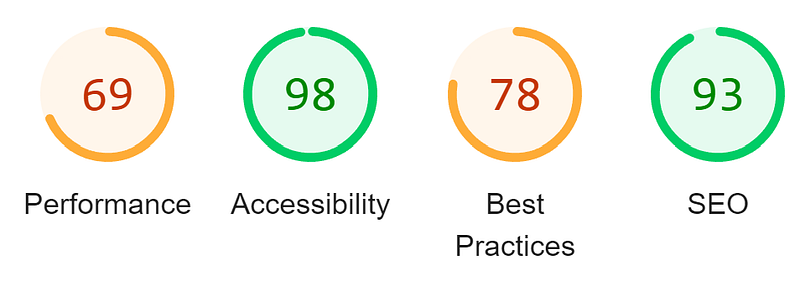
This can affect your Lighthouse score which in turn will affect your core metrics that in turn Google uses as part of its page ranking algorithm.
With @sitecore-search/ui I get a score of 68, and the “Reduce unused Javascript” line item shows up in red:
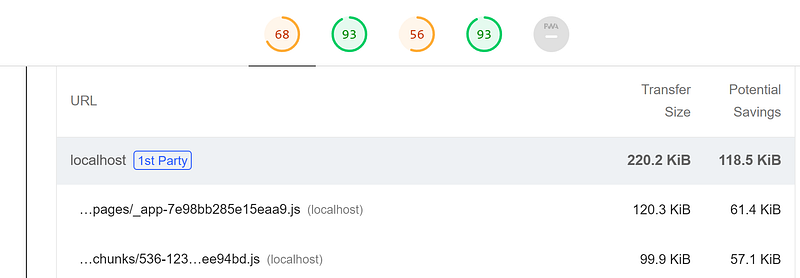
Without @sitecore-search/ui I get a score of 88, and the “Reduce unused Javascript” line item disappears totally from the audit.
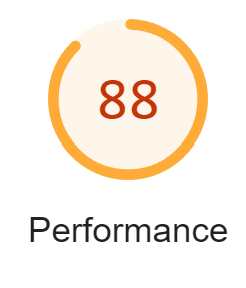
_Without @sitecore-search/ui_
A couple of tools I recommend using if you’re interested in getting better performance scores:
- [Webpack Bundle Analyzer](https://nextjs.org/docs/app/building-your-application/optimizing/bundle-analyzer) — visualize your js after tree-shaking.
- [Chrome DevTools Coverage](https://developer.chrome.com/docs/devtools/coverage) — see exactly what code is or isn’t running.
In summary, I’m hoping that you’re more aware of what dependencies you’re bringing in and have considered their tradeoffs. I do recommend that you use a React component library that fits your team’s goals and requirements. I’m personally a big fan of [Mantine](https://mantine.dev/). Thanks for reading.
---
# When is it a good idea to update my Sitecore JavaScript SDK (JSS) version in XM Cloud?
- URL: https://www.markgibbons.dev/blog/2024/when-is-it-a-good-idea-to-update-my-sitecore-javascript-sdk-jss-version-in-xm-cloud
- Published: 2024-03-22
- Tags: sitecore, xm-cloud, headless
> Sitecore frequently releases improvements to JSS. An important consideration that teams might ask themselves is when and why should these…
Sitecore frequently releases improvements to JSS. An important consideration that teams might ask themselves is when and why should these updates be brought into the codebase?
[Sitecore provides official documentation on **how**to do this](https://doc.sitecore.com/xmc/en/developers/xm-cloud/update-your-starter-foundation-code.html) but they do not say **when**or **why**you would do this.
For the uninitiated, Sitecore XM Cloud is a SaaS CMS that allows you to build up a UI component library and then configure a WYSIWYG page editor to use that component library so that non-developers can build websites. This is a big value-add for many businesses as they don’t need to be paying expensive developers to make day to day content changes and build marketing pages.
At this point in time, to get the best outcome for everyone involved is to choose Next.js to build your component library and use JSS to enable the fancy page editor features. I go into the history of this consideration in my blog post [The Sitecore Experience](/blog/2023/the-sitecore-experience). JSS also somewhat supports Vue and Angular but these are still leagues behind in functionality.
JSS is under constant improvement by Sitecore. The world of web development is a fast moving space, always has been, and always will be. Security issues are found and fixed. Performance issues are found and fixed. Web standards change. Dependencies on other software change or become obsolete. New features are introduced to improve developer experience or reduce the amount of time it takes to implement something. And of course, Sitecore maintains a big backlog of feature requests from customers that it needs to assess.
So, when should you update the version of JSS you’re using? That is a question that you can’t give a one line answer to as it comes down to every individual business, every individual team, and every individual project to assess.
First off, some considerations.
- The JSS SDK does not use strict [SemVer](https://github.com/npm/node-semver#versions) due to needing to maintain compatibility with XM and XP versioning as well as XM Cloud.
- `@sitecore-jss/*` dependencies should use **~**so that anyone running npm upgrade will automatically get the latest **Patch**version but **not**the latest **Major** or **Minor**version.
- **DO**use `"@sitecore-jss/sitecore-jss-nextjs": "~21.5.0"`
- **DONT**use `"@sitecore-jss/sitecore-jss-nextjs": "^21.5.0"`
Each of the following questions is something you’ll need to answer for yourself to make a call.
- [XM/XP only] If you are not yet on XM Cloud you are [likely locked to a specific version of JSS](https://doc.sitecore.com/xp/en/developers/hd/21/sitecore-headless-development/identify-the-correct-version-of-jss-for-your-sitecore-version.html). If the Sitecore instance is being upgraded, the JSS SDK will need to also be updated as the underlying content API may have changed.
- [XM/XP only] If the Sitecore instance is being migrated from XM / XP to XM Cloud, the JSS SDK will need to also be updated as the underlying content API may have changed and you may require specific SDK features to maintain compatibility with XM Cloud.
- Security bulletin published for affected dependencies? If a security bulletin is released, analyse the site to confirm it is applicable and update to at least the latest fixed patch version.
- New JSS SDK **Major**version is available? Updating to a new Major version will require at least some effort depending on how many Major version changes have been missed.
- New JSS SDK **Minor**version is available? Minor versions do sometimes have minor breaking changes. These are usually easy to resolve by an experienced developer.
- New JSS SDK **Patch**version is available? Patch versions don’t usually have any breaking changes. They usually are bugfixes only or very small new features.
- Site is under active development **AND**a new JSS SDK version is released? Create a task to update to this version and aim to resolve it in a short timeframe.
- Site is not under active development and falls under a maintenance support agreement / cadence of the whole Sitecore solution? Create a recurring task on a quarterly cadence to update to the latest Minor / Patch version. If there is a Major version release then analyse and estimate it and upgrade to it if it is within reasonable effort.
Again, these are just some considerations and you will need to adjust the rank / importance of each consideration as it applies to your projects.
---
# The Sitecore Experience
- URL: https://www.markgibbons.dev/blog/2023/the-sitecore-experience
- Published: 2023-12-08
- Tags: sitecore, career
> Let’s take a look at the current options available for Sitecore implementations and how they’ve evolved over time. If you have been part of…
Let’s take a look at the current options available for Sitecore implementations and how they’ve evolved over time. If you have been part of a Sitecore implementation that is more than a couple of years old, you can probably find your stack somewhere on this graphic.
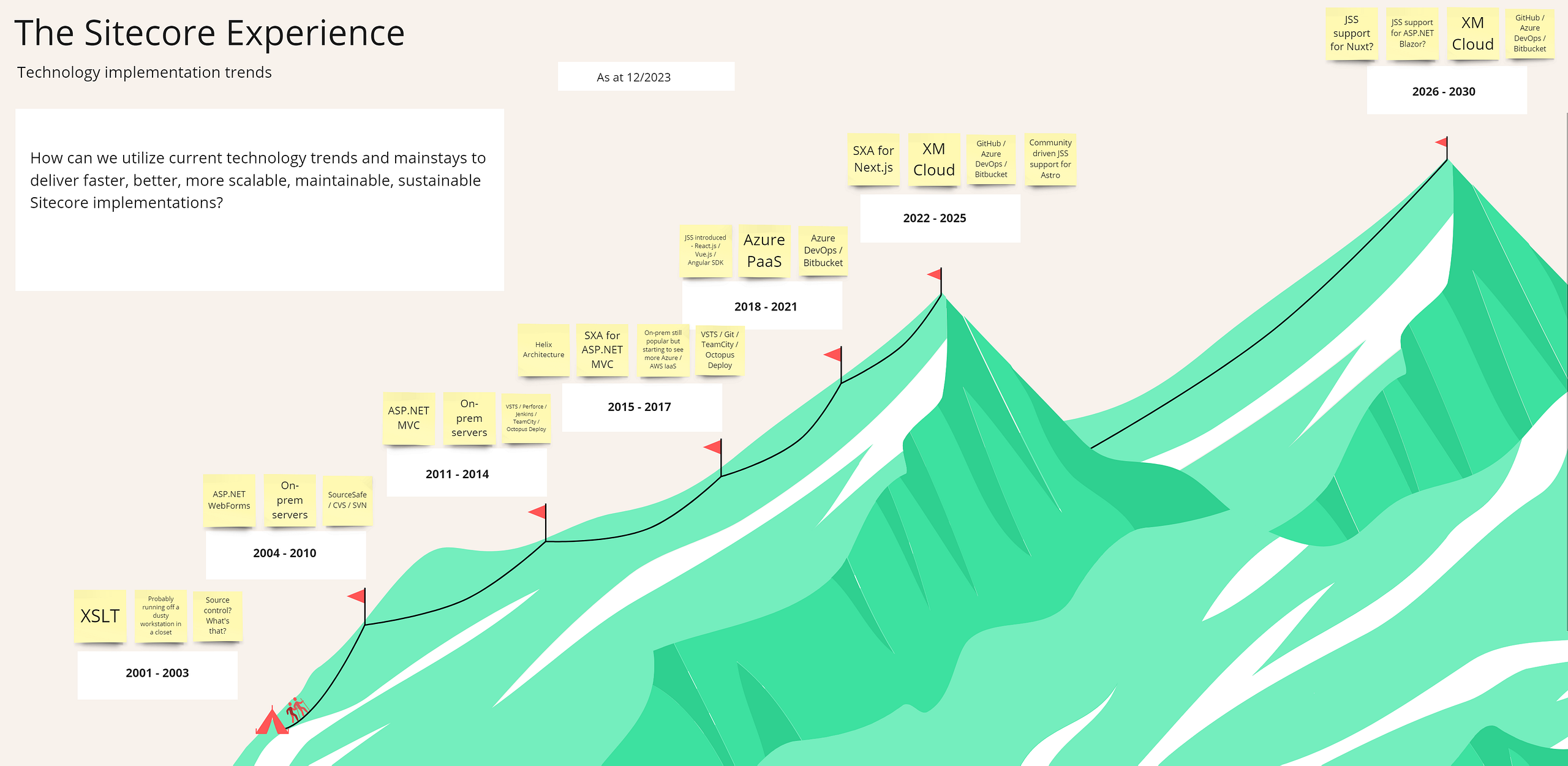
_[Large version](/static/images/blog/the-sitecore-experience/02.png)_
There is overlap between some of the stages, really the graphic is looking to point out what was popular in each era of Sitecore.
## Developer Experience (DevEx)
DevEx refers to the systems, technology, process, and culture that influence the effectiveness of software development.
I’m of the opinion that the DevEx of a stack has an out of proportion influence on the success or failure of a Sitecore implementation. It’s definitely not everything, there are other very important aspects. A quick graphic:
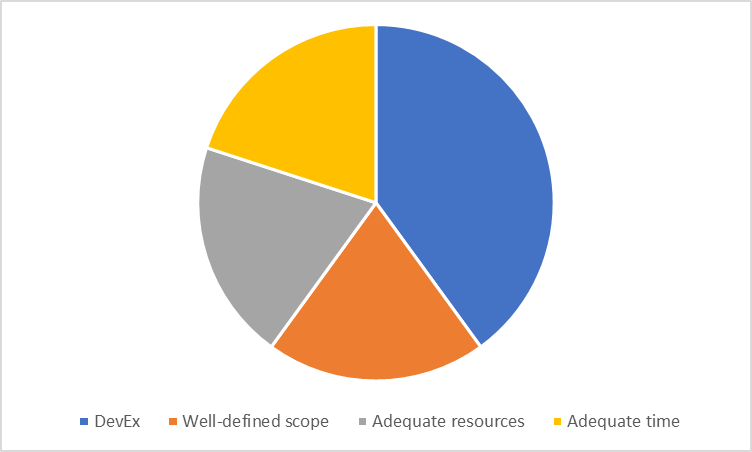
Having a solid DevEx foundation is key from the initial implementation to the long-term maintenance of an implementation.
Software savant Joel Spolsky came up with [The Joel Test](https://www.joelonsoftware.com/2000/08/09/the-joel-test-12-steps-to-better-code/) which is still used to this day as a reference of what good looks like. I also like this [recent modernised version of it](https://codingcraftsman.wordpress.com/2022/03/04/the-joel-test-2022/). Many of the questions are organisation / team process specific, but a significant number are DevEx.
Let’s look at each era and give it a rating.
## **2001–2010**
Now I’m not old enough to have been doing Sitecore development in this period, but I’ve done my fair share of Sitecore upgrades to solutions utilizing XSLT and ASP.NET WebForms heavily.
There was not much custom client-side JavaScript happening at this time, mostly what was there was basic such as hiding and showing elements on the page, Ajax was driven mostly by using the WebForms functionality.
It was unheard of to have a unit test suite.
Since Sitecore has always been in the Enterprise space, source control was the norm (thank goodness), but deployments were almost always manual, perhaps if your team was particularly advanced they might have had a build server.
**DevEx rating: 3/10.**
## 2011–2014
ASP.NET MVC had been out for a couple years by 2011 and while there were a few projects still being kicked off utilizing WebForms, most were using ASP.NET MVC.
jQuery became part of the standard toolkit for a Sitecore developer.
Unit tests and Integration tests were the norm, but I found that the lack of maturity in the tooling and architecture during this time made many efforts a waste of time. I can think of a couple of examples where we would have to redo a large proportion of automated tests during development of a new major feature. This was likely a symptom of too tightly coupling rendering logic with back-end logic.
Dependency injection frameworks like Autofac and test helper frameworks like Moq were popular, but these didn’t stand the test of time with Autofac needing to be ripped out to be compatible with Sitecore 9+, and the amount of leaky spaghetti abstractions required to mock out Sitecore’s APIs meant that I saw on a few occasions an entire suite of thousands of unit tests get deleted as part of Sitecore upgrades as the cost of rewriting was not worth the benefit.
Many teams would have set up a Continuous Integration mechanism, consisting of something like TFS or TeamCity doing a build and running the tests. They likely would have had a basic deployment process consisting of a script that they run manually because there was no way in hell they trusted it enough to automate it. That coupled with the fact that Sitecore deployments of new features almost always required content updates and master DB publishes.
**DevEx rating: 5/10.**
## 2015–2017
Sitecore saw that many customers were facing similar challenges: they didn’t know how to architect a Sitecore solution in a way that mitigated many common problems in software development at the time resulting in flaky, buggy, slow, difficult to maintain implementations. So one of the OG Sitecore employees, Thomas Eldblom, was tasked with creating an open-source demo implementation — [Habitat](https://github.com/sitecore/habitat). He then used those architecture choices to create [Helix](https://helix.sitecore.com/)— a standardized, official Sitecore development architecture and methodology.
This initiated a **major**shift in the space which had a net-positive outcome in DevEx. Sitecore finally had an architecture manual and reference implementation of what good looked like. On the downside, many teams naively cloned the Habitat repository which was designed for a specific demo use-case, and so the “Habitat is not a starter kit” meme was born.
One pain point in particular with Habitat is it came with a very opinionated suite of gulp scripts to build and deploy files to the local IIS instance. It was rather slow, cumbersome, and due to the changing Node JS landscape it was difficult to maintain.
Of course, when using a Microsoft .NET Framework based stack it’s best to stick to using msbuild and msdeploy, so in 2017 an msbuild magician called Richard Szalay released [Helix Publishing Pipeline](https://github.com/richardszalay/helix-publishing-pipeline) which not only negated the need for the gulp-based build and deploy scripts, it made packaging up the whole solution ready to deploy to production an absolute breeze. To this day I occasionally come across old Habitat based solutions, the gulp system almost always has been ripped out, but unfortunately not usually replaced with HPP, instead some other bespoke method such as using PowerShell to achieve the same thing.
Around mid 2016 a company called Cognifide had a Sitecore accelerator they called Zen Garden which was a decent set of pre-built Sitecore components and SEO functionality. Sitecore acquired this and made it a proprietary paid add-on that they called Sitecore Experience Accelerator (SXA). Part of this tooling was Sitecore Powershell Extensions (SPE) which thankfully was published open source and stayed that way.
I think the productisation and popularization of SXA was a good idea, but I think that keeping it closed-source has long hampered the product overall. Over the years I must have opened dozens and dozens of Sitecore support tickets for bugs in SXA. And I must have fixed scores more bugs and missing features by simply extending and customizing SXA myself. If the product was open source I would have been inclined to give back to Sitecore with these fixes done for them. I’d hate to think of the amount of support hours burned on hundreds of developers around the world opening tickets for the same issues. And the amount of productive time lost by those teams, being spent chasing down issues that are known to Sitecore but with the community having no visibility.
**DevEx rating: 6/10**
## 2018–2021
The worldwide market trend had well and truly shifted away from .NET to React.js.
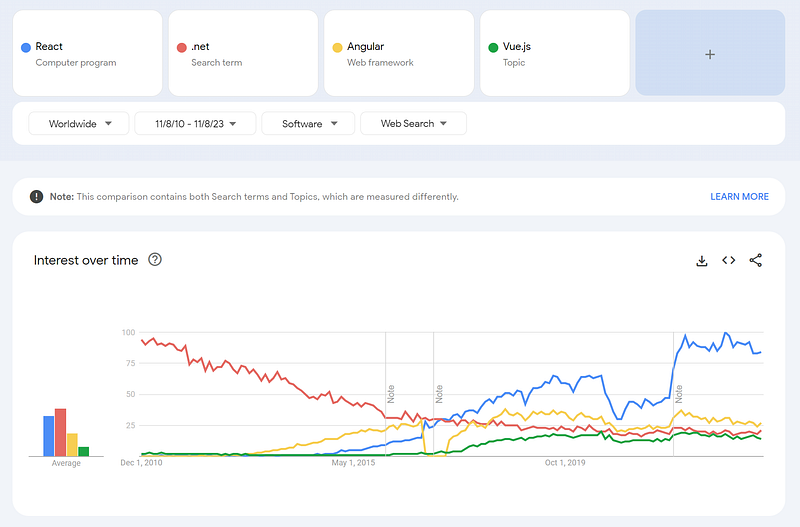
_[Google Trends](https://trends.google.com/trends/explore?cat=32&date=2010-11-08%202023-11-08&q=%2Fm%2F012l1vxv,.net,%2Fg%2F11c6w0ddw9,%2Fg%2F11c0vmgx5d&hl=en)_
An effort from Sitecore was put into creating Sitecore Javascript Services (JSS) as an offering to capture the market that wanted to use this stack and demonstrate that Sitecore could be a headless CMS.
The decision to open source JSS was excellent, I’d like to think it was from Sitecore having learned from their past choices. I have over the years created a few bug reports in the JSS repo and seen them get actioned by the JSS team. I frequently refer to the code during projects and it makes it so easy when a team member asks an implementation question and I can just direct link them to the JSS code for it.
Also around this time the “Cloud” was the big buzzword and we saw a few companies migrate their OnPrem solutions to IaaS (Azure / AWS virtual machines). This spearheaded an industry wide need for better products to reliably deploy code, and we saw changes like TFS being rebranded to Azure DevOps, Microsoft acquired GitHub, tools like Octopus Deploy became very popular.
Sitecore saw that they needed to provide first-class cloud support, and so partnered with Azure to get Sitecore running on the cost-efficient and scalable Azure PaaS.
There was a lot of change happening during this time, which means stability and maturity of dev tooling was in the process of being overhauled, and towards the end of this period I saw that many projects were launching with a decent DevOps setup.
SXA (for MVC) became much more mature, and overall did improve DevEx a lot by really standardizing and providing good tooling around what a well-built Sitecore component looks like. However, it always had a few key issues which really hold it back to this day:
- The client-side js (jQuery based) and stylesheets are difficult to customize and maintain
- The tooling around them (e.g. the bundler) uses a stack that hasn’t been updated since 2016, which is understandable but it means that you’ll be locked into the limitations of that era
- They are next to impossible to get a good core metrics performance score out of
- Item based rendering variants — aka the first low code way to build components — are difficult to maintain, test, and copy to other solutions. An interim idea that helped a little was introducing a templating framework called Scriban so that the code could at least be synced to source control, but this also has a lot of DevEx issues.
**DevEx rating: 7/10**
## 2022–2025
Sitecore Symposium 2022 saw the launch of XM Cloud which is basically under the hood Sitecore XM running on Kubernetes with a very slick Kafka implementation to orchestrate it all, with the new Sitecore portal as a user interface to manage it, and an option to use the Sitecore CLI if you need to do things the UI doesn’t yet do (such as Azure DevOps / Bitbucket integration — coming soon [TM]).
With teams no longer being responsible for hosting and maintaining the platform, coupled with teams shifting the rendering logic out of Sitecore and only using Sitecore as a headless CMS is a massive DevEx boost because it opens up SaaS products to take care of all the infrastructure for you. Just commit to your repo and everything else is taken care of.
Well, almost everything, you still need to know Sitecore pretty well to utilize it correctly and not make all the same mistakes of the past. You also might want to implement a unit test suite and a Storybook implementation which can pay dividends by making testing components in isolation a breeze.
Sitecore also released SXA for Headless (Next.js only at time of writing). I think they’ve learned a few lessons from SXA for MVC in not trying to be too prescriptive on exactly how you should be building and styling complex components. Even though SXA ships with full-blown Bootstrap 5 I was able to relatively quickly rip it out and implement my component library of choice.
I would however like to see them pare it down even further and leave us with the real basics, just the barest of bones in terms of UI styling. Remove Bootstrap (keep just Bootstrap Grid for basic layout functionality), remove Font Awesome, remove as many stylesheets as possible, don’t make any assumptions of how things like an Accordion should work, but do give us a way to make an Accordion fully Pages Editor compatible (which they have already done, thank you).
Overall it has been a monumental shift forward and I’m sure we will see some excellent Next.js + XM Cloud implementations over the next few years.
**DevEx rating: 8/10**
## 2026–2030
Sitecore has fully backed Next.js as the meta-framework of choice, and it’s a sound decision based on the market trend. However, it’s not a perfect fit for every single use case, and there are some frameworks and meta-frameworks that do some things better than others, which therefore improves DevEx for that use case. One such example is Astro which lets you use either React / Vue or Astro components on the same page at the same time, while still being very high performance. Anton Tishchenko, a community member, has ported the [JSS SDK to Astro](https://github.com/exdst/jss-astro-public).
I have had the opportunity to work closely with both Next.js / React.js as well as Nuxt / Vue.js, the latter combination wasn’t a Sitecore project but a standalone user portal site. I absolutely love Nuxt/Vue, I think that Nuxt is superior to Next.js, but found that there is a big gap in terms of community support and contributions. As an example, there are so many very decent React component libraries to choose from to fit your requirements, compared to only a small handful of Vue.js component libraries. It is slowly gaining in popularity however, so once that gap closes it might become the technology of choice.
Another notable mention is to consider what Microsoft have been up to all these years while ASP.NET MVC gets sidelined? Well, they’ve been working on ASP.NET Blazor, and as of .NET 8 it really is ready for prime time. It’s raw performance and capability is stunning and could be an excellent choice if you need a seamless transition between ultra-fast server-side rendered pages and modern client-side functionality, and with .NET Maui for adding native App support relatively easily. I still think that it is lagging behind in terms of DevEx tooling and community support, but when it catches up it could be a game changer all over again.
---
# Sitecore Headless SXA — configuring the new OOTB Redirect Module with Next.JS
- URL: https://www.markgibbons.dev/blog/2023/sitecore-headless-sxa-configuring-the-new-ootb-redirect-module-with-next-js
- Published: 2023-06-23
- Tags: sitecore, sxa, headless
> Want to use the shiny new built-in Redirects mechanism in your Headless SXA on Next.JS? Read on!
Want to use the shiny new built-in Redirects mechanism in your Headless SXA on Next.JS? Read on!
The Sitecore 10.3 [Release Notes](https://doc.sitecore.com/xp/en/developers/103/what%27s-new/what-s-new-in-sitecore-experience-platform-10-3.html) say “You can now redirect a specific page to a new location, or create a redirect map for your headless sites.” Sounds great! But the linked documentation only shows how to configure it in the CMS. What about configuring it on the Next.JS side? That’s not currently documented, so I will help you configure it.
1. You’re going to need to be on at least JSS 21 and at least Sitecore 10.3 or Sitecore XM Cloud. The feature did exist in JSS 20 but has had performance and multi-site improvements in JSS 21.
2. Add the [Redirects Module to your Headless SXA Tenant and Site](https://doc.sitecore.com/xp/en/developers/sxa/103/sitecore-experience-accelerator/add-a-module-to-an-existing-tenant-or-site-812359.html).
3. Set up a couple of tests for both 301 and 302.
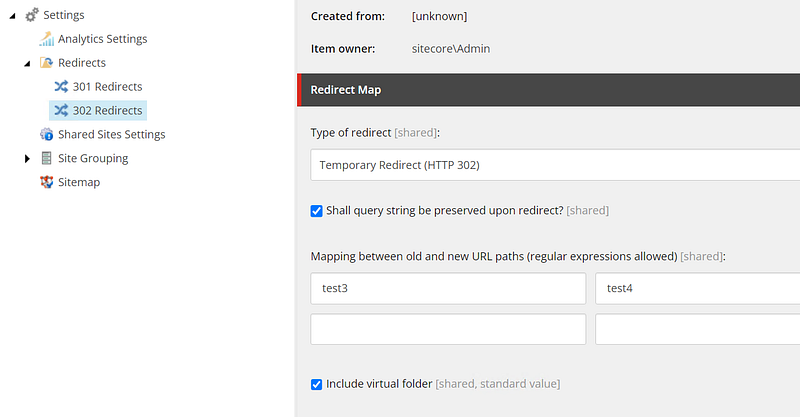
4. Use the [JSS App Initializer](https://doc.sitecore.com/xp/en/developers/hd/21/sitecore-headless-development/the-jss-app-initializer.html) to create your nextjs app, and then add on the nextjs-sxa template.
5. If you’re upgrading from an older version of JSS then you might not have the new redirects middleware configured. The nextjs-sxa template from the above app initializer will contain the files you need:
- \src\middleware.ts
- \src\lib\middleware\index.ts
- \src\lib\middleware\plugins\redirects.ts
Also make sure the files in \scripts are up to date.
6. Run your app in Production mode, or you can go to _\src\lib\middleware\plugins\redirects.ts_ and update _disabled: () => false_ so that it runs in Connected mode.
7. Open your browser and check that the test redirects you set up are correct.
Thanks for reading!
---
# Sitecore Development with Docker Containers in 2023
- URL: https://www.markgibbons.dev/blog/2023/sitecore-development-with-docker-containers-in-2023
- Published: 2023-05-17
- Tags: sitecore, sitecore-xp, docker
> This is my forward-looking view on the current state of developing on the Sitecore platform with containers. I will be considering XM/XP/XM…
This is my forward-looking view on the current state of developing on the Sitecore platform with containers. I will be considering XM/XP/XM Cloud.

_Credit to [Vitalii Tylyk](https://blog.vitaliitylyk.com/making-sitecore-a-good-docker-citizen/) for this fun image :)_
### Back Story
I first looked at Docker based development back in 2019 when the Sitecore community-based and community-led effort of doing Sitecore in Docker was starting to really gain traction.
At the time, Sitecore XP was the common mainstay and Sitecore XC (Commerce) was also not unusual to see at various customer implementations. Companies were excited with the Sitecore 9 XP feature set and were ready to try and use these features to grow their businesses. However, a common complaint was how difficult it was to get Sitecore XP running on local dev machines.
To those that knew about Containers, it probably would have seemed that the reasonable solution was to reduce the developer pain by running Sitecore on Docker. [The benefits are now well-documented:](https://doc.sitecore.com/xp/en/developers/103/developer-tools/containers-in-sitecore-development.html)
> The key benefits of containerization include the following:
> Lightweight — small size on disk and very low overhead.
> Isolation — containers keep applications isolated not only from each other, but also from the underlying system. Inherent constraints mean containers are secure by default.
> Portability — a container runs on any machine that supports the runtime environment of the container. You can build locally, then easily move to on-premise or cloud environments.
> Loose coupling — containers are highly self-sufficient and encapsulated, so you can replace or upgrade one container without disrupting other containers.
> Scalability — because containers are lightweight and are loosely coupled, you can scale quickly by creating new containers.
I was quick to check out the community docker GitHub repo and try and run it on my own. I soon ran into many roadblocks, some of which were a real pain for me to solve at the time such as not enough disk space to build the images. At the time there were no public Sitecore images available, you had to build your own. If you wanted to share them with your team, you needed to provision an Azure Container Registry. These things are not easy for someone new to the process.
So I requested a new External SSD for my work laptop and tried in vain to get the community images built and running. It turns out it is not possible to run Sitecore on Docker on any drive other than your system drive.
I then painstakingly managed to find a spare few GB to clean up on the system drive and managed to finally get it running. Success! But how do I actually deploy the customer’s solution? I couldn’t find much information on this at all at the time outside of building custom images, which I didn’t see the point of at all. At this point I gave up and from then until recently held the opinion that Sitecore development on Docker was just not for me.
### XM Cloud changed my mind
With the release of XM Cloud, I realised my previous opinion needed to be revisited when I found out that you do need to be using Docker for the XM Cloud development workflow.
Over the years I had been following the Sitecore Slack #docker channel and watching many people try containers and have varying degrees of success.
I saw that starting in Sitecore 10, Docker images were officially built and supported and you could raise Sitecore support tickets if required.
I saw that the Sitecore team themselves had been reporting the occasional bug to Docker and these getting resolved.
I saw the with Sitecore 10.3 release, Windows 11 / LTSC2022 images were finally pushed.
I saw the [XM Cloud starter repository](https://github.com/sitecorelabs/xmcloud-foundation-head) had a decent example of an XM Cloud on Docker solution.
I saw that the [Docker Examples](https://github.com/Sitecore/docker-examples) repo was getting some love from the community and Sitecore.
### A roadmap for a customer to migrate from XP to XM Cloud
So, when I was tasked with creating a roadmap for a customer to migrate from XP 10.1 to XM Cloud, I came up with the following.
1. Upgrade to the latest Sitecore XP/XM version.
2. Migrate from XP to XM. Replace any required XP functionality with appropriate SaaS equivalent.
3. Migrate from TDS/Unicorn to SCS.
4. Implement Docker into developer workflow.
5. Incrementally rewrite parts of the site onto Headless (Next.JS).
6. Migrate all content to XM Cloud (and publish to Experience Edge).
7. Change rendering hosts to XM Cloud (and Experience Edge).
Upgrading to XM latest and migrating to Docker for local development gets you well on your way.
### Building custom container images
Something I noticed quickly on my journey to Dockerizing an existing solution was that the step to build a custom image with the solution was one of the slowest operations in the whole process.
I did some research and found that optimizing your .dockerignore file and what path is included in the build can help a lot. In particular you want to be excluding any serialized content item yml files. But if you’re migrating an existing solution there’s no doubt a lot of small changes that need to be done during the process and sitting there twiddling your thumbs for 5 minutes while Docker does a glorified **msbuild**call is not my idea of fun.
So I took a step back, did I actually need the solution in an image? The default docker-examples configures a symlink to the website root so you can easily build your solution and have it publish to that directory, so for local develpment, its not needed. What about when promoting your code to test / prod environments? Well, unless you are intending to run your solution containerized in test or prod environments (e.g. in AKS), then there’s no need to have an image of it.
Even then, you could actually have two different docker-compose overrides, one that does have the solution image and one that does not. Day-to-day dev could use the one that does not, and only use the one that does on your CI/build pipeline.
With this change I saw a great increase in change turnaround time. I also am using [Helix Publishing Pipeline](https://github.com/richardszalay/helix-publishing-pipeline)and have configured it to delete the files in App_Config automatically on build of the solution, and it’s easy to add other file cleanup paths too.
I can have totally cold (but cached) images, run up.ps1 and be running the solution within 2 minutes. Once everything is up and warm, I can make a change, hit build, and Sitecore recycles and comes back within 30 seconds.
### Next upgrade will be a comparative breeze
Once you’re upgraded and Dockerized, the upgrade process to the next release becomes something like this:
1. Update solution nuget packages and fix any build issues
2. Update the .env file with the latest image tags
3. Check the Sitecore Upgrade Guide for any SQL DB upgrade scripts you need to run
4. Run the containers
5. Run any post upgrade steps such as the SXA site upgrade scripts
6. Code and content upgrade complete!
Of course you then have worry about the infrastructure side but hopefully you have that easily sorted too 😂
### Save even more time for your team by having your solution in an Azure VM
If you have others on your team and already have a process in place for creating Azure VM’s for the team, great! If not, then it’s worth discussing with the team. Once one person has set up the solution, it’s easy to clone the VM in Azure.
Just make sure to pick a VM SKU that supports Nested Virtualization. As of time of writing this, I found that **E4bs_v5** suits Sitecore really well. 4 cores, 32GB RAM, SSD support, recent gen CPU. You’ll need at least 250GB premium SSD.
### Conclusion / tl;dr:
I’ve been cautiously reserved about Sitecore on Docker for a long-time, but I think it’s definitely a mature technology now, with far more benefits than down sides, and encourage anyone planning an upgrade to consider Dockerizing.
---
# Sitecore Docker Containers — Auto Bind Custom Domains to your CM and CD
- URL: https://www.markgibbons.dev/blog/2023/sitecore-docker-containers-auto-bind-custom-domains-to-your-cm-and-cd
- Published: 2023-05-15
- Tags: sitecore, sitecore-xp, docker
> If you’re developing with Sitecore on Docker and need to bind some custom domains to your CM/CD instances in Traefik, here’s an easy and…
If you’re developing with Sitecore on Docker and need to bind some custom domains to your CM/CD instances in Traefik, here’s an easy and future-proof way.
### Naming Convention
First, I’m defining that _cm.yourdomain.localhost_ and _*-cm.yourdomain.localhost_ should automatically resolve to your CM container, and similarly _cd.yourdomain.localhost_ and _*-cd.yourdomain.localhost_ should automatically resolve to your CD container.
### Update docker-compose.yml
Locate your **traefik.http.routers.cm-secure.rule** and **traefik.http.routers.cd-secure.rule**.
Update **traefik.http.routers.cd-secure.rule** as follows:
“traefik.http.routers.cd-secure.rule=HostRegexp(`\{subdomain:([a-z]+-|)\}$\{CD_HOST\}`)”
Update **traefik.http.routers.cm-secure.rule** as follows:
“traefik.http.routers.cm-secure.rule=HostRegexp(`\{subdomain:([a-z]+-|)\}$\{CM_HOST\}`)”
### Update your init.ps1
Add your custom domains. For example:
Add-HostsEntry “custom1-cm.$($HostName).localhost”
Add-HostsEntry “custom1-cd.$($HostName).localhost”
### Update \ configuration
If you’re not on SXA then update your \, if you’re on SXA then update the Site Groupings.
Done!
---
# Starting a new project on XM Cloud? Here are some considerations for content search.
- URL: https://www.markgibbons.dev/blog/2022/starting-a-new-project-on-xm-cloud-here-are-some-considerations-for-content-search
- Published: 2022-11-13
- Tags: sitecore, xm-cloud, search
> The new composable, headless architecture of Sitecore has many benefits, I think we all agree. But there are features that we’ve taken for…
The new composable, headless architecture of Sitecore has many benefits, I think we all agree. But there are features that we’ve taken for granted for a long time on Sitecore XM that won’t be immediately available on XM Cloud. One of the big gaps I can see is content search.
### Experience Edge
If you’re looking at a new XM Cloud site today, you might be looking at initially leveraging the [search features of Experience Edge](https://doc.sitecore.com/xmc/en/developers/xm-cloud/the-experience-edge-schema.html). Let’s review the search features:
- Search by field name and string value matches by a list of supported operators
- Comparison operators: EQ, CONTAINS, NEQ, NCONTAINS
- Flexibility around grouping field search predicate with “AND”, “OR”
- Order by fieldname ascending or descending
- Pagination
At first look, seems pretty good right? I do love the flexibility around the search predicates. But when I think back few the last few projects I’ve done,**I also needed the following features**:
- Keyword / phrase search across multiple fields including datasources
- More comparison operators: LT (less than), GT, LTE, GTE
- Date comparison support
- Integer comparison support
- Decimal comparison support
- Coordinate filtering (Latitude / Longitude / Radius)
- Faceting support
- Template inheritence filter (filter by items that inherit from a template)
- Site context filter (filter by a root item / site context)
- Ability to differentiate between Solr Search and Solr Filter queries
With the above features, we are pretty close to a truly powerful search that would handle most requirements. The other “nice to haves” that I could think of are:
- Personalised results based on previous searches
- AI / ML / fuzzy matching on keyword / phrase search to give that really “Google-like” user experience
Can Experience Edge deliver on the above requirements? No. Hence we need to look at alternatives.
### Sitecore Authoring GraphQL API
In Sitecore 10.3 and XM Cloud, there is the new [Sitecore Authoring and Management GraphQL API](https://doc.sitecore.com/xp/en/developers/103/sitecore-experience-manager/sitecore-authoring-and-management-graphql-api.html). This has a [search endpoint](https://doc.sitecore.com/xp/en/developers/103/sitecore-experience-manager/query-examples-for-authoring-operations.html#search-items-under-a-specific-path_body) which isn’t based on the Experience Edge schema, but there are some similarities. Most importantly it does fill some of the above requirements:
- Ability to differentiate between Solr Search and Solr Filter queries
- Boosting
- Faceting
- Query Operators: Should, Must, Not
- Comparison Operators: Exact, StartsWith, Contains, EndsWith, Wildcard, Search, Range, Fuzzy, Proximity, RegExp
- Advanced sorting
The namespace to closely investigate the schema is `Sitecore.GraphQL.Services.Abstractions.Model.Searching.SearchQuery`.
It’s still missing keyword / phrase search and coordinate search.
Because this API is not going to be surfaced via Experience Edge as far as I know, it isn’t ideal to use for Content Delivery purposes on XM Cloud, but it could be viable for use on Platform DXP (OnPrem / PaaS) hosted solutions.
### Sitecore Search
[Sitecore Search](https://www.sitecore.com/products/search) is a new next-gen search product that is coming out soon. It’s a rewrite of the OrderCloud Discover product to support both order search and content search capability.
The architecture diagram would look something like this:
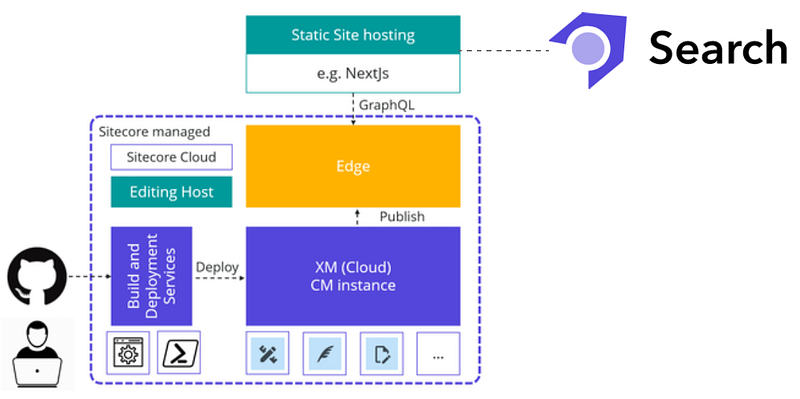
There isn’t much information available on it at the moment, but reviewing our list above, it ticks a lot of boxes.
A couple that it doesn’t tick (based on my limited knowledge, and from reviewing the currently available [Discover documentation](https://doc.sitecore.com/discover/en/developers/discover-developer-guide/introduction-to-sitecore-discover-developer-documentation.html))
- No coordinate filtering
- Template inheritence and some of the more advanced field comparison / search predicate handling
Okay, but the other issue is it’s not actually out yet. So what else?
### SearchStax SearchStudio
[SearchStax SearchStudio](https://www.searchstax.com/blog/search-for-sitecore-xm-cloud/) is an offering which ticks a lot of the boxes above. The [API doc](https://www.searchstax.com/docs/searchstudio/searchstax-studio-search-api/) isn’t very clear, but it looks like it works by letting you build up what is basically your own Solr query. That will, of course, be good in that you can do whatever you want, but it doesn’t provide a good developer experience. If you’re writing your front-end in Next.js, you don’t want to be hand-crafting complex Solr queries!
### Any other options?
[Coveo Headless](https://docs.coveo.com/en/headless/latest/) and [Algolia](https://www.algolia.com/industries-and-solutions/saas)are worth a look at, I haven’t done an in-depth comparison or analysis though. If you have, please get in touch with me so I can add here whether they tick some of the above boxes.
### What about building it yourself?
In Sitecore XM, I did build it myself by extending the Sitecore XM Experience Edge GraphQL Preview endpoint, and adding all of those features discussed previously (excluding the “nice to haves”). It worked well and has been a great success, but unfortunately that isn’t possible in XM Cloud.
You could consider getting your own SolrCloud or ElasticSearch instance, building an indexer that indexes the content on your CM, and then building an API for the front-end that converts GraphQL queries into Solr / Elastic queries.
I hope this helps on your composable journey!
---
# Integrating Sitecore CDP and Sitecore Send with Sitecore Forms
- URL: https://www.markgibbons.dev/blog/2022/integrating-sitecore-cdp-and-sitecore-send-with-sitecore-forms
- Published: 2022-08-30
- Tags: sitecore, sitecore-xp, forms
> The age of the composable DXP is here and with that comes new integration challenges. Here I will explain how to use the Sitecore Forms…
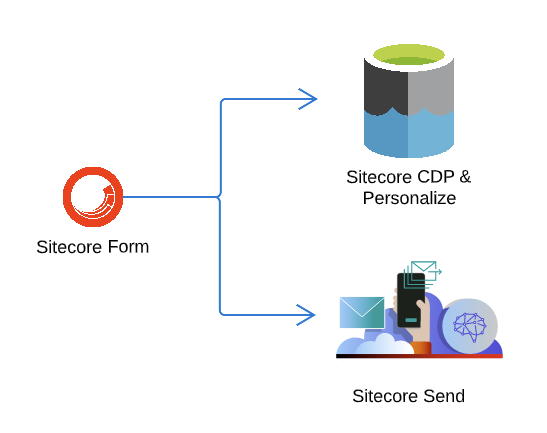
The age of the composable DXP is here and with that comes new integration challenges. Here I will explain how to use the Sitecore Forms module (which comes baked into Sitecore XM) to identify the user that submitted a form as contacts in CDP and Send.
A small caveat before we start, this technique can be used on Sitecore XP and Sitecore XM, but it isn’t recommended to use on Sitecore XM Cloud as the Sitecore Forms module is at time of writing an MVC module which is not supported on the new XM Cloud product.
### Step 1 — Sitecore Forms pipeline extension for successful submission callback
We need a way to hook into the lifecycle of the forms on the page, to build up the contact data and then to submit the identify contact event on successful submission. We can do this via a pipeline extension which will trigger an event which can be subscribed to on the client side.
```xml:Feature.Forms.config
```
```csharp:InitializeAjaxOptions.cs
using System;
using System.Collections.Generic;
using System.Runtime.CompilerServices;
using System.Web.Mvc.Ajax;
using Sitecore.Diagnostics;
using Sitecore.ExperienceForms.Mvc;
using Sitecore.ExperienceForms.Mvc.Pipelines.RenderForm;
using Sitecore.Globalization;
using Sitecore.Mvc.Extensions;
using Sitecore.Mvc.Pipelines;
namespace Feature.Forms.Pipelines
{
public class InitializeAjaxOptions : MvcPipelineProcessor
{
private readonly IFormRenderingContext _formRenderingContext;
public InitializeAjaxOptions(IFormRenderingContext formRenderingContext)
{
Assert.ArgumentNotNull(formRenderingContext, "formRenderingContext");
_formRenderingContext = formRenderingContext;
}
public override void Process(RenderFormEventArgs args)
{
Assert.ArgumentNotNull(args, "args");
if (!args.ViewModel.IsAjax)
{
return;
}
if (args.HtmlHelper.ViewContext.UnobtrusiveJavaScriptEnabled)
{
AjaxOptions ajaxOptions = new AjaxOptions();
ajaxOptions.HttpMethod = "Post";
ajaxOptions.InsertionMode = InsertionMode.ReplaceWith;
ajaxOptions.UpdateTargetId = args.FormHtmlId;
ajaxOptions.OnSuccess = FormattableString.Invariant(FormattableStringFactory.Create("$.validator.unobtrusive.parse('#{0}');$.fxbFormTracker.texts=$.fxbFormTracker.texts||{{}};$.fxbFormTracker.texts.expiredWebSession='{1}';$.fxbFormTracker.parse('#{2}');$.fxbConditions.parse('#{3}');document.dispatchEvent(new CustomEvent('sc-forms-submit-success',{{'detail':'#{4}'}}));", args.FormHtmlId, Translate.Text("Your session has expired. Please refresh this page."), args.FormHtmlId, args.FormHtmlId, args.FormHtmlId));
AjaxOptions ajaxOptions2 = ajaxOptions;
IDictionary dictionary = ajaxOptions2.ToUnobtrusiveHtmlAttributes();
foreach (string key in dictionary.Keys)
{
args.Attributes[key] = dictionary[key];
}
}
if (!args.QueryString.ContainsKey("fxb.FormItemId"))
{
args.QueryString.Add("fxb.FormItemId", args.ViewModel.ItemId.ToGuid());
}
if (!args.QueryString.ContainsKey("fxb.HtmlPrefix"))
{
args.QueryString.Add("fxb.HtmlPrefix", _formRenderingContext.Prefix.Trim('.'));
}
args.RouteName = "FormBuilder";
}
}
}
```
_Source: [gist](https://gist.github.com/markgibbons25/3f068ac82a609615cba04b7d385fd4f1)_
### Step 2 — adding the CDP (Boxever) and Send (Moosend) scripts to your pages
You’ll need to add the js setup scripts for the two products.
1. For CDP — [Activating the JavaScript library](https://doc.sitecore.com/cdp/en/developers/sitecore-customer-data-platform--data-model-2-1/javascript-tagging-examples-for-webpages.html#activating-the-javascript-library)
2. For Send —[Follow this guide](https://help.moosend.com/hc/en-us/articles/4413852278162-Install-website-tracking-by-using-the-JS-tracking-library)
Depending on your front-end stack, be it SXA, MVC, or Headless (JSS), your approach on where you add those might differ.
If you’re using GTM then that could likely be a good place to add them.
If you’re on SXA then I’d recommend adding them as a HTML Snippet to your global meta Partial Design. The advantage there is it can be more easily managed between different environments. If you’re on MVC or Headless then you likely have a previously established pattern for this kind of thing already.
### Step 3 — Custom JS to build the contact and hook into the form submission event
Here I’m making use of jQuery based on a previous pattern in the SXA solution I’m using for this example.
```js:cdp.js
var CustomIntegration = window.CustomIntegration || {};
CustomIntegration.cdp = (function ($, document) {
var clientDataLayer = {
"currencyCode": "AUD"
};
startTrackingForms = function () {
var inputs = $("form[data-sc-fxb]").find("input:not([type='submit']), select, textarea");
if (inputs.length) {
inputs.on("blur",
function () {
var fieldName = $(this).data('sc-field-name');
if (fieldName && fieldName.toLowerCase().indexOf('email') >= -1) {
clientDataLayer.email = $(this).val();
} else if (fieldName && fieldName.toLowerCase().indexOf('firstname') >= -1) {
clientDataLayer.firstname = $(this).val();
} else if (fieldName && fieldName.toLowerCase().indexOf('lastname') >= -1) {
clientDataLayer.lastname = $(this).val();
}
});
}
};
$(document).ready(function () {
// Page View
if (_boxeverq) {
_boxeverq.push(function () {
var viewEvent = {
"browser_id": Boxever.getID(),
"channel": "WEB",
"type": "VIEW",
"language": $('html').attr('lang'),
"currency": clientDataLayer.currencyCode,
"page": window.location.pathname,
"pos": 'xyz'
};
Boxever.eventCreate(viewEvent, function (data) { }, 'json');
});
}
if (mootrack) {
mootrack('trackPageView');
}
startTrackingForms();
document.addEventListener("sc-forms-submit-success", function (e) {
if (_boxeverq) {
_boxeverq.push(function () {
var viewEvent = {
"browser_id": Boxever.getID(),
"channel": "WEB",
"type": "IDENTITY",
"language": $('html').attr('lang'),
"currency": clientDataLayer.currencyCode,
"page": window.location.pathname,
"pos": 'xyz',
"email": clientDataLayer.email,
"firstname": clientDataLayer.firstname,
"lastname": clientDataLayer.lastname,
"identifiers": [{
"provider": "email",
"id": clientDataLayer.email
}]
};
Boxever.eventCreate(viewEvent, function (data) { }, 'json');
});
}
if (mootrack) {
mootrack('identify', clientDataLayer.email);
}
});
});
})(jQuery, window.document);
```
_Source: [gist](https://gist.github.com/markgibbons25/53f35ade72d597ba76de4d4dfe5aa9e9)_
At a high level, the script does the following:
- Send page view events to CDP and Send
- Monitor all Sitecore Forms for firstname, lastname, and email fields and build up the contact client data layer.
- On form submission success, identify the contacts in CDP and Send.
It’s worth noting that all contacts that are identified in Send will be added to a default subscription list. If you need to add to a different specific list, there are examples on the moosend doc site on how to do that.
---
# Should I directly connect to a custom database from Sitecore?
- URL: https://www.markgibbons.dev/blog/2022/should-i-directly-connect-to-a-custom-database-from-sitecore
- Published: 2022-05-12
- Tags: sitecore, sitecore-xp
> If you’re in a situation where you need a custom database for whatever reason, your first reaction might be “Hey, let’s just chuck in a…
If you’re in a situation where you need a custom database for whatever reason, your first reaction might be “Hey, let’s just chuck in a connection string, whack in Entity Framework or ADO.NET, easy!”
**STOP! It’s not safe!**

What do I mean by safe here? Safety in development refers to both the short-term and long-term effects of a change. Short-term considerations could include whether it is likely to need manual intervention to get the change deployed, or is it totally automated. Long-term considerations could include maintainability — is it going to come back to bite you in the ass and cause a major headache?
Introducing a new database into a system should be considered a major architectural change and should not be undertaken lightly. And when it comes to Sitecore (XM / XP), even more so.
Let me run you through a real-world example of where this has happened.
## Case Study
The year is 2014 and the effects of the GFC are finally wearing off, sparking new projects to kick off. A large enterprise has budget for a full rewrite of their site and has chosen Sitecore XP. Included in the scope is an online portal where users can create accounts and log in, and update various details.
Enter the requirement for a custom database for all these details. The developers add Entity Framework as a dependency to the Sitecore solution and create the database. They use EF code-first migrations to manage the schema, committing the migration to the Sitecore solution repo.
Developer overhead for Sitecore front-end developers immediately increases:
- Devs need a basic understanding of a new complex dependency (EF) — training/upskilling
- Additional environment setup time
- Make sure the migrations have been run locally and deal with conflicts if multiple people are changing the schema
- Managing the data if it gets out of date on the local machine
- EF.NET has a notoriously slow startup time which affects dev productivity
The developers had the best of intentions, implementing the Repository pattern for all data access. We could find a CustomerRepository, OrderRepository, EnquiriesRepository. As the solution grew, the different types of data needed grew, we started seeing different repositories injected into each other via Dependency Injection in an attempt to hold up DRY (don’t repeat yourself). That soon turned into DI hell and so wrapper repositories were added. The DI framework used at the time (Autofac) was stretched to the limit to try and handle all of this, and yet still edge cases came up and we’d find developers creating new DbContexts directly in Sitecore components rather than deal with this mess of Repositories.
Then a new challenge started coming in: a new dev team has been hired to build back-office dashboards and they need to read and update the database, and even modify the schema. Suddenly we’re seeing commits in the Sitecore codebase from a team that has no idea about Sitecore, and the team’s branching strategy and release cadence.
Then comes time to upgrade to Sitecore 9, which brought in even more challenges:
- New environments getting spun up still need to deal with this overhead
- Package conflicts between dependent versions meant that it’s time to upgrade Entity Framework whether you like it or not
- Sitecore dropped support for Autofac, suddenly all those clever DI container registrations were in vain and had to be rewritten for the Microsoft DI API.
What a headache!
And yes, I can go on with the ramifications of this: some years later, parts of the application needed to be abstracted out of Sitecore to an API layer so that other channels could use it, suddenly we were in the scenario where multiple applications are accessing the same database!
## So, what should we do instead?
Build a Middleware API.
Back in those days — being that the team are .NET developers — the best choice would have been to create a new ASP.NET WebAPI2 project, add Entity Framework to that, and design and create API endpoints to provide the data that Sitecore requires.
This is even easier these days — .NET 6 provides such an easy way to scaffold new API projects that are automatically self-documenting via the OpenAPI spec and the Swagger UI, and have made it super easy to add authentication if it’s required.
Let’s look at the problems above and how this solves them:
- Front-end developers don’t need to worry about data access anymore — they can just work with the API
- Environment setup time is streamlined — you could have a shared API server as default and the developer only needs to set it up if they need to make changes
- This abstraction makes it possible to share a database across the team too if that is beneficial
- Sitecore XM/XP is heavy-weight enough without adding large dependencies like Entity Framework — let’s keep it out the codebase and make upgrades easier and the dev experience better
- Developers have to stop and think twice when building data models, and how they are exposing those via an API. This promotes taking the time to create good abstractions instead of quickly creating a DbContext just to pull one bit of data they need on their component, which could become a major performance concern.
- Non-Sitecore developers could potentially make changes without disrupting the front-end.
- Bug fixing logic issues that exist on the middleware layer becomes easier and a much faster turnaround time to deploy these changes.
- In this world of Composable DXP, the API could even be made publicly accessible (with the proper security in front of it of course) and let Headless front-end solutions interact with it. Another good option here is to simply proxy requests through Sitecore to the API, and control access within Sitecore if that framework is already in place.
## What about YAGNI?
Over-architecting a solution is definitely a concern, but when it comes to mixing custom databases and Sitecore, I’m afraid that I can’t think of any reason to not implement a middleware API. My reasoning is that: if the customer is “enterprise” enough to afford Sitecore licensing fees, then they are most certainly enterprise enough to invest in good software architecture.
Another big reason, is that once a database is embedded into Sitecore, it is very expensive to rip it out and abstract it properly, and therefore it becomes a legitimately very hard sell to management to get budget to change it. The high cost to remove it becomes insurmountable, and the business could most likely just accept all the overheads outlined above.
## Any exceptions?
Ok, fine, I do have an exception: where it is an optional dependency. For example the [Sidekick Audit Log](https://github.com/JeffDarchuk/SitecoreSidekick)which allows you to log to a SQL database.
## Conclusion
If you’ve read this far you’re probably one of two people:
- Someone who has gone through similar pain and is nodding along to what I’m saying
- Someone who needs to use a custom database and is thinking about their solution architecture.
If you’re in the latter group, congrats! Just by doing some reading here and hopefully taking these points into account, you could be saving the business $000’s in the future (and you totally deserve a bonus).
Drop me a comment if you have any more thoughts on the subject!
---
# Server hang with 100% CPU on Sitecore 10.1
- URL: https://www.markgibbons.dev/blog/2022/server-hang-with-100-cpu-on-sitecore-10-1
- Published: 2022-04-19
- Tags: sitecore, sitecore-xp, troubleshooting, performance
> Just a short PSA for anyone using Sitecore 10.1.0–10.1.2 with SXA (and possibly this affects 10.2 as well as Sitecore registered a new…
Just a short PSA for anyone using Sitecore 10.1.0–10.1.2 with SXA (and possibly this affects 10.2 as well as Sitecore registered a new bug), if your CD server is locking up with 100% CPU:
I created a memory dump and profiler trace and then opened a Sitecore support ticket.
They came back:
From the provided memory dump (CPU usage is 100%), there are 5 requests stuck for quite some time. They have below call stack:
```
0000005a1a37ce30 00007ff7f95cfc1e System.Collections.Generic.HashSet`1[[System.__Canon, mscorlib]].AddIfNotPresent(System.__Canon) 0000005a1a37ceb0 00007ff7fdac8d05 Sitecore.XA.Foundation.Presentation.Services.LayoutXmlService.RegisterInjectedRenderings(Sitecore.Data.ID, System.Collections.Generic.IEnumerable`1) 0000005a1a37cf50 00007ff7fdac89fa Sitecore.XA.Foundation.Presentation.Services.LayoutXmlService.RegisterInjectedRenderings(System.Collections.Generic.IEnumerable`1) 0000005a1a37cfb0 00007ff7fdac6005 Sitecore.XA.Foundation.Presentation.Pipelines.GetXmlBasedLayoutDefinition.AddPartialDesignsRenderings.Process(Sitecore.Mvc.Pipelines.Response.GetXmlBasedLayoutDefinition.GetXmlBasedLayoutDefinitionArgs)
```
The issue is caused by corrupted cache instance: under load several threads can write to the cache “SXA[InjectedRenderingsCacheName]” concurrently without locking it. As the result the underlying _HashTable_ collection is corrupted and its enumerator never completes execution once called.
This issue was registered as a bug in our bug tracking system with the reference number **516880**. More information about public reference numbers can be found here: [https://support.sitecore.com/kb?id=kb_article_view&sysparm_article=KB0853187](https://support.sitecore.com/kb?id=kb_article_view&sysparm_article=KB0853187)
To work around the issue I’d like to suggest disabling the “SXA[InjectedRenderingsCacheName]” cache from Sitecore.XA.Foundation.Presentation.config by setting its max size to 0 MB. For this purpose please add the following node under _configuration/sitecore/settings_(it can be added via [Patching Config File](https://doc.sitecore.com/xp/en/developers/101/platform-administration-and-architecture/configuration-patch-file-examples.html)):
```
```
I updated this config setting and it looks to have resolved the issue — it hasn’t happened again in the last two weeks.
---
# Using the Vue Router on Sitecore Rich Text fields
- URL: https://www.markgibbons.dev/blog/2021/using-the-vue-router-on-sitecore-rich-text-fields
- Published: 2021-11-16
- Tags: sitecore, sitecore-xp, headless
> In my Sitecore Headless (JSS) travels, I see that there is no OOTB example of how to have Sitecore RichText fields use the Vue router for…
In my Sitecore Headless (JSS) travels, I see that there is no OOTB example of how to have Sitecore RichText fields use the Vue router for internal links.
[There is an example of how to do exactly this if you are using React / NextJS.](https://kamsar.net/index.php/2018/09/Routing-Sitecore-links-with-JSS/)
So I have here adapted that code for Vue. Please contact me if you notice any issues with it!
```js:RouteLinkedRichText.js
export const RouteLinkedRichText = {
props: {
field: { type: Object, required: true },
tag: { type: String, default: 'div' },
editable: { type: Boolean, default: true },
},
render(createElement) {
if (!this.$props.field || (!this.$props.field.editable && !this.$props.field.value)) {
return null;
}
const data = {
...this.$data,
domProps: { innerHTML: this.$props.field.editable && this.$props.editable ? this.$props.field.editable : this.$props.field.value },
};
return createElement(this.$props.tag || 'div', data);
},
mounted() {
this.bindRouteLinks();
},
methods: {
// handler function called on click of route links
// pushes the click into the router thus changing the route
routeHandler(event) {
event.preventDefault();
// Sometimes the event.target is an element wrapped in an anchor.
// In those cases, the previous code would not work, as `pathname` might be undefined.
// To fix, establish proper target.
const target = event.target.pathname ? event.target : event.target.parentElement;
const hash = target.hash;
let destination = hash ? `${target.pathname}${hash}` : target.pathname;
this.$router.push(destination);
},
bindRouteLinks() {
const hasText = this.$props.field && this.$props.field.value;
const isEditing = this.$props.editable && this.$props.field.editable;
if (hasText && !isEditing) {
// selects all links that start with '/' - this logic may be inappropriate for some advanced uses
const internalLinks = this.$el.querySelectorAll('a[href^="/"]');
internalLinks.forEach((link) => {
// the component can be updated multiple times during its lifespan,
// and we don't want to bind the same event handler several times so unbind first
link.removeEventListener('click', this.routeHandler, false);
link.addEventListener('click', this.routeHandler, false);
});
}
},
},
};
```
_Source: [gist](https://gist.github.com/markgibbons25/e9e428b5602fe021290f6ead73d0a8d8)_
Usage and params are exactly like the official RichText component you get OOTB.
---
# Sitecore Symposium 2021 review: some takeaways and predictions
- URL: https://www.markgibbons.dev/blog/2021/sitecore-symposium-2021-review-some-takeaways-and-predictions
- Published: 2021-10-08
- Tags: sitecore, career
> Even though we had another virtual Symposium, it was still a fantastic one with some incredible publications by Sitecore, their customers…
Even though we had another virtual Symposium, it was still a fantastic one with some incredible publications by Sitecore, their customers, and the community.
Some key takeaways and predictions for me:
- The composable DXP is really taking shape. I foresee most new projects being built on a headless front-end stack to take full advantage of these great SaaS offerings.
- Sitecore XC is dead, long live Order Cloud. I can finally say that I would welcome doing a Commerce project — it would be a headless front-end with Order Cloud for sure.
- EXM and Sitecore Marketing Automation is dead, long live Sitecore Send. I still am not totally clear on how easy it would be to replace the XP and EXM integration with XP and Sitecore Send, but from the talks it seems doable.
- Content Hub and its closely related new offering Experience Edge still look very “beta” to me. Call me old fashioned but I think that XM/XP hosted by a competent cloud hosting provider will be around for a long time to come.
- Symphony — the Front-end as a Service site builder which uses some of SXA under the hood — this could be good, of course when coupled with a fully SaaS offering, I think it will take a couple more years to mature, but we will see how it looks when it is released next year.
Thanks to all the contributors that made Sitecore Symposium a great event!
---
# Sitecore GraphQL — Upserting Items
- URL: https://www.markgibbons.dev/blog/2021/sitecore-graphql-upserting-items
- Published: 2021-09-29
- Tags: sitecore, sitecore-xp, headless
> The new GraphQL API that is shipped as part of the Sitecore Headless Services offering from Sitecore is a game changer. It is a…
The new GraphQL API that is shipped as part of the Sitecore Headless Services offering from Sitecore is a game changer. It is a replacement for the decades old Item Rest API. For new development I’d highly recommend it. A good starting point to get your head around it: [https://graphql.org/learn/](https://graphql.org/learn/)
It comes with GraphQL mutations to create, update, and delete items. And of course querying items directly, as well as querying via the search indexes. In my case I wanted to be able to continuously create / update items which may or may not already exist. This is acheivable by doing a query/search for the existing item and then either call create / update as necessary. But why not cut out the middleman and add an [upsert](https://en.wiktionary.org/wiki/upsert) function which can do that hard work for us?
### Step 1: Some code.
I decompiled the `Sitecore.Services.GraphQL.Content.Mutations.CreateItemMutation` and the `Sitecore.Services.GraphQL.Content.Mutations.UpdateItemMutation` and put it together like this:
```csharp:UpsertItemMutation.cs
using System;
using System.Collections.Generic;
using GraphQL;
using GraphQL.Types;
using Sitecore;
using Sitecore.Data;
using Sitecore.Data.Items;
using Sitecore.Diagnostics;
using Sitecore.Globalization;
using Sitecore.Services.GraphQL.Content;
using Sitecore.Services.GraphQL.Content.GraphTypes;
using Sitecore.Services.GraphQL.Content.Mutations;
using Sitecore.Services.GraphQL.Schemas;
namespace Feature.JssExtensions.GraphQL.Mutations
{
public class UpsertItemMutation : RootFieldType, IContentSchemaRootFieldType
{
private readonly FieldTypeToJsonTypeMapper _fieldTypeToJsonTypeMapper;
public Database Database { get; set; }
public UpsertItemMutation(FieldTypeToJsonTypeMapper fieldTypeToJsonTypeMapper)
: base("upsertItem", "Create / update a Sitecore item")
{
Assert.ArgumentNotNull(fieldTypeToJsonTypeMapper, "fieldTypeToJsonTypeMapper");
_fieldTypeToJsonTypeMapper = fieldTypeToJsonTypeMapper;
base.Arguments = new QueryArguments(new QueryArgument>
{
Name = "name",
Description = "The name of the item to create / update"
}, new QueryArgument>
{
Name = "template",
Description = "The template full path or ID of the template the item is based on"
}, new QueryArgument>
{
Name = "parent",
Description = "The parent item path or ID to add the item under"
}, new QueryArgument
{
Name = "language",
Description = "The language to create the item in (defaults to context)"
}, new QueryArgument>>
{
Name = "fields",
Description = "The fields to set on the item. Optional."
});
}
protected override Item Resolve(ResolveFieldContext context)
{
string name = context.GetArgument("name");
string template = context.GetArgument("template");
string parent = context.GetArgument("parent");
string languageName = context.GetArgument("language");
List fields = context.GetArgument>("fields");
if (string.IsNullOrWhiteSpace(languageName))
{
languageName = Context.Language.Name;
}
if (!Language.TryParse(languageName, out var language))
{
throw new InvalidOperationException("Language value " + languageName + " was not a valid language.");
}
if (!ItemMutationHelper.TryResolveTemplate(Database, template, language, null, out var templateItem))
{
throw new InvalidOperationException("The template '" + template + "' was not a valid template path or ID, or you did not have access to read it.");
}
var path = $"{parent}/{name}";
if (!IdHelper.TryResolveItem(Database, path, language, null, out var item))
{
try
{
ItemMutationHelper.SetFields(item, fields, _fieldTypeToJsonTypeMapper);
return item;
}
catch (Exception ex)
{
context.Errors.Add(new ExecutionError(ex.Message ?? ""));
throw;
}
}
if (!IdHelper.TryResolveItem(Database, parent, language, null, out var parentItem))
{
throw new InvalidOperationException("The parent item '" + parent + "' was not a valid item path or ID, or you did not have access to read it.");
}
Item newItem = null;
try
{
newItem = parentItem.Add(name, templateItem);
if (newItem.Language != language)
{
newItem = Database.GetItem(newItem.ID, language);
}
ItemMutationHelper.SetFields(newItem, fields, _fieldTypeToJsonTypeMapper);
return newItem;
}
catch (Exception)
{
newItem?.Delete();
throw;
}
}
}
}
```
```xml:config.config
```
_Source: [gist](https://gist.github.com/markgibbons25/7bf90582957c53603c73660d27301c32)_
### Step 2: Try it out
Sitecore Headless also ships with the GraphQL UI Playground where you can send your queries [https://sc.dev.local/sitecore/api/graph/items/master/ui](https://dj101sc.dev.local/sitecore/api/graph/items/master/ui)
It generates all the schema docs automatically. So after deploying our new mutation — here it is ready to use!
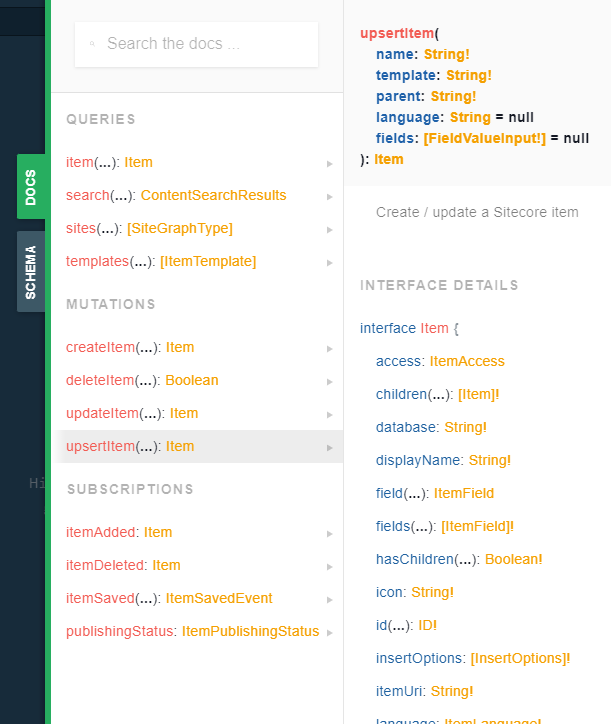
---
# Sitecore Link Resolving across sites and in EXM
- URL: https://www.markgibbons.dev/blog/2021/multisite-links-in-exm
- Published: 2021-03-30
- Tags: sitecore, sitecore-xp, exm
> Getting links to resolve correctly in is more tricky than one would expect.
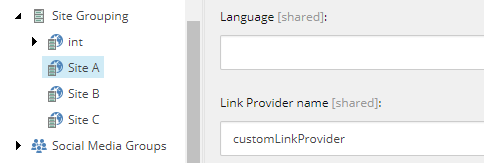
Getting links to resolve correctly is trickier than one would expect.
The scenario that I want to go through here is like this:
- 2 separate SXA sites
- An email campaign where we want to have links to both sites
- Both Rich Text and General Link fields can be used
The current [Sitecore documentation on this](https://doc.sitecore.com/developers/exm/101/email-experience-manager/en/link-generation-and-hostname-mapping-in-exm.html) is both very misleading and in one case downright incorrect unfortunately. I will go into that later.
I would like to say that having SXA shouldn’t make a difference, but unfortunately it does. So I’ll explain two ways to set this up, one with SXA, and one without.
### Overview of what we’re trying to achieve
It’s all about the LinkManager and configured LinkProviders. We want them to do all the work for us, as we would expect if we were doing cross-site linking in normal Sitecore. So getting cross site linking working in your normal sites will also make it start working in SXA.
The part where Sitecore documentation is really misleading is it makes it seem you have to do something special with their Hostname Mapping tool. I know they also mention this:
> The logic for generating URLs in an email message to content items is the same approach that Sitecore uses when rendering pages on a website.
But going on to give an example with multisite using just the Hostname Mapping tool is not going to work.
So the real key to using all of Sitecore’s OOTB logic is to make sure of the following
- Ensure that the link provider has `alwaysIncludeServerUrl=true` when the context site is `exm`
- `targetHostName` is set correctly on your sites
> **targetHostName**: The host name to use when generating URLs to items within this site from the context of another site. If the targetHostName attribute is absent, Sitecore uses the value of the hostName attribute instead. Used only when the value of the Rendering.SiteResolving setting is true.
### With SXA
1. Ensure that you are using the default SXA `` [More info here](https://sitecore.stackexchange.com/a/26829/1278).
2. On all sites in your solution, make sure that a single `targetHostname` is set. Ensure there’s no wildcards and it is the actual site URL that people use.
3. Make sure that you’re using the `LocalizableLinkProvider` on all your sites (or if you need further customizations, base your code on the `LocalizableLinkProvider` and make sure to keep the magic around it setting the `alwaysIncludeServerUrl` to true if the `targetHostname` is set.
4. That’s pretty much it.
### Without SXA
1. Override the LinkProvider to make sure that if the current context site is not the same as the site that it retrieves for the item set `AlwaysInlcudeServerUrl `to true in the URL options.
2. As above, on all sites in your solution, make sure that a single `targetHostname` is set. Ensure there’s no wildcards and it is the actual site URL that people use.
### Testing Notes
- EXM will run most of its pipelines in preview mode when it comes to links. So it’s fine to test by using the quick test feature or navigating to the email item in the Content Editor and using the Message Preview tab. When you kick off an actual dispatch it will do a couple extra things like encrypt links with the contact ID but that _shouldn’t_ break your links.
- You’ll want to do an actual dispatch, then view the source of the email and make sure that the tracking pixel URL is resolvable. This is really important to get stats and analytics working. If the tracking pixel URL isn’t right, _that’s_ when you can start looking at [Hostname Mapping](https://doc.sitecore.com/developers/exm/101/email-experience-manager/en/link-generation-and-hostname-mapping-in-exm.html).
### Gotcha #1 — Subdomain and top level domain
One gotcha I saw was that if one site is a subdomain of the top level domain then it won’t resolve correctly.
Example:
Site 1: https://test.com
Site 2: https://subdomain.test.com
It won’t actually work in this situation. If you can, change to using [https://www.test.com](https://www.test.com). If you can’t, then a workaround is to set a link provider with `AlwaysInlcudeServerUrl=true` on your `exm` site.
### Gotcha #2 — Multiple matching sites
You may have multiple sites that would match an item. This might be because you have your CM environment configured in Live mode (reading from master).
EXM will use the normal hostname match the same as any request, so if you are using a virtual directory on the CM site then it will appear in the URL.
I think this is a bug and it should be possible to instead choose the first site in configuration order, so feel free to raise with support, but for now I’ve gone with not having virtual directories on CM sites that need this feature.
### Sitecore Docs
> EXM verifies and generates hyperlinks according to the following process that is specified in the `modifyHyperlink` pipeline
This isn’t correct. It will in many cases have resolved the link before it gets here. A few situations where it won’t have resolved the link yet, in which case this logic does kick in.
### Sitecore Link Provider / URL Builder weirdness
Why do we even need to go to all this extra effort of playing with `AlwaysInlcudeServerUrl` value? To me, the default item URL builder should be taking care of this, and it should somewhat take into account the current Site Context.
- If we are not in the same Site Context as the target item, automatically set `AlwaysInlcudeServerUrl=true`
- If we are in the same Site Context as the target item and `AlwaysInlcudeServerUrl=true`, then resolve the server URL by taking into account the `targetHostname`. Currently it does not do this — it instead checks if the request URL matches the `hostName` and then uses the request URL instead! This is totally a bug, especially where we might have a load balancer pinging the site on an internal URL, this result may then get cached.
### Sitecore Versions Applicable
- I confirmed the above behaviour on Sitecore 9.1.1 and Sitecore 10.1.0
- The exact behaviour around the item URL builder has changed in 9.3+
- There is a known issue in 9.3 and 10.0 around this — public ref 391005. [See the fix in 10.1.0 release notes](https://dev.sitecore.net/Downloads/Sitecore%20Experience%20Platform/101/Sitecore%20Experience%20Platform%20101/Release%20Notes).
- In 10.1.3 (and possibly all the latest 10.x.x cumulative hotfixes), the behaviour has changed yet again. `LinkProviderService `has been changed so that if the current site does not have the `IsSxaSite=true` property, it will force using the `sitecore` provider. So going forward, you’ll need to pretty much always patch the `sitecore `provider with either the SXA `LocalizableLinkProvider` or your custom implementation discussed in the “non SXA” section above.

_The latest 10.1.3 LinkProviderService implementation_
---
# Sitecore SXA — How to override the Search Controller to fix the Cache-Control header
- URL: https://www.markgibbons.dev/blog/2020/sitecore-sxa-how-to-override-the-search-controller-to-fix-the-cache-control-header
- Published: 2020-09-21
- Tags: sitecore, sitecore-xp, sxa, performance
> This article explains how to swap out the built-in SXA SearchController which handles the API for the Search Results component. I needed…
This article explains how to swap out the built-in SXA SearchController which handles the API for the Search Results component. I needed to do this as the response headers for this was resulting `cache-control: no-cache` instead of `cache-control: no-store` as I need the latter to prevent caching by CDN’s such as Azure Front Door.
The following is for SXA in Sitecore 9. Caching for this particular case is now configurable in Sitecore 10 (there is a new `cachingHeaders` configuration), but this might be a useful technique if you need to replace built-in Sitecore controllers.
### Set up the cache attribute
Create a new class:
```
[AttributeUsage(AttributeTargets.Method)]
public class CacheWebApiAttribute : ActionFilterAttribute
{
public override void OnActionExecuted(HttpActionExecutedContext filterContext)
{
filterContext.Response.Headers.CacheControl = new CacheControlHeaderValue
{
NoStore = true
};
}
}
```
### Create the Controller override:
```
public class XASearchOverrideController : Sitecore.XA.Feature.Search.Controllers.SearchController
{
[RegisterSearchEvent]
[CacheWebApi]
public ResultSet GetResultsOverride([ModelBinder(BinderType = typeof(QueryModelBinder))] QueryModel model)
{
return base.GetResults(model);
}
[CacheWebApi]
public FacetSet GetFacetsOverride([ModelBinder(BinderType = typeof(FacetsModelBinder))] FacetsModel model)
{
return base.GetFacets(model);
}
[CacheWebApi]
public SuggestionsSet GetSuggestionsOverride([ModelBinder(BinderType = typeof(QueryModelBinder))] QueryModel model)
{
return base.GetSuggestions(model);
}
}
```
### Remove the old one from DI and add our new one
You need a `IServicesConfigurator` to remove the default:
```
public void Configure(IServiceCollection serviceCollection)
{
serviceCollection.Remove(serviceCollection.Single(x => x.ServiceType == typeof(Sitecore.XA.Feature.Search.Controllers.SearchController)));
serviceCollection.AddTransient();
}
```
### Register the route handler
```
public class RegisterRoutes
{
public void Process(PipelineArgs args)
{
foreach (string virtualdir in ServiceLocator.ServiceProvider.GetService()
.Sites.Select((Func)(s => s.VirtualFolder.Trim('/'))).Distinct())
{
string sitepath = virtualdir.Length > 0 ? virtualdir + "/" : virtualdir;
//RouteTable.Routes.MapHttpRoute(sitepath + "sxa", sitepath + "sxa/{controller}/{action}").RouteHandler = new SessionHttpControllerRouteHandler();
RouteTable.Routes.MapHttpRoute(
name: sitepath + "sxaresults",
routeTemplate: sitepath + "sxa/search/results",
defaults: new { controller = "XASearchOverride", action = "GetResultsOverride" }
).RouteHandler = new SessionHttpControllerRouteHandler();
RouteTable.Routes.MapHttpRoute(
name: sitepath + "sxafacets",
routeTemplate: sitepath + "sxa/search/facets",
defaults: new { controller = "XASearchOverride", action = "GetFacetsOverride" }
).RouteHandler = new SessionHttpControllerRouteHandler();
RouteTable.Routes.MapHttpRoute(
name: sitepath + "sxasuggestions",
routeTemplate: sitepath + "sxa/search/suggestions",
defaults: new { controller = "XASearchOverride", action = "GetSuggestionsOverride" }
).RouteHandler = new SessionHttpControllerRouteHandler();
}
}
}
```
### Patch out the built-in route handler and patch ours in:
```
```
That’s all — it is fairly involved but at least it is possible.
---
# Cleanup your local Sitecore instances
- URL: https://www.markgibbons.dev/blog/2020/cleanup-your-local-sitecore-instances
- Published: 2020-05-19
- Tags: sitecore, sitecore-xp
> If you’re like me and have a few local installations of Sitecore, these can build up a lot of temporary files over time.
If you’re like me and have a few local installations of Sitecore, these can build up a lot of temporary files over time.
This is just a quick PowerShell script you can run to clean these up. I saved about 50GB over the 10 instances I have installed locally.
`Get-ChildItem “C:\inetpub\wwwroot\*\App_Data\mediaIndexing” | Remove-Item -Force -Recurse -ErrorAction SilentlyContinueGet-ChildItem “C:\inetpub\wwwroot\*\App_Data\MediaCache” | Remove-Item -Force -Recurse -ErrorAction SilentlyContinueGet-ChildItem “C:\inetpub\wwwroot\*\App_Data\DeviceDetection” | Remove-Item -Force -Recurse -ErrorAction SilentlyContinue`
- Media Indexing — These are created by a computed [Solr index field.](https://sitecore.stackexchange.com/a/22243/1278)
- Media Cache — Any media library items you hit are stored here as a local cache.
- Device Detection — Sitecore Device Detection cache used for analytics/tracking.
---
# A smarter Sitecore HTML Cache Clearer
- URL: https://www.markgibbons.dev/blog/2020/a-smarter-sitecore-html-cache-clearer
- Published: 2020-04-22
- Tags: sitecore, sitecore-xp, performance
> Sitecore 9.2 and 9.3 includes a “smart” HTML cache clearer. Let’s take a look at what makes it “smart”.
**Update:**Sitecore 10.1+ has finally shipped with a superior cache clearing mechanism called “Clear On Content Update”, so this article is now mostly obsolete and only relevant if you are stuck on an old Sitecore version. However the new “Clear On Content Update” does require some additional configuration. Documentation is [here](https://doc.sitecore.com/xp/en/developers/102/sitecore-experience-manager/configure-html-caching.html).
Essentially my dream wishlist section at the end of this article got implemented into XM / XP. I’d like to think that this blog post might have prompted the XM product team to revisit this.
---
Sitecore 9.2 and 9.3 includes a “smart” HTML cache clearer. Let’s take a look at what makes it “smart”.
From the [HTML caching documentation](https://doc.sitecore.com/developers/93/sitecore-experience-manager/en/configure-html-caching.html):
> Sitecore clears caches for all sites you configure with the value of the `cacheHtml` property as `true`. If you do not want the cache for a site to be cleared when you publish you can add the `preventHtmlCacheClear` attribute to the site definition.
So the main change they’ve made here is that we no longer need to patch into the publish:end event for every site we define. Does that make this HTML cache clearer “smart”?
I think a smart cache clearer (of any kind — not just HTML) should at the very least try to detect which site(s) are affected by the publish and only clear affected site caches.
This is not a new concept and [is in this blog post from 8 years ago by John West](https://community.sitecore.net/technical_blogs/b/sitecorejohn_blog/posts/limit-output-cache-clearing-frequency-with-the-sitecore-asp-net-cms), [another post from Mark Stiles 9 years ago](https://markstiles.net/blog/2011/05/26/partial-html-cache-clearing.aspx), [and has also been blogged again nearly 6 years ago](https://blog.nikkipunjabi.com/2014/12/sitecore-smart-html-cache-clearance-2.html). So it is somewhat surprising that this has not made it into the product especially when there has been some recent work done in this area.
### Let’s make a better Smart HTML cache clearer
I’m essentially updating that original blog post here by incorporating the changes in Sitecore 9.2 and 9.3.
```csharp:SmartCacheClearer.cs
using System;
using System.Collections.Generic;
using System.Linq;
using Sitecore.Abstractions;
using Sitecore.Caching;
using Sitecore.Configuration;
using Sitecore.Data;
using Sitecore.Data.Events;
using Sitecore.Data.Items;
using Sitecore.Diagnostics;
using Sitecore.Events;
using Sitecore.Publishing;
using Sitecore.Sites;
using Sitecore.Web;
namespace
{
public class SmartCacheClearer
{
private const string PreventCacheClear = "preventHtmlCacheClear";
private readonly BaseCacheManager _cacheManager;
private readonly BaseSiteContextFactory _siteContextFactory;
public SmartCacheClearer(
BaseCacheManager cacheManager,
BaseSiteContextFactory siteContextFactory)
{
Assert.ArgumentNotNull(cacheManager, nameof(cacheManager));
Assert.ArgumentNotNull(siteContextFactory, nameof(siteContextFactory));
this._cacheManager = cacheManager;
this._siteContextFactory = siteContextFactory;
}
/// Clears the cache.
/// The sender.
/// The arguments.
public void ClearCache(object sender, EventArgs args)
{
Assert.ArgumentNotNull(sender, nameof(sender));
Assert.ArgumentNotNull(args, nameof(args));
this.NotifyStart();
var allSites = this.GetSites();
Item rootItem = null;
bool deep = false;
var remoteEventArgs = args as PublishEndRemoteEventArgs;
if (remoteEventArgs != null)
{
var rootItemId = remoteEventArgs.RootItemId;
var rootItemDatabase = remoteEventArgs.TargetDatabaseName;
Database database;
if (Factory.GetDatabaseNames().Any(name => name.Equals(rootItemDatabase, StringComparison.OrdinalIgnoreCase)))
database = Factory.GetDatabase(rootItemDatabase);
else
database = Factory.GetDatabase("web");
if (database != null)
{
rootItem = database.GetItem(new ID(rootItemId));
}
deep = remoteEventArgs.Deep;
}
else
{
var publisher = Event.ExtractParameter(args, 0) as Publisher;
if (publisher != null)
{
rootItem = publisher.Options.RootItem;
if (rootItem != null)
{
deep = publisher.Options.Deep;
}
}
}
var sitesToClear = allSites;
if (rootItem != null)
{
var sites = allSites
.Where(x => rootItem.Paths.FullPath.ToLower().Contains(x.RootPath.ToLowerInvariant()))
.Where(x => x.Name != "modules_website")
.ToList();
if (sites.Any())
{
sitesToClear = sites;
}
}
foreach (SiteInfo info in sitesToClear)
{
var htmlCache = GetHtmlCacheForSite(new SiteContext(info));
this.ClearHtmlCacheForSite(htmlCache);
if (info.RenderingParametersCache != null)
{
info.RenderingParametersCache.Clear();
}
}
this.NotifyEnd(sitesToClear);
}
private IReadOnlyCollection GetSites()
{
List sites = this._siteContextFactory.GetSites();
return sites == null ? Array.Empty() : sites.Where(s => s.CacheHtml && s.Properties[PreventCacheClear] != "true").ToArray();
}
private HtmlCache GetHtmlCacheForSite(SiteContext siteContext)
{
return this._cacheManager.GetHtmlCache(siteContext);
}
private void ClearHtmlCacheForSite(HtmlCache htmlCache)
{
htmlCache?.Clear();
}
private void ClearHtmlCacheForItem(HtmlCache htmlCache, Item item)
{
htmlCache.RemoveKeysContaining(item.Paths.FullPath);
}
private void NotifyStart()
{
Log.Info("SmartCacheClearer: Cache clearing - start.", this);
}
private void NotifyEnd(IReadOnlyCollection sites)
{
//if (!Log.IsDebugEnabled)
// return;
Log.Info("SmartCacheClearer: Cache clearing - end. Affected sites: " + string.Join(", ", sites.Select(s => s.Name)), this);
}
}
}
SmartCacheClearer, Foundation.Infrastructure
true
SmartCacheClearer, Foundation.Infrastructure
true
```
_Source: [gist](https://gist.github.com/markgibbons25/9d2588528628d5ac90c7801e65f27175)_
Some notes:
- The config is for Sitecore 9.2, if you are on 9.3 it just needs a tweak to change the reference of `Sitecore.Publishing.HtmlCacheClearer `to `Sitecore.Publishing.SmartHtmlCacheClearer`. This is because in 9.2 it is still using the old handler, even though the code for the new one is there.
- The code also handles `RenderingParametersCacheClearer `as it is trivial to also clear the site specific Rendering Parameters Cache at the same time.
- The config also patches out the SXA multisite HTML cache clearer as this supersedes the need for it.
### The perfect Sitecore Cache Clearer
If we could dream up what the perfect Sitecore cache clearer would look like, I think it should start from the cache key strategy. Every cache in the system should have a smart cache key strategy that contains everything we need to be able to selectively clear specific cache entries from the cache.
It would be no doubt a non-trivial challenge to find such a cache key strategy. For example we might have a change in page item `{abc}` for site `example`. The cache key could have `example-{abc}` which then allows us to easily clear that entry if that single item gets published. This gets complicated when we take into account datasource items, rendering parameters, composite renderings and so on. So I might really just be dreaming that this could be possible — but where there is a will, there is a way.
What about the Item Cache? This seems to be also currently cleared for all sites on publish. It looks like this logic is deep in the Sitecore kernel so I don’t see anyway to optimize this — but I hope this can be revisited.
---
# Identity Server Environment Specific Configuration
- URL: https://www.markgibbons.dev/blog/2020/identity-server-environment-specific-configuration
- Published: 2020-03-20
- Tags: sitecore, sitecore-xp
> In Identity Server, the default path of environment specific connection strings are set in…
In Identity Server, the default path of environment specific connection strings are set in `Config\production\Sitecore.IdentityServer.Host.xml`. This is a problem because we cannot easily make use of the `SITECORE_environment `config as documented [here](https://doc.sitecore.com/developers/93/sitecore-experience-manager/en/configuration.html).
If the `Sitecore.IdentityServer.Host.xml` file was instead deployed by default to the `Config` folder, it would solve this problem.
This location of the connection strings is also inconsistent with other Sitecore Host apps (e.g. Horizon) which put the environment specific connection strings in the `Config `folder instead of the `Config\production` folder.
It also is inconsistent with Sitecore core roles (CM, CD) which by default have the `App_Data\ConnectionStrings.config `as a global configuration that does not change depending on the `env:define` setting in the `web.config`
I also struggled to find information on how to set the `SITECORE_environment` — but the [Microsoft documentation](https://docs.microsoft.com/en-us/aspnet/core/host-and-deploy/aspnet-core-module?view=aspnetcore-3.1#set-environment-variables) showed how this could be done. For example in the Identity Server web.config:
` `
The way I see it, we unfortunately have two options for DevOps management of config changes. In this example say I want to patch in a config called `enableAzure.xml` to enable Azure AD and set a specific `ClientId`:
- Have the release pipeline deploy a different file to `/config/production/enableAzure.xml` per environment
- Have the release pipeline copy `Config\production\Sitecore.IdentityServer.Host.xml `to `Config\zSitecore.IdentityServer.Host.xml `and set the` SITECORE_environment:`. Then deploy `/config//enableAzure.xml`
I’ve raised this issue with Sitecore Support for Sitecore 9.3 so let’s hope that it will be fixed in future releases.
Note: all the logic for how the config is resolved is done in `Sitecore.Framework.Runtime.Hosting.SitecoreHostingEnvironment`
---
# Experience Forms — Getting the Context Site and Item in Submit Actions
- URL: https://www.markgibbons.dev/blog/2020/experience-forms-getting-the-context-site-and-item-in-submit-actions
- Published: 2020-01-30
- Tags: sitecore, sitecore-xp, forms
> As of Sitecore Experience Forms 9.2, there is no out of the box way to resolve the correct Sitecore.Context.Item or Sitecore.Context.Site…
At time of writing, there is no out of the box way to resolve the correct Sitecore.Context.Item or Sitecore.Context.Site from within a Submit Action.
This is a problem if we want to do something with a form on a particular site, page, or language.
Sitecore.Context.Site will resolve to the wrong site in a multi-site instance — it will just take whatever the default catch-all is (usually “website”).
Sitecore.Context.Item just returns null.
I drew inspiration from [this question on SSE](https://sitecore.stackexchange.com/q/19623/1278) about how to resolve the correct language.
```csharp:SiteAwareInitializeAjaxOptions.cs
public class ContextAwareInitializeAjaxOptions : InitializeAjaxOptions
{
public const string ItemKey = "sc_ctx_item";
private const string siteKey = "sc_site";
public ContextAwareInitializeAjaxOptions(IFormRenderingContext formRenderingContext)
: base(formRenderingContext)
{
}
public override void Process(RenderFormEventArgs args)
{
if (!args.IsPost && !args.QueryString.ContainsKey(siteKey))
{
args.QueryString.Add(siteKey, Sitecore.Context.Site.Name);
}
if (!args.IsPost && !args.QueryString.ContainsKey(ItemKey))
{
var item = Sitecore.Context.Item;
if (item != null)
{
args.QueryString.Add(ItemKey, item.ID.ToString());
}
}
base.Process(args);
}
}
Patch in:
```
_Source: [gist](https://gist.github.com/markgibbons25/25b52b4acb07d6ddb1e784bb98240701)_
You can then access the correct Sitecore.Context.Site as normal, and you can retrieve the current context item in your Submit Action code.
```
var contextItemIdStr = HttpContext.Current.Request.Params[SiteAwareInitializeAjaxOptions.ItemKey];
if (!string.IsNullOrEmpty(contextItemIdStr))
{
pageItem = Sitecore.Context.Site.Database.GetItem(contextItemIdStr);
}
```
Happy travels!
---
# Troubleshooting Sitecore Marketing Automation Plan Enrollment
- URL: https://www.markgibbons.dev/blog/2019/troubleshooting-sitecore-marketing-automation-plan-enrollment
- Published: 2019-11-10
- Tags: sitecore, sitecore-xp, troubleshooting
> Plan enrollment in the Marketing Automation engine is not as intuitive as you may expect.
Plan enrollment in the Marketing Automation engine is not as intuitive as you may expect.
I’ve created dozens of Marketing Automation plans in the past which are in production use. It seems pretty straightforward on the surface — when you create a new plan, you need to specify conditions that will be evaluated to enroll contacts.
_Plan Entry Activity_
### How does the automation engine evaluate this rule set?
I had made an assumption that once you activate a plan, this entry rule set will be evaluated every 20 seconds or so (as specified in the default worker config). Which is somewhat true — however it will **only be evaluated against contacts in the _[xdb_ma_pool].[AutomationPool]_ table of the Marketing Automation database**.
### How do contacts get in the AutomationPool table?
To simplify — they can only get there by one of two ways. The **XdbContactEventWatcher** which runs on the xConnect Collection instance, or you can manually call the **Marketing Automation Operations API**and enroll them by hand.
### **XdbContactEventWatcher — aka the xConnect Contact Event Plugin**
This is where the magic happens. Whenever an operation is submitted to xConnect, this event plugin will kick in and save almost everything about it to the AutomationPool table. Some examples:
- An anonymous visitor session expires. The session end processor submits the contact and all interactions to xConnect. The plugin creates entries in the AutomationPool table for this to be processed.
- You call IdentifyAs() on a contact. The Tracker submits this Identifier to xConnect. The plugin creates an entry in the AutomationPool table for this to be processed.
- You have a Goal set up as a Live Event. The Tracker submits this interaction immediately to xConnect. The plugin creates an entry in the AutomationPool table for this to be processed.
- You have a background processor (such as Data Exchange Framework) which updates one or more Facets on a contact. The plugin creates an entry in the AutomationPool table for this to be processed.
I think you get it. Basically **just about everything will be sent to the AutomationPool whether you have any plans or not, whether you have any conditions that would ever meet them or not.**
### So what does this mean for me?
If you’ve created a plan and are sitting there wondering why contacts are not getting enrolled in it, then here’s some steps to try and pinpoint the issue:
- Check logs for any errors on the Marketing Automation Service, xConnect Collection, xConnect Search, and of course your Content Delivery server(s). Look for errors regarding session submissions, contact processing, connection issues to databases or the above services. A great resource for verifying your environment is [here](https://sitecore.stackexchange.com/a/17213/1278).
- If all the above seems to be running smoothly then it’s likely that your expected contacts are not getting submitted to xConnect from the time after you have activated the automation plan.
### How can I trigger contacts to be processed by the Automation Engine?
Basically — they need to be submitted to xConnect somehow. A few options here:
- You could “touch” them somehow — for example if you’re syncing via Data Exchange Framework then it will create / update your contacts which will submit them to xConnect whether they are changed or not. Or you could create your own admin page / background process that will do something similar. Note that the contact will require at least one Facet or Interaction event to be associated with it for it to be added to the AutomationPool.
- In Sitecore 9.1+ you can [enroll contacts directly from a Contact List](https://doc.sitecore.com/users/92/sitecore-experience-platform/en/enroll-contacts-from-a-list-in-a-marketing-automation-campaign.html).
- Write some code to enroll contacts via the [Marketing Automation Operations API](https://doc.sitecore.com/developers/92/sitecore-experience-platform/en/marketing-automation-operations-api.html)
### Further Reading
- [Sitecore Documentation — Plan and activity enrollment](https://doc.sitecore.com/developers/92/sitecore-experience-platform/en/plan-and-activity-enrollment.html)
- [Contacts not enrolling in Automation Plan in XP Scaled topology on Azure PaaS](https://sitecore.stackexchange.com/questions/19365/contacts-not-enrolling-in-automation-plan-in-xp-scaled-topology)
---
# Fixing “Stackoverflow when compiling callsite chain on a background thread” in Sitecore
- URL: https://www.markgibbons.dev/blog/2019/fixing-stackoverflow-when-compiling-callsite-chain-on-a-background-thread-in-sitecore
- Published: 2019-10-06
- Tags: sitecore, sitecore-xp, troubleshooting
> Let me tell you a story about a codebase that was using Autofac. It is a beast of a solution — a whopping 230 projects — a definite case…
Let me tell you a story about a codebase that was using Autofac. It is a beast of a solution — a whopping 230 projects — a definite case of “when Helix goes wrong”. I was tasked in late 2018 to upgrade it from Sitecore 8.2 to 9.0.2 and one of the many things I wanted to do was to convert from Autofac to Microsoft Dependency Injection (hereafter referred to as MSDI).
The reasons for removing Autofac:
- 10 times slower than MSDI on most benchmarks you can find online
- Sitecore Support recommended we remove it after a few tickets we raised around random behaviour in places like the Path Analyser and List Manager
- We were getting some thread locking issues on startup with no apparent cause — again Sitecore Support said it was Autofac.
It was a fairly painful conversion — having all those projects made it repetivite to copy paste from the old Autofac dependency registrations to the MSDI way of doing it. Mostly there was an easy way of converting these, except when it came to a crazy bit of architecture where there was a Repository pattern wrapping Entity Framework. Without getting too stuck into details, the Repository looks something like this:
```
public class GenericRepository : IGenericRepository where TEntity : class
{
internal DbContext _context;
internal DbSet _dbSet;
public GenericRepository(DbContext context)
{
_context = context;
_dbSet = context.Set();
}
...
```
This GenericRepository is then registered like this in Autofac:
```
builder.RegisterType().Named("ApplyContext").InstancePerLifetimeScope();
```
```
builder.RegisterGeneric(typeof(GenericRepository<>)).WithParameter((pi, c) => pi.ParameterType == typeof(DbContext), (pi, c) => c.ResolveNamed("ApplyContext")).Named("ApplyRepository", typeof(GenericRepository<>));
```
And used like this:
```
private readonly GenericRepository _applicationRepository;
private readonly GenericRepository _courseRepository;
private readonly GenericRepository _courseOfferingRepository;
```
To make it more painful, there are multiple DbContexts in the solution, so using these Named parameters is required.
Now, this all seemed a very odd thing to do as I’d never seen this pattern despite working extensively in .NET and EF for the last 10 years. Sure enough, a Google shows that [**wrapping EF with a Repository pattern is actually an antipattern**](https://softwareengineering.stackexchange.com/questions/387135/should-entity-framework-6-not-be-used-with-repository-pattern)**.**
A side note: I would never recommend using Entity Framework in a Sitecore solution. If you need it, then create a separate WebAPI with .NET Core and call it happily from Sitecore. There are just too many performance, DI, and maintenance issues in having EF in Sitecore.
Well, that doesn’t help me much as the project uses this extensively, and I only had a few weeks to do this upgrade. So after a bit of refactoring I managed to get the equivalent dependency registrations going in MSDI.
```
serviceCollection.AddScoped();
serviceCollection.AddScoped();
serviceCollection.AddScoped(typeof(AcceptRepository<>), typeof(AcceptRepository<>));
```
But, alas, I soon ran into [this known issue in MSDI 1.x and 2.x.](https://github.com/aspnet/AspNetCore/issues/2737) After investigating, it was because MSDI can’t build the dependency tree for some of these more complex scenarios that I had come across above.
Sitecore 9.0 uses MSDI 1.x, and 9.1 and 9.2 use MSDI 2.x. If you read through that GitHub thread, someone came up a with a workaround for MSDI 2.x which is to use reflection to change the [Mode](https://github.com/aspnet/Extensions/blob/689c4a891cc0783d6c7ed1f9bab1e9854981e65b/src/DependencyInjection/DI/src/ServiceProviderOptions.cs#L21) from “Dynamic” to “Runtime”.
However, there was no workaround available in MSDI 1.x which is what Sitecore 9.0.x supports. So I couldn’t see any way around this issue, and in the end we went back to using Autofac.
### Now comes Sitecore 9.2 and MSDI 2.x
Finally, a year later, we are upgrading to Sitecore 9.2 which uses MSDI 2.2.1.
Let’s see if we can finally get rid of Autofac. I went back and got the bulk of the code changes from last year, spent a few days making some tweaks and updates to it from all the changes over the year, and fired it up.
No cigar — same issue as last year. Not to worry, now I can put in that workaround.
```csharp:RegisterDependencies.cs
public class RegisterDependencies : Sitecore.DependencyInjection.BaseServiceProviderBuilder
{
protected override IServiceProvider BuildServiceProvider(IServiceCollection serviceCollection)
{
// FIX FOR https://github.com/aspnet/AspNetCore/issues/2737
var options = new ServiceProviderOptions();
var type = options.GetType();
var propertyInfo = type.GetProperty("Mode", BindingFlags.Instance | BindingFlags.Public | BindingFlags.NonPublic);
propertyInfo.SetValue(options, 1); // SET TO RUNTIME
return serviceCollection.BuildServiceProvider(options);
}
}
Patch as follows:
```
_Source: [gist](https://gist.github.com/markgibbons25/ab3fa332b5048adbcc8cec30a7c7aedf)_
### Yes!
Fixed, problem solved.
### Final thoughts
The cost of bad architectural decisions and technical debt is not always easily quantifiable, but in this case it is very apparent as it has caused headaches all year. The amount of man hours of production support and Sitecore Support tickets is significant, not to mention all the time and effort it is to find a band-aid for this issue.
When starting on a new major feature or project, always get a rough solution validated with someone experienced with Sitecore, in this case splitting off the EF data access to a separate solution outside of Sitecore would have been an excellent decision so as to not increase the complexity of an already very complex system.
---
# Azure PaaS applicationInitialization gotcha with EXM hostname mapping
- URL: https://www.markgibbons.dev/blog/2019/azure-paas-applicationinitialization-gotcha-with-exm-hostname-mapping
- Published: 2019-08-02
- Tags: sitecore, sitecore-xp, exm, troubleshooting
> Battling with EXM not mapping your hostname correctly? Does it intermittently choose the wrong URL or use http://localhost? Read on!
Battling with EXM not mapping your hostname correctly? Does it intermittently choose the wrong URL or use [http://localhost?](http://localhost?) Read on!
Occasionally I was having an issue after deployments or CM restarts where EXM would stop working. Checking the logs would give this kind of thing:
```
ERROR Exception: Sitecore.EmailCampaign.Model.Web.Exceptions.NonCriticalException Message: Failed to download string content, URL: http://localhost/..., Use IIS Credentials: True, UserAgent: ECM Dispatch Source: Sitecore.EmailCampaign
```
Chatting to Sitecore Support they mentioned:
> The hostname for that URL is set on the first request to the server, so it may be different after every server restart thus giving different responses.
I had an epiphany as I had recently made changes to the applicationInitialization config as per findings from [Richard Szalay’s excellent blog post](https://blog.richardszalay.com/2019/07/03/sitecore-azure-appinit/). I had removed the hostName value and instead set it to use
```
```
So I simply added the CM’s hostname and gave it a test (restart and slot-swap)
```
```
Voila! Fixed!
## Other Things To Try
I realise that some people might come here hoping for other things to try if the above is not applicable or doesn’t solve the issue.
- You need to have your EXM.RendererUrl setting set to your CM hostname
- You can try add Hostname Mappings (in /sitecore/settings) for your CM hostname and CM staging slot hostname
---
# Personalisation error in CM on ‘Hide’ condition
- URL: https://www.markgibbons.dev/blog/2019/personalisation-error-in-cm-on-hide-condition
- Published: 2019-07-27
- Tags: sitecore, sitecore-xp, troubleshooting
> If you’re getting the following error in Experience Editor on personalised components, then read on for a solution.
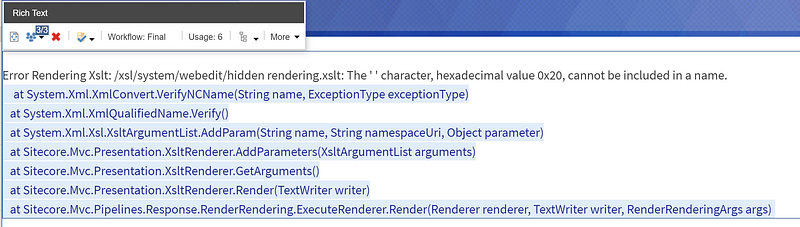
If you’re getting the following error in Experience Editor on personalised components, then read on for a solution.
> Error Rendering Xslt: /xsl/system/webedit/hidden rendering.xslt: The ‘ ‘ character, hexadecimal value 0x20, cannot be included in a name.
**_This happens when the component’s Parameters Template has one or more fields that contain spaces or special characters in the field name._**This has been documented since Sitecore 6.2 in the “4.13 How to Implement a Rendering Settings Data Template” section of “[Presentation Component Cookbook](https://doc.sitecore.com/sdnarchive/reference/sitecore%206/presentation%20component%20cookbook.html)”.
Since I have hit this issue in Sitecore 9, it is still very much relevant today.
### The solution
Well, we need to remove spaces from all these fields. However they are all stored on the Renderings and Final Renderings fields on all the content items that use them, so this is an impossible task to do manually.
### Time to break out SPE
This script will find all parameters templates in the master DB and then recursively rename the fields and all usages in all versions and all languages.
```powershell:SPE_FixRenderingParameters.ps1
function Write-LogExtended {
param(
[string]$Message,
[System.ConsoleColor]$ForegroundColor = $host.UI.RawUI.ForegroundColor,
[System.ConsoleColor]$BackgroundColor = $host.UI.RawUI.BackgroundColor
)
Write-Log -Object $message
Write-Host -Object $message -ForegroundColor $ForegroundColor -BackgroundColor $backgroundColor
}
function Get-ItemBasedOnTemplate {
param(
[string]$TemplateId
)
$queue = New-Object System.Collections.Queue
$processedLookup = New-Object System.Collections.Generic.HashSet[string]
if(-not(Test-Path -Path "master:$($TemplateId)")) { return }
$processedLookup.Add($TemplateId) > $null
Get-ItemReferrer -Id $TemplateId -ItemLink |
Where-Object { $_.SourceItemID } |
ForEach-Object { $queue.Enqueue($_.SourceItemID) }
$database = Get-Database -Name "master"
while($queue.Count -and ($referrerId = $queue.Dequeue())) {
if($processedLookup.Contains($referrerId)) { continue }
$processedLookup.Add($referrerId) > $null
$referrer = $database.GetItem($referrerId)
if(!$referrer) { continue }
if($referrer.Paths.FullPath.StartsWith("/sitecore/templates")) {
if($referrer.Name -eq "__Standard values") { continue }
foreach($referrerItemLink in Get-ItemReferrer -Id $referrerId -ItemLink | Where-Object { $_.SourceItemID }) {
$queue.Enqueue($referrerItemLink.SourceItemID)
}
$itemTemplate = [Sitecore.Data.Managers.TemplateManager]::GetTemplate($referrerId, $database)
} else {
$itemTemplate = [Sitecore.Data.Managers.TemplateManager]::GetTemplate($referrer)
}
if ($itemTemplate -and $itemTemplate.DescendsFromOrEquals($TemplateId)) {
$referrer
}
}
}
New-UsingBlock (New-Object Sitecore.Data.BulkUpdateContext) {
$baseTemplateId = "{8CA06D6A-B353-44E8-BC31-B528C7306971}"
$baseModuleId = gi -Path master: -ID "{0FDE5971-3F03-427C-AD45-BE76DAD03A88}"
$templates = Get-ItemBasedOnTemplate -TemplateId $baseTemplateId
$templates += $baseModuleId
$templates | ForEach-Object {
$item = gi -Path master: -ID $_.ID
$item.FullPath
Write-LogExtended "[Processing] $($item.Name) $($item.ID)"
$fieldsToRename = Get-ChildItem $item.FullPath -recurse | Where-Object { $_.TemplateName -eq 'Template field' -and $_.Name -match ' ' }
if ($fieldsToRename.Count -gt 0) {
Get-ItemReferrer -Item $_ | Where-Object { $_.TemplateName -match 'rendering' } | ForEach-Object {
#rendering
Get-ItemReferrer -Item $_ | ForEach-Object {
#content item
#Write-LogExtended "[Checking] $($_.FullPath)"
Get-Item -Path master: -ID $_.ID -Version * -Language * | ForEach-Object {
$renderings = Get-ItemField -IncludeStandardFields -Item $_ -ReturnType Field -Name "__Renderings" | Where-Object { $_.ContainsStandardValue -eq $false }
$finalrenderings = Get-ItemField -IncludeStandardFields -Item $_ -ReturnType Field -Name "__Final Renderings" | Where-Object { $_.ContainsStandardValue -eq $false }
$renderingsvalue = ''
$finalrenderingsvalue = ''
if (($renderings -ne $null -and $renderings.Value.length -gt 0) -or ($finalrenderings -ne $null -and $finalrenderings.Value.length -gt 0)) {
if ($renderings -ne $null)
{
$renderingsvalue = $renderings.Value
}
if ($finalrenderings -ne $null)
{
$finalrenderingsvalue = $finalrenderings.Value
}
foreach ($field in $fieldsToRename){
$oldname = $field.Name
$newname = $field.Name.Replace(" ", "")
if ($renderings -ne $null -and $renderings.Value -match $oldname)
{
Write-LogExtended "[Set] [Renderings] field $oldname to $newname"
$renderingsvalue = $renderingsvalue.Replace($oldname, $newname)
}
if ($finalrenderings -ne $null -and $finalrenderings.Value -match $oldname)
{
Write-LogExtended "[Set] [Final Renderings] field $oldname to $newname"
$finalrenderingsvalue = $finalrenderingsvalue.Replace($oldname, $newname)
}
}
if ($renderingsvalue -ne '' -or $finalrenderingsvalue -ne '') {
Write-LogExtended "[Update] $($_.FullPath) $($_.ID) Language $($_.Language) Version $($_.Version)"
$_.Editing.BeginEdit()
if ($renderingsvalue -ne '') {
$_.Fields["__Renderings"].Value = $renderingsvalue
}
if ($finalrenderingsvalue -ne '') {
$_.Fields["__Final Renderings"].Value = $finalrenderingsvalue
}
$_.Editing.EndEdit() | out-null
}
}
}
}
}
foreach ($field in $fieldsToRename){
Write-LogExtended "[Update] $($field.FullPath)"
$oldname = $field.Name
$newname = $field.Name.Replace(" ", "")
$field.Editing.BeginEdit()
$field["Title"] = $oldname
$field.Name = $newname
$field.Editing.EndEdit() | out-null
}
}
}
}
```
_Source: [gist](https://gist.github.com/markgibbons25/6a922d352216f4220d58b40982254e89)_
You then need to make sure any code that has the field names hard coded is changed too.
### Full stack trace for searches
> Error Rendering Xslt: /xsl/system/webedit/hidden rendering.xslt: The ‘ ‘ character, hexadecimal value 0x20, cannot be included in a name.
> at System.Xml.XmlConvert.VerifyNCName(String name, ExceptionType exceptionType)
> at System.Xml.XmlQualifiedName.Verify()
> at System.Xml.Xsl.XsltArgumentList.AddParam(String name, String namespaceUri, Object parameter)
> at Sitecore.Mvc.Presentation.XsltRenderer.AddParameters(XsltArgumentList arguments)
> at Sitecore.Mvc.Presentation.XsltRenderer.GetArguments()
> at Sitecore.Mvc.Presentation.XsltRenderer.Render(TextWriter writer)
> at Sitecore.Mvc.Pipelines.Response.RenderRendering.ExecuteRenderer.Render(Renderer renderer, TextWriter writer, RenderRenderingArgs args)
---
# EXM report confusion — message statistics not showing on the “Sent email campaigns” report
- URL: https://www.markgibbons.dev/blog/2019/exm-report-confusion-message-statistics-not-showing-on-the-sent-email-campaigns-report
- Published: 2019-07-24
- Tags: sitecore, sitecore-xp, exm, troubleshooting
> I have just used up a few hours of my life on this and want to document it to save others the trouble.
I have just used up a few hours of my life on this and want to document it to save others the trouble.
If you’re looking at your EXM “Sent email campaigns” report and wondering why there are no statistics, then it may be because they are not “Regular” email campaigns and might be “Automated” or “Scheduled”.
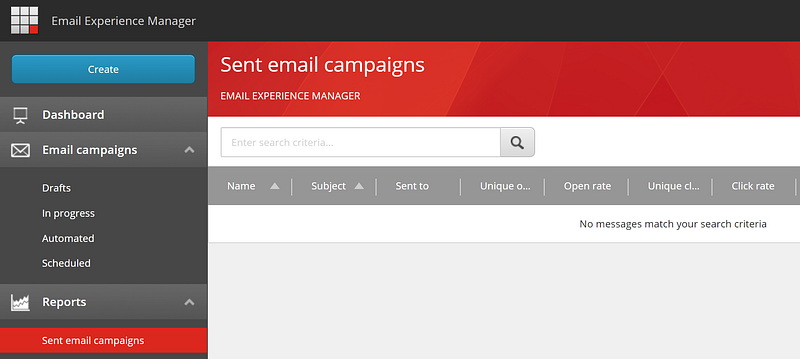
In that screenshot we can see
- Drafts
- In progress
- Automated
- Scheduled
- Sent email campaigns
**_These are all essentially identical in functionality — they are just filters by message status._**
How the statistics actually are retrieved is simply a SQL query to the EXM.Master table. You can view the queries if you enable EXM.Debug and change the log4net appender level to DEBUG. They will then be logged as follows:
> SELECT COUNT(MessageID) FROM Campaigns WHERE ManagerRootID=’34cb7641–4e89–42c8-a899–437ebcc167fc’ AND Status IN ([@includeStatus0](http://twitter.com/includeStatus0))
---
# EXM — Activate / Deactivate all email campaigns with one click
- URL: https://www.markgibbons.dev/blog/2019/exm-activate-deactivate-all-email-campaigns-with-one-click
- Published: 2019-05-15
- Tags: sitecore, sitecore-xp, exm
> When working on a project that has a lot of EXM campaigns, a missing Sitecore feature is the ability to activate or deactivate all email…
When working on a project that has a lot of EXM campaigns, a missing Sitecore feature is the ability to activate or deactivate all email campaigns. There are two reasons why I want to be able to do this:
1. If I sync the email campaigns from one environment to another, the marketing definitions don’t get created and deployed, and statistics are not created in the EXM.Master database.
2. For ease of editing something across multiple campaigns, it is slow to have to deactivate, then make the change, then reactivate.
## Create a new Sitecore admin page
First create a Web Form (aspx) page called ExmMessageActivator in your Visual Studio solution under a sitecore/admin folder.
```aspnet:ExmMessageActivator.aspx
<%@ Page Language="C#" AutoEventWireup="true" CodeBehind="ExmMessageActivator.aspx.cs" Inherits="Foundation.xDB.sitecore.admin.ExmMessageActivator" %>
EXM Message Activator
EXM Message Activator
```
_Source: [gist](https://gist.github.com/markgibbons25/3dce9942f140384b3861b6da97a6db44)_
Then on the code behind add the following:
```csharp:ExmMessageActivator.aspx.cs
using System;
using System.Collections.Generic;
using System.Linq;
using System.Web.UI.WebControls;
using Sitecore.Modules.EmailCampaign.Application.EmailDispatch;
namespace Foundation.xDB.sitecore.admin
{
public partial class ExmMessageActivator : System.Web.UI.Page
{
private IEmailDispatch _emailDispatch;
private const string EmailXpath = "/sitecore/content/Email//*[@@templateid='{078D8A76-F971-4891-B422-76C0BCF9FA03}']";
public ExmMessageActivator()
{
_emailDispatch = Sitecore.Modules.EmailCampaign.Application.Application.Instance.EmailDispatch;
}
protected void btnActivate_Click(object sender, EventArgs e)
{
var items = GetItems(false);
foreach (var item in items)
{
_emailDispatch.Activate(item);
}
}
protected void btnDeactivate_Click(object sender, EventArgs e)
{
var items = GetItems(true);
foreach (var item in items)
{
_emailDispatch.Deactivate(item);
}
}
private List GetItems(bool isReadOnly)
{
return Sitecore.Data.Database.GetDatabase("master")
.SelectItems(EmailXpath)
.Where(x => x.Appearance.ReadOnly == isReadOnly)
.Select(x => x.ID.Guid)
.ToList();
}
}
}
```
_Source: [gist](https://gist.github.com/markgibbons25/54162f81b141418af69962c431ab6484)_
**Note: You will need to tweak the EmailXpath value depending on your Email Message Root and Email Template ID.**
Then just compile, deploy, and you can hit the sitecore/admin/ExmMessageActivator.aspx page and you should see as follows:
If you find this useful I could eventually clean it up and add a lot of features such as a select list of active / draft campaigns to selectively activate. Let me know!
---
# Fault-resistant Sitecore xConnect client operations with just a few lines of code
- URL: https://www.markgibbons.dev/blog/2019/fault-resistant-sitecore-xconnect-client-operations-with-just-a-few-lines-of-code
- Published: 2019-05-10
- Tags: sitecore, sitecore-xp, troubleshooting
> I stumbled across a little gem in the Sitecore API today — the XdbRequestPerformer.
## Adding retry logic to your Sitecore xConnect client operations
Have you ever had an issue where an xConnect operation such as updating a contact facet has failed? Why not add some fault tolerance? I’ll show you how!
### Example without retry logic
Let’s look at some code of a simple contact save that we might be doing without retry logic:
```csharp:xConnectClientSubmit.cs
using Newtonsoft.Json;
using Sitecore.Analytics;
using Sitecore.Analytics.Model;
using Sitecore.Analytics.Tracking;
using Sitecore.Diagnostics;
using Sitecore.XConnect;
using Sitecore.XConnect.Client;
using Sitecore.XConnect.Client.Configuration;
using Sitecore.XConnect.Collection.Model;
using System;
using System.Collections.Generic;
using System.Linq;
namespace Yours
{
public class ContactRepository : IContactRepository
{
private readonly ContactManager _contactmanager;
public ContactRepository()
{
_contactmanager = Sitecore.Configuration.Factory.CreateObject("tracking/contactManager", true) as ContactManager;
}
public bool SaveContactData(ContactModel contactModel)
{
try
{
var contactReference = GetIdentifiedContactReference();
using (var client = SitecoreXConnectClientConfiguration.GetClient())
{
var contact = client.Get(contactReference, new ContactExpandOptions(PersonalInformation.DefaultFacetKey));
// Update your contact facets
client.Submit();
ReloadContact();
}
return true;
}
catch (Exception ex)
{
Log.Error("Error saving data to profile", ex, this);
return false;
}
}
private IdentifiedContactReference GetIdentifiedContactReference()
{
if (Tracker.Enabled && !Tracker.Current.IsActive)
{
Tracker.StartTracking();
}
if (Tracker.Current?.Contact == null)
{
Log.Warn("Tracker.Current?.Contact == null", this);
return null;
}
if (Tracker.Current.Contact.IsNew)
{
Tracker.Current.Contact.ContactSaveMode = ContactSaveMode.AlwaysSave;
_contactmanager.SaveContactToCollectionDb(Tracker.Current.Contact);
}
var id = Tracker.Current.Contact.Identifiers.FirstOrDefault();
return Tracker.Current.Contact.IsNew || Tracker.Current.Contact.Identifiers.Count == 0
? new IdentifiedContactReference(Sitecore.Analytics.XConnect.DataAccess.Constants.IdentifierSource, Tracker.Current.Contact.ContactId.ToString("N"))
: new IdentifiedContactReference(id.Source, id.Identifier);
}
private void ReloadContact()
{
if (Tracker.Current?.Session == null)
{
Log.Warn("Tracker.Current?.Contact == null", this);
return;
}
_contactmanager.RemoveFromSession(Tracker.Current.Contact.ContactId);
Tracker.Current.Session.Contact = _contactmanager.LoadContact(Tracker.Current.Contact.ContactId);
}
}
}
```
_Source: [gist](https://gist.github.com/markgibbons25/5432ca842cf5a55db9190c869723522e)_
### Add the XdbRequestPerformer
First we’ll add some magic. It provides some exception handling and retry logic which will retry the operation up to 5 times before giving up.
```csharp:XdbRequestPerformer.cs
using System;
using System.Linq;
using System.Runtime.CompilerServices;
using Sitecore.XConnect;
using Sitecore.XConnect.Client.Configuration;
using Sitecore.XConnect.Operations;
namespace Yours
{
public interface IXdbRequestPerformer
{
void RequestWithRetry(Action action);
void RequestWithRetry(Action action, string actionMessage);
}
public class XdbRequestPerformer : IXdbRequestPerformer
{
private const int XdbRequestRetriesCount = 5;
public void RequestWithRetry(Action action)
{
RequestWithRetry(action, string.Empty);
}
public void RequestWithRetry(Action action, string actionMessage)
{
using (var xconnectClient = SitecoreXConnectClientConfiguration.GetClient())
{
for (int index = 0; index < XdbRequestRetriesCount + 1; ++index)
{
try
{
action(xconnectClient);
break;
}
catch (Exception ex)
{
var xdbOperations = xconnectClient?.LastBatch?.Where(x => x.Status == XdbOperationStatus.Failed);
var str = string.IsNullOrEmpty(actionMessage) ? string.Empty : "of '" + actionMessage + "'";
if (ex is XdbUnavailableException || xdbOperations != null && xdbOperations.Any())
{
if (index == XdbRequestRetriesCount)
{
Sitecore.Diagnostics.Log.Error(FormattableString.Invariant(FormattableStringFactory.Create("Request {0} is failed during xDB operation. (Message: {1})", str, ex.Message)), ex, typeof(XdbRequestPerformer));
throw;
}
else
Sitecore.Diagnostics.Log.Warn(FormattableString.Invariant(FormattableStringFactory.Create("Request {0} is failed during xDB operation. Trying to retry {1} time... (Message: {2})", str, (index + 1), ex.Message)), ex, typeof(XdbRequestPerformer));
}
else
{
Sitecore.Diagnostics.Log.Error(FormattableString.Invariant(FormattableStringFactory.Create("Request {0} is failed. Retry will not be performed because the issue is probably caused not during xDB operation... (Message: {1})", str, ex.Message)), ex, typeof(XdbRequestPerformer));
throw;
}
}
}
}
}
}
}
```
_Source: [gist](https://gist.github.com/markgibbons25/d8ec3b23787cce7993426e74299ba0a3)_
### Updating the example to use the retry code
With just a few lines of code you can change it to use the XdbRequestPerformer:
```csharp:xConnectClientSubmitWithXdbRequestPerformer.cs
using System;
using System.Collections.Generic;
using System.Linq;
using Newtonsoft.Json;
using Sitecore.Analytics;
using Sitecore.Analytics.Model;
using Sitecore.Analytics.Tracking;
using Sitecore.Diagnostics;
using Sitecore.XConnect;
using Sitecore.XConnect.Client;
using Sitecore.XConnect.Collection.Model;
namespace Yours
{
public class ContactRepository : IContactRepository
{
private readonly ContactManager _contactmanager;
private readonly XdbRequestPerformer _xdbRequestPerformer;
public ContactRepository(IXdbRequestPerformer xdbRequestPerformer)
{
_contactmanager = Sitecore.Configuration.Factory.CreateObject("tracking/contactManager", true) as ContactManager;
_xdbRequestPerformer = xdbRequestPerformer;
}
public bool SaveContactData(ContactModel contactModel)
{
try
{
var contactReference = GetIdentifiedContactReference();
_xdbRequestPerformer.RequestWithRetry(client =>
{
var contact = client.Get(contactReference, new ContactExpandOptions(PersonalInformation.DefaultFacetKey));
// Update your contact facets
client.Submit();
ReloadContact();
}, "SaveContactData");
return true;
}
catch (Exception ex)
{
Log.Error("Error saving data to profile", ex, this);
return false;
}
}
private IdentifiedContactReference GetIdentifiedContactReference()
{
if (Tracker.Enabled && !Tracker.Current.IsActive)
{
Tracker.StartTracking();
}
if (Tracker.Current?.Contact == null)
{
Log.Warn("Tracker.Current?.Contact == null", this);
return null;
}
if (Tracker.Current.Contact.IsNew)
{
Tracker.Current.Contact.ContactSaveMode = ContactSaveMode.AlwaysSave;
_contactmanager.SaveContactToCollectionDb(Tracker.Current.Contact);
}
var id = Tracker.Current.Contact.Identifiers.FirstOrDefault();
return Tracker.Current.Contact.IsNew || Tracker.Current.Contact.Identifiers.Count == 0
? new IdentifiedContactReference(Sitecore.Analytics.XConnect.DataAccess.Constants.IdentifierSource, Tracker.Current.Contact.ContactId.ToString("N"))
: new IdentifiedContactReference(id.Source, id.Identifier);
}
private void ReloadContact()
{
if (Tracker.Current?.Session == null)
{
Log.Warn("Tracker.Current?.Contact == null", this);
return;
}
_contactmanager.RemoveFromSession(Tracker.Current.Contact.ContactId);
Tracker.Current.Session.Contact = _contactmanager.LoadContact(Tracker.Current.Contact.ContactId);
}
}
}
```
_Source: [gist](https://gist.github.com/markgibbons25/a738b8e13b6ad72c053d1ee475ab9660)_
And that’s it!
### Another alternative
You could also use [Polly](https://docs.microsoft.com/en-us/dotnet/standard/microservices-architecture/implement-resilient-applications/implement-http-call-retries-exponential-backoff-polly) to give much the same, with also only a few lines of code. However I think in this particular example it’s going to be easier to use the XdbRequestPerformer which has some additional smarts around batch operations where some operations succeeded and some failed.
---
# Some exciting things I learned at SUGCON EU 2019
- URL: https://www.markgibbons.dev/blog/2019/some-exciting-things-i-learned-at-sugcon-eu-2019
- Published: 2019-04-18
- Tags: sitecore, career
> The keynote by Donovan Brown from Microsoft was absolutely fantastic. I’ve been doing a lot of work in the DevOps space and he really…

The keynote by Donovan Brown from Microsoft was absolutely fantastic. I’ve been doing a lot of work in the DevOps space and he really delivered a message that I think resonated with everyone in the audience — that a lack of good DevOps practices is a real problem in the industry, and that Microsoft are bringing solutions to this problem in the form of Azure DevOps and their Azure PaaS offering.
The fact that the people at Sitecore are embracing this change head-on shows to me how dedicated they are to be industry leaders and it really makes me feel part of this technology and process driven change in the industry.
A talk from Criss Titschinger on his learnings of a year in PaaS ([slides available here](https://www.sugcon.eu/wp-content/uploads/2019/04/SUGCON-Europe-2019-Criss-Titschinger-PaaS-it-On-Learnings-From-a-Year-on-Azure-PaaS.pdf)) really surprised me. Not from what Criss had to say, but from the audience’s reactions to the insights he was giving. Everyone was so tuned-in, taking photos of every slide, and then there was a great Q&A session at the end that really highlighted what usergroups are about — sharing information.
### Upcoming and new releases
Sitecore’s Pieter Brinkman did a presentation of Sitecore’s core values:
- Innovation — solutions to solve the problems of tomorrow
- Time to Market — speed throughout the project lifecycle
- Enhancements — rock solid stability and performance
[View tweet](https://twitter.com/sitecorey/status/1114202969963212801)
Sitecore casually dropped 9.1.1 during the conference, and I’ve now had some time to get familiar with the changes. Being a point release, there’s not much new, just a plethora of bug fixes. For me, the highlights are a whole lot of EXM and SXA bug fixes. This is proof of the core value of _Enhancements_. Sitecore is a beast of a platform to put it mildly, and we’re all human so bugs will happen and mistakes will be made. But these last couple of releases (9.1.0 and 9.1.1) have had so many bug fixes — if there’s ever been a time to upgrade it’s now.
Pieter then went on to announce that Sitecore 9.2.0 will be available by 30 June at the latest, and went over a few cool new features.
- Personalisation dashboard
- Search service
- Sitecore Host improvements
- Support for Forms and SXA on JSS
- Identity Server Single Sign Out support
It’s great that Sitecore are continuing their focus on Host and their goal to split up the monolith in to a service oriented architecture. For those that don’t know anything about Host, it’s the new .NET Core platform that all the services will be hosted on / eventually migrated to. Currently Identity Server is using it, and Publishing Service is being ported to it (slated for release with 9.2), and Search Service will be using it. For those with large Sitecore installations where indexing is a significant load on their CM server, I’m sure you’ll be excited about that change.
## Some of the other presentations
I attended [Jeremy Davis’ presentation](https://www.sugcon.eu/wp-content/uploads/2019/04/SUGCON-Europe-2019-Jeremy-Davis-Measure-if-you-want-to-go-faster.pdf) on how to use the Visual Studio Profiler effectively to measure , identify, and fix performance and memory issues. This to me was totally one of the best presentations of the event. It feels weird to admit that after using Visual Studio since 2006 I learned so much about the profiling tool, but I know I wasn’t the only one.
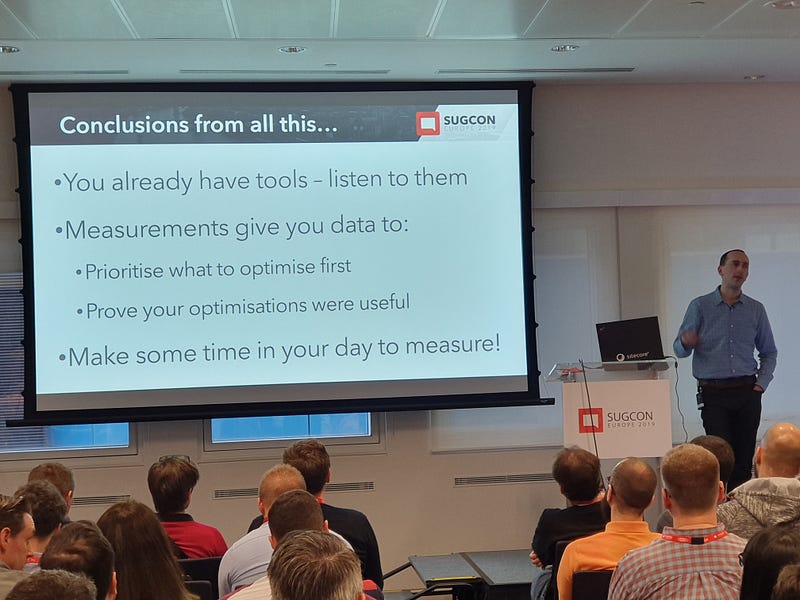
_Jeremy Davis in action_
Mark Cassidy gave a talk on how to [10x your Sitecore development](https://www.sugcon.eu/wp-content/uploads/2019/04/SUGCON-Europe-2019-Mark-Cassidy-10x-your-Sitecore-Development.pdf). He started with a disclaimer that he doesn’t know anything about JSS, but knows enough about SXA to be dangerous. He showed how he built a mostly functional site in 15 hours. This included 20 components, all styling, all experience editor friendly. Some standard components that he didn’t include were site search and sitemap, but these are out of the box in SXA so I’ll absolutely forgive him for that. I found this talk great because the message was that we don’t need to be using all sorts of bleeding edge tools, stacks, and libraries to deliver business value. In fact, these things are more often than not slowing us down with their complexity. Just keep it simple — use “1 of everything” for each content module you make. 1 Controller, 1 View, 1 Model, 1 Repository, 1 Datasource template. In general, trying to share and reuse any of the above between components is just shooting yourself in the foot. Some exceptions apply, for example if the html rendered is exactly the same.
[Pete Navarra](https://www.sugcon.eu/wp-content/uploads/2019/04/SUGCON-Europe-2019-Pete-Navarra-Wheels-on-the-Rebus.pdf) physically demonstrated how using a service bus to pass messages around modules of a system is not only easy, in many cases it is actually more performant than REST or similar. Service buses are not a new invention by any means, but Sitecore is embracing them and putting them to use more and more. They’re here to say and should definitely be used if you have a need to offload work from one server to another.
I also want to mention a talk from the Sitecore Experience Day (which was the day before SUGCON at the same location). [Mike Shaw](https://twitter.com/me_mikeshaw) talked about personalisation in Sitecore. Here’s an action shot:
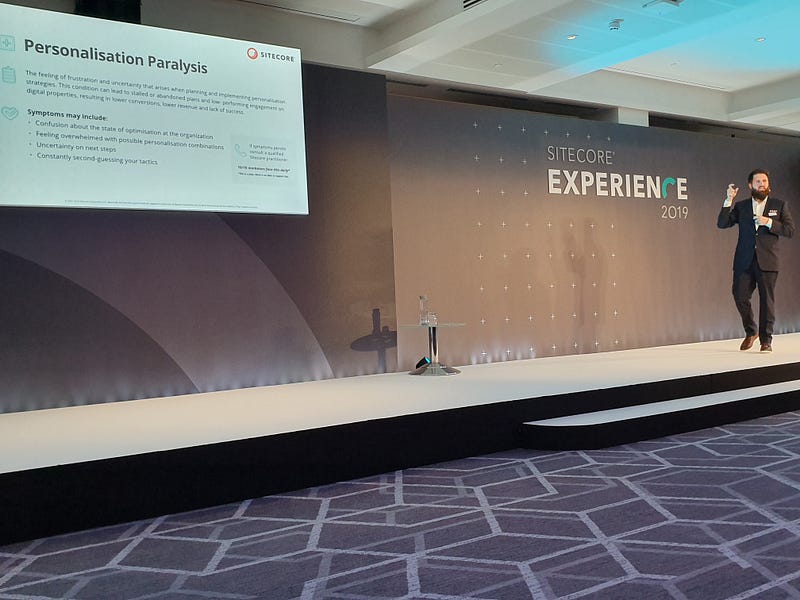
_Mike Shaw in action_
He really opened my eyes on what data we collect about users is valuable. This slide in particular:
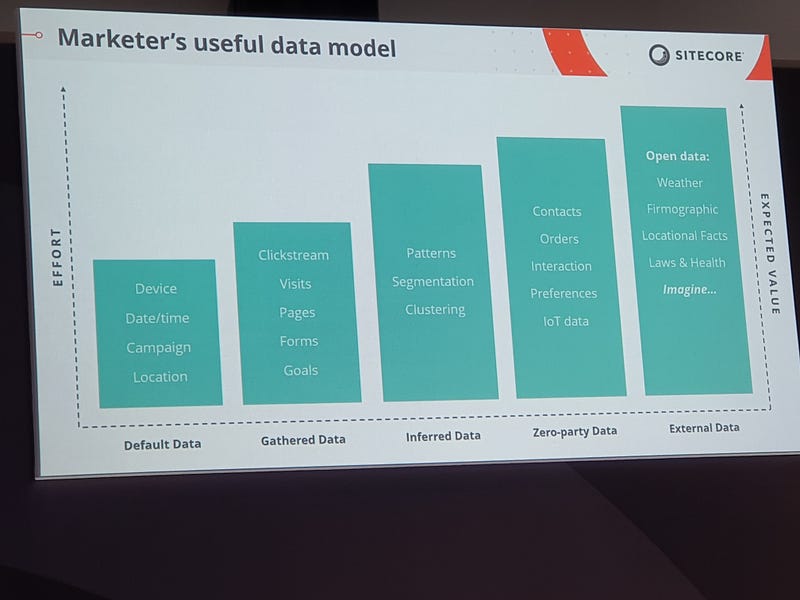
_Useful data in personalisation_
This really helped to put into perspective the power of different bits of data that we might have on a member. As an example: thanks to GeoIP and Device Detection we know where they are and what device they’re on. Why not take it a step further without being too creepy, and give them suggestions based on the weather in their location. For example an eCommerce site that stocks umbrellas might promote them more if it’s currently raining in their location. Another good example would be a financial services site that says “Feeling washed out? Why not speak to a financial planner!”. I think it really adds a touch of humanity to the experience.
The slides from most of the other SUGCON talks are available [here](https://www.sugcon.eu/video-downloads/), but those were some of my favourite parts and I can’t wait for the next one. Thanks for reading.
---
# A Go-Live checklist for a new site built with Sitecore SXA
- URL: https://www.markgibbons.dev/blog/2019/a-go-live-checklist-for-a-new-site-built-with-sitecore-sxa
- Published: 2019-03-24
- Tags: sitecore, sitecore-xp, sxa
> Sitecore Experience Accelerator is an absolute game-changer for companies looking to roll-out a new site. It has so much great value out…
Sitecore Experience Accelerator is an absolute game-changer for companies looking to roll-out a new site. It has so much great value out of the box that there are very few reasons why I would decide not to use it on any new Sitecore build. Of course there’s been plenty of other blogs and discussions on what makes SXA so great — instead let’s delve into what needs to be done when launching a new SXA site.

## Friendly Error Page and Not Found Page
All too often I come across the dreaded [ASP.NET Yellow Screen Of Death](https://stackoverflow.com/questions/5443334/asp-net-hacking-the-yellow-screen-of-death/5446014) when looking at a new site. With SXA, all you need is a few clicks to have a nice customer-friendly 404 page and server error page. See [here](https://doc.sitecore.com/developers/sxa/18/sitecore-experience-accelerator/en/generate-a-custom-static-error-page.html) for the official documentation on how to configure this.
**One gotcha that is not covered in the official docs** at time of writing is that you need to make sure that the static error page .html file is deployed to all your CM and CD instances. [Here](https://sitecore.stackexchange.com/a/17481/1278) is some more info and helpful hints on troubleshooting issues when setting it up and configuring.
## Configure your Site Groupings
You shouldn’t be defining your SXA site as a `` in [config as you would with non-SXA sites](https://doc.sitecore.com/SdnArchive/Articles/Administration/Configuring%20Multiple%20Sites/Configuring%20Sites%20in%20web,-d-,config%20File.html). Instead use the far more flexible Site Grouping. It is still possible to define an SXA site via config instead of Site Grouping item, by setting `IsSXASite=true` on your site config. However, I’d only recommend doing this if you have a very good reason (I can’t think of any at the moment, but I’m sure there are some customization edge cases where this would be a good option).
I usually would check and configure the following on each Site Grouping site in the environment.
- [Configure a custom link provider](https://doc.sitecore.com/developers/sxa/18/sitecore-experience-accelerator/en/add-and-select-a-custom-link-provider.html). If the site only supports one language then usually you’ll want to prevent language embedding or at [least enable lowercase URLs.](https://sitecore.stackexchange.com/q/16504/1278)
- [Configure the Host Name and Target Host Name settings](https://doc.sitecore.com/developers/sxa/18/sitecore-experience-accelerator/en/configure-a-sitemap.html).
- Make sure all Database settings are set to Web if the Host Name value will be used a CD server.
- Check your site(s) in the [Site Manager](https://doc.sitecore.com/developers/sxa/18/sitecore-experience-accelerator/en/manage-multiple-sites-with-the-sxa-site-manager.html) to make sure there’s no issues with site ordering.
## Check your Robots.txt and Sitemap.xml
These SEO things don’t take much time, but have a huge impact on search engine rankings. By default SXA will have a “Disallow all” robots.txt, and the Sitemap.xml might need some tweaking based on your business needs (or may require a custom link provider as mentioned above).
- Configure Robots.txt on your site settings item.
- Configure [Sitemap.xml](https://doc.sitecore.com/developers/sxa/18/sitecore-experience-accelerator/en/configure-a-sitemap.html)
- If you have multiple sites, [watch out for this potential issue](https://sitecore.stackexchange.com/q/17294/1278) when using wildcard hostnames.
## Enable and Configure the Asset Optimizer
Chances are if you’re reading this is that by now you’re familiar with the Asset Optimizer, as it is enabled by default and can be a pain to work with. But it’s worth [double checking that it’s enabled](https://doc.sitecore.com/developers/sxa/17/sitecore-experience-accelerator/en/enable-and-configure-the-asset-optimizer.html) and working and none of your assets are throwing 404’s due to duplicate asset items in the media library.
## Set a Favicon
Favicons are necessary to add that extra polish to the site. Instructions are available [here](https://sitecore.stackexchange.com/a/17649/1278) on how to configure one.
## Set up Tenant and Site level security
SXA has [some little-known scripts](https://doc.sitecore.com/developers/sxa/18/sitecore-experience-accelerator/en/set-up-security-for-a-tenant-and-a-site.html) for creating some useful roles for Tenant-level and Site-level permissions.
## Standard Sitecore Go-Live tasks
This isn’t SXA specific, but here are some steps to take to ensure your Sitecore environment is healthy. The order set here is important. **Every single one of these steps is essential and needs to complete successfully.**
1. Do a full republish of master to web.
2. Rebuild all link databases.
3. Rebuild all indexes.
4. XP Only: Deploy all Marketing Definitions and Taxonomies. Instructions for how to do this are part of the Installation Guide for your version of Sitecore. One tip I can give is if it doesn’t succeed and there’s no errors in the logs, try and deploy them one by one in reverse order.
5. Validate all instances in your Sitecore environment. How? [I’m simply going to link to this post by Pete Navarra as it is quite definitive.](https://sitecore.stackexchange.com/a/17213/1278) One other tool that may help with checking xConnect connectivity is [xConnectHelper.](https://github.com/lowedown/xConnectHelper/)
## Security
There are many considerations here and every installation and implementation is unique, but here are a few general things you can check on:
- Limit access to your CM, Processing, Reporting environments using IP restrictions.
- Limit access to Sitecore pages on CD servers. Either use [URL Rewrite rules](https://sitecore.stackexchange.com/a/218/1278) or [deny anonymous access](https://doc.sitecore.com/developers/91/platform-administration-and-architecture/en/deny-anonymous-users-access-to-a-folder.html).
- Set good passwords on all CMS accounts — especially admin accounts.
- Set good passwords on all SQL user accounts.
- Enable HTTPS only connections (e.g. via a URL rewrite rule).
- [Set the Secure flag on all cookies](https://stackoverflow.com/a/6190050/1102452).
That’s it, if you have any questions, suggestions or comments hit me up on [Twitter](https://twitter.com/markgibbons25) or [Sitecore Slack](https://sitecorechat.slack.com/messages/C09SJ4FHC/team/U0ZSD8529/).
---
# Sitecore crashing on startup with “Internal Error In The .NET Runtime”
- URL: https://www.markgibbons.dev/blog/2019/sitecore-crashing-on-startup-with-internal-error-in-the-net-runtime
- Published: 2019-03-21
- Tags: sitecore, sitecore-xp, troubleshooting
> I vowed to myself that when I found a solution to this issue on startup of Sitecore, that I would share it since I had spent many…
I vowed to myself that when I found a solution to this issue on startup of Sitecore, that I would share it since I had spent many fruitless hours of searching for someone that had a similar problem.
## The Problem
On startup of Sitecore, a window would pop up saying that an exception had occurred in w3wp.exe and would I like to attach a debugger. I would cancel out of it and the site would then load fine, no issues, until the next time I either changed a config file or dll.
There was nothing indicating any error in the Sitecore logs, so I checked the Event Viewer and saw these two messages:
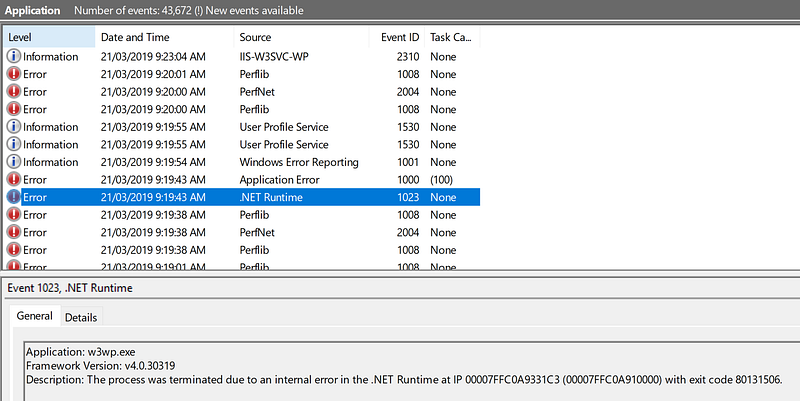
> Application: w3wp.exe
> Framework Version: v4.0.30319
> Description: The process was terminated due to an internal error in the .NET Runtime at IP 00007FFC0A9331C3 (00007FFC0A910000) with exit code 80131506.
> Faulting application name: w3wp.exe, version: 10.0.17134.1, time stamp: 0xed729d4e
> Faulting module name: clr.dll, version: 4.7.3362.0, time stamp: 0x5c2fcfd4
> Exception code: 0xc0000005
> Fault offset: 0x00000000000231c3
> Faulting process ID: 0x4ed4
> Faulting application start time: 0x01d4df734a69e7f7
> Faulting application path: c:\windows\system32\inetsrv\w3wp.exe
> Faulting module path: C:\Windows\Microsoft.NET\Framework64\v4.0.30319\clr.dll
I am disappointed in how long it took me to find the issue. I tried the usual steps when getting strange exceptions in Sitecore:
- Google / StackExchange search to see if anyone else has had the issue. The closest I could find was [this one](https://stackoverflow.com/questions/4367664/application-crashes-with-internal-error-in-the-net-runtime/10141051), but it didn’t help in this case.
- Did a BeyondCompare diff of my bin directory with a clean install of Sitecore. Changed my package references to match it exactly.
- Deleted all custom .configs and .dll’s
- Deleted all custom marketing definitions
Nothing seemed to work, and I was tearing my hair out.
## The Solution
I had duplicate binding redirects in the web.config. They must have been duplicated somehow — probably a NuGet package upgrade. I simply restored the assemblyBinding section from the stock web.config and hey, what do you know, problem solved.
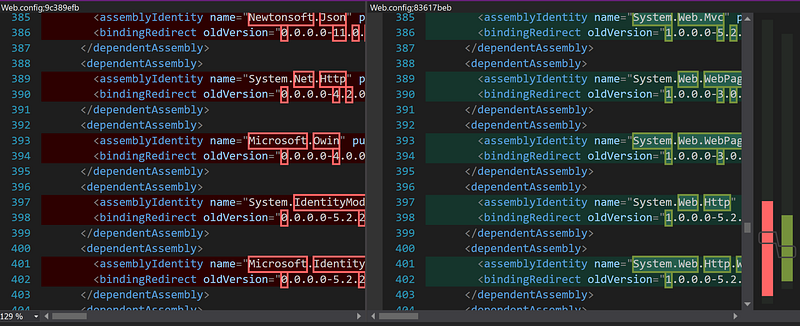
_Diff of web.config after removing duplicate redirects_
I usually have a specific web.debug.config / web.release.config transform to adjust binding redirects and keep the web.config as stock as possible, but on Sitecore 9.1.0 I found that I didn’t need to add any new ones over the default so I had removed that transform section. I’ve learned my lesson — keep the transform in there in case NuGet doesn’t play nicely.
---
# Sitecore 9.1: How to prefix or rename Azure Search indexes
- URL: https://www.markgibbons.dev/blog/2019/sitecore-9-1-how-to-prefix-or-rename-azure-search-indexes
- Published: 2019-03-11
- Tags: sitecore, sitecore-xp, search
> Find out why and how to change the name of Sitecore indexes in Azure Search.
Sitecore’s Solr provider has long had an out of the box way to support [renaming Solr cores](https://doc.sitecore.com/developers/82/sitecore-experience-platform/en/configure-a-search-and-indexing-provider.html) allowing reuse of a Solr server instance, but nothing similar exists for Azure Search.
### Why would I want to rename or prefix an index?
I can think of a few reasons:
- **Cost saving**— For non-production environments, you may want to share a single Azure Search service between multiple environments to save on cost. Azure Search is one of the most expensive components in a Sitecore environment, so minimizing instances would have a big impact.
- **Flexibility** — Developers may want to test out their changes to indexes without having to impact any other environments that may be using a shared Azure Search instance.
- **Time saving** — It takes time to provision new instances of Azure Search, especially if you don’t hold the keys to the Azure subscription. If you have an existing instance you can use, then it will save time to simply reuse the instance and add a new environment to it.
- **Blue/green deployments** — This is pretty much a combination of the previous points, but it would be nice for staging slots to be able to share the Azure Search instance but have their own dedicated indexes while staging slots are active.
### Implementations for previous versions of Sitecore
I’ll first note that this implementation is for Sitecore 9.1.0 only as the APIs have changed quite a lot since Sitecore 9.0.x. If you’re looking for an implementation that works in Sitecore 9.0.x then [check out this article](https://www.sitecoredotnet.com/sitecore/sitecore-azure-search-how-to-name-indexes-for-distinct-environments/).
### What’s changed in Sitecore 9.1.0?
In previous versions the current index name was stored in the database Properties table. This was changed in Sitecore 9.1.0 (and there is also a patch available from Support for 9.0.2) to use an index catalog in the Azure Search instance itself. This was due to issues with the database based implementation not picking up index name changes while the [Azure Search Switch on Rebuild](https://doc.sitecore.com/developers/91/platform-administration-and-architecture/en/zero-downtime-index-rebuild-in-azure-search.html) is enabled.
### Ok let’s get to it…
This solution does require custom code.
1. First, choose a project in your solution to put the code in. If you’re using Helix I’d suggest a Foundation project as once you’ve configured this correctly it’s unlikely to change until you upgrade to a newer version of Sitecore.
2. Add the following code to your project
```csharp:PrefixCloudSearchProviderIndexName.cs
using Sitecore.ContentSearch.Azure;
using Sitecore.ContentSearch.Azure.Http;
using Sitecore.ContentSearch.Maintenance;
using System;
namespace MyCustomAssembly
{
public class CloudSearchProviderIndex : Sitecore.ContentSearch.Azure.CloudSearchProviderIndex
{
public CloudSearchProviderIndex(string name, string connectionStringName, string totalParallelServices, IIndexPropertyStore propertyStore)
: base(name, connectionStringName, totalParallelServices, propertyStore, null, new ServiceCollectionClient(), new PrefixCloudSearchProviderIndexName(new FactoryWrapper()))
{
}
}
public class PrefixCloudSearchProviderIndexName : ICloudSearchProviderIndexName
{
private readonly IFactoryWrapper factoryWrapper;
private readonly string _prefix = Sitecore.Configuration.Settings.GetSetting("ContentSearch.Azure.IndexNamePrefix");
public PrefixCloudSearchProviderIndexName(IFactoryWrapper wrapper)
{
factoryWrapper = wrapper;
}
public void Initialize(string connectionStringName) => Sitecore.Diagnostics.Log.Info($"Initializing PrefixCloudSearchProviderIndexName {_prefix}", this);
public string GetIndexName(string sitecoreIndexName, CloudSearchProviderIndexName.OperationalType type)
{
var prefixName = $"{_prefix}-{sitecoreIndexName.Replace('_', '-')}";
Sitecore.Diagnostics.Log.Info($"PrefixCloudSearchProviderIndexName {prefixName}", this);
return prefixName;
}
public void SetIndexName(string sitecoreIndexName, CloudSearchProviderIndexName.OperationalType type, string serviceIndexName)
{
// No action needed
}
public string GenerateIndexName(string originalName) => string.Format("{0}-{1}", originalName, new Random().Next(1000)).Replace('_', '-');
}
}
```
_Source: [gist](https://gist.github.com/markgibbons25/d2c477a61b7cb442d9b77badd58702dc)_
3. Add the following config and modify as necessary for any custom indexes you have
```xml:PrefixCloudSearchProviderIndexName.config
```
_Source: [gist](https://gist.github.com/markgibbons25/6482b78a71ffb03748de4607532c241d)_
After deploying the above and kicking off a rebuild of sitecore-master-index I can see this in my instance:
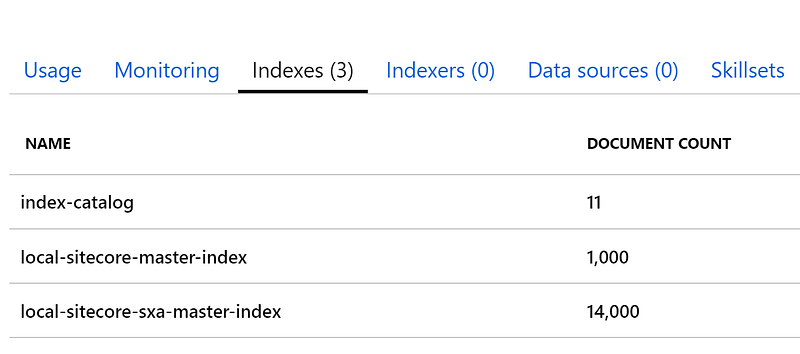
_Azure Search indexes with prefix_
### Further info
I haven’t fully tested that this works in all situations and as you may have noticed I’ve disabled the index switch on rebuild functionality as I don’t need it for scenarios where I would need to be prefixing index names.
Note that I’ve included changing the web index strategies. This isn’t necessary for this example, but I’m including it as I think it’s an important thing to configure.
I wouldn’t recommend using this code in Production as if you do have any issues then Sitecore Support will be well within their rights to refuse to support it.
I think that this solution will probably not work in future versions of Sitecore 9.x as I believe that this area of Sitecore’s code is in flux at time of writing. However I’ll endeavor to update this post once new versions of Sitecore are released.
---