- Published on
EXM — Activate / Deactivate all email campaigns with one click
- Authors

- Name
- Mark Gibbons
- @markgibbons25
When working on a project that has a lot of EXM campaigns, a missing Sitecore feature is the ability to activate or deactivate all email campaigns. There are two reasons why I want to be able to do this:
- If I sync the email campaigns from one environment to another, the marketing definitions don’t get created and deployed, and statistics are not created in the EXM.Master database.
- For ease of editing something across multiple campaigns, it is slow to have to deactivate, then make the change, then reactivate.
Create a new Sitecore admin page
First create a Web Form (aspx) page called ExmMessageActivator in your Visual Studio solution under a sitecore/admin folder.
<%@ Page Language="C#" AutoEventWireup="true" CodeBehind="ExmMessageActivator.aspx.cs" Inherits="Foundation.xDB.sitecore.admin.ExmMessageActivator" %>

<!DOCTYPE html>

<html xmlns="http://www.w3.org/1999/xhtml">
<head runat="server">
    <title>EXM Message Activator</title>
</head>
<body>
    <h1>EXM Message Activator</h1>
    <form id="form1" runat="server">
        <div>
            <asp:button id="Button1" runat="server" onclick="btnActivate_Click" text="Activate All" width="234px" />
            <asp:button id="Button2" runat="server" onclick="btnDeactivate_Click" text="Deactivate All" width="234px" />
        </div>
    </form>
</body>
</html>
Source: gist
Then on the code behind add the following:
using System;
using System.Collections.Generic;
using System.Linq;
using System.Web.UI.WebControls;
using Sitecore.Modules.EmailCampaign.Application.EmailDispatch;

namespace Foundation.xDB.sitecore.admin
{
    public partial class ExmMessageActivator : System.Web.UI.Page
    {
        private IEmailDispatch _emailDispatch;
        private const string EmailXpath = "/sitecore/content/Email//*[@@templateid='{078D8A76-F971-4891-B422-76C0BCF9FA03}']";

        public ExmMessageActivator()
        {
            _emailDispatch = Sitecore.Modules.EmailCampaign.Application.Application.Instance.EmailDispatch;
        }

        protected void btnActivate_Click(object sender, EventArgs e)
        {
            var items = GetItems(false);

            foreach (var item in items)
            {
                _emailDispatch.Activate(item);
            }
        }

        protected void btnDeactivate_Click(object sender, EventArgs e)
        {
            var items = GetItems(true);

            foreach (var item in items)
            {
                _emailDispatch.Deactivate(item);
            }
        }

        private List<Guid> GetItems(bool isReadOnly)
        {
            return Sitecore.Data.Database.GetDatabase("master")
                        .SelectItems(EmailXpath)
                        .Where(x => x.Appearance.ReadOnly == isReadOnly)
                        .Select(x => x.ID.Guid)
                        .ToList();
        }
    }
}
Source: gist
Note: You will need to tweak the EmailXpath value depending on your Email Message Root and Email Template ID.
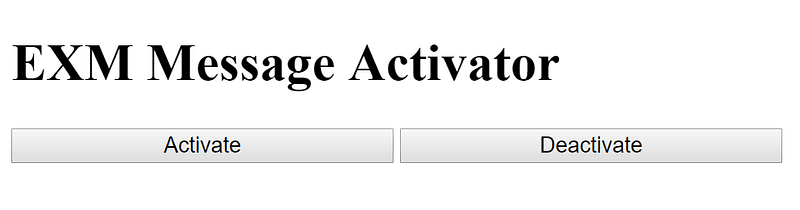
Then just compile, deploy, and you can hit the sitecore/admin/ExmMessageActivator.aspx page and you should see as follows:
If you find this useful I could eventually clean it up and add a lot of features such as a select list of active / draft campaigns to selectively activate. Let me know!